How AI Content Workflows Preserve Brand Governance at Scale with MCP
Putting your content workflow inside an AI client doesn't make it governed. AI content workflows preserve brand governance at scale only when the same company context, permissions, review points, and publishing rules follow the work into that client.
Without those controls, convenience gets expensive. A product marketer starts research in Claude, copies the output into a document, rewrites the positioning, checks every product claim, then asks someone else which version is approved. Faster production created more frustrating rework. And everyone is worried about what slipped through.
Oleno MCP is built around a different idea. Approved AI clients can access the marketer's tenant-bound Oleno workspace, while Oleno keeps control of company knowledge, permissions, revisions, approvals, history, and available delivery paths. The first win is simple: request supported work from the AI client, inspect the preview, then decide whether the write should happen.
Key Takeaways
- Oleno MCP gives approved AI clients tenant-bound access to the governed workspace rather than creating a separate content system.
- Every MCP write passes through four controls: a preview, explicit confirmation, a durable operation record, and an idempotency key.
- Company context comes from the Oleno workspace, so marketers don't have to rebuild the brand inside every chat session.
- Human approval stays attached to consequential actions, and publishing or gate advancement remains disabled by default during the controlled beta.
- Quick Draft uses the existing Writing Studio pipeline and records a protected quality state before publishing can occur.
Same workspace. Same controls.
Oleno MCP Brings AI Clients Into The Governed Workspace
Oleno MCP gives approved AI clients access to a tenant-bound content workspace while preserving the controls already attached to that workspace. Marketers can work through supported AI clients such as Codex or Claude where MCP is enabled, without creating a second place for company truth or content approval.
Approved AI Clients Enter The Existing Workspace
A new interface usually creates a context problem. Your brand voice lives in one system. Positioning sits in a slide deck. Product facts are scattered across help docs, launch notes, and someone's memory. Then the AI client starts with none of it, so the marketer becomes the copy-paste bridge every single session.
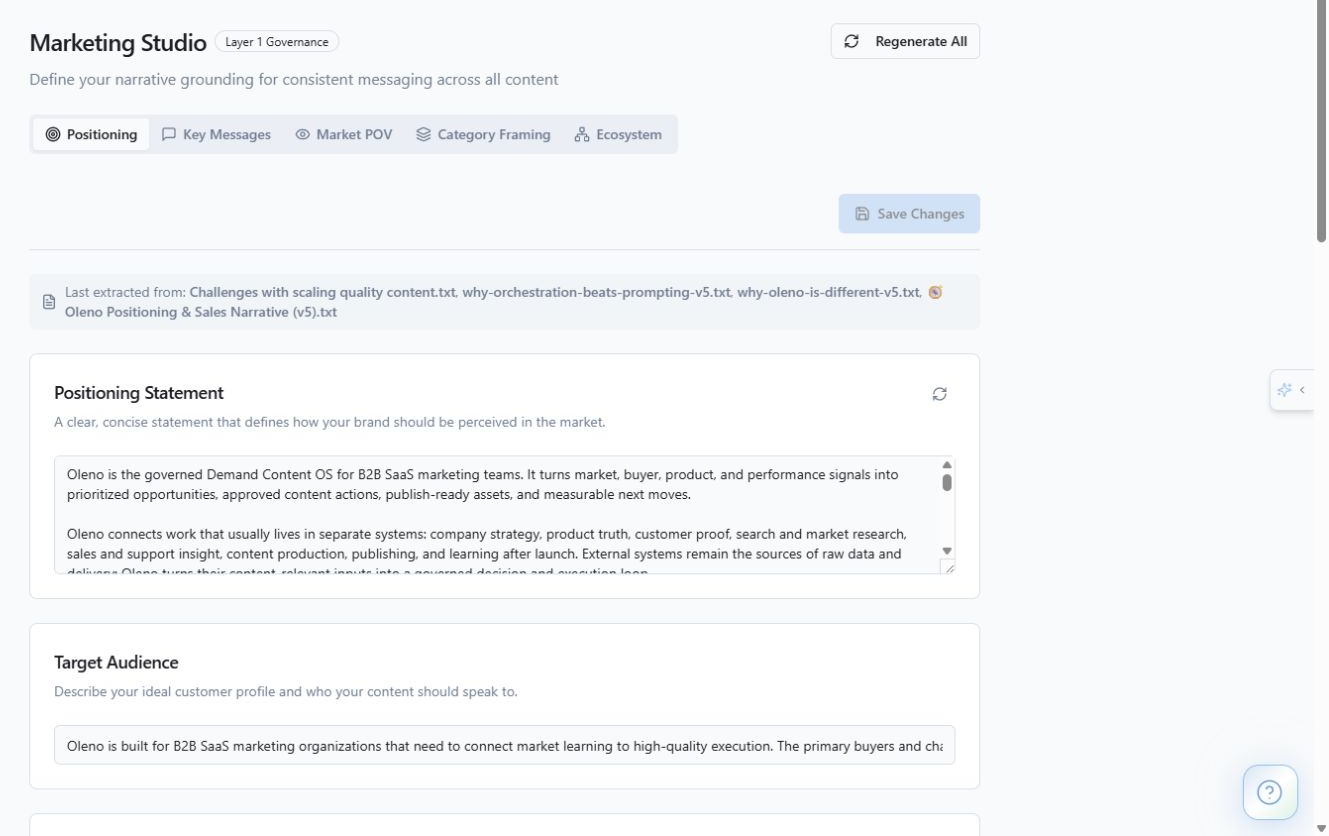
With Oleno MCP, the approved client works against the governed company context already stored in Oleno. Brand & Voice Memory carries voice descriptors, prohibited phrases, compliance constraints, and content focus areas into generation. Positioning & Messaging Control supplies the audience, market point of view, category framing, and messages the team has approved. Product claims come from the Product Truth Library. Proprietary ideas come from Proprietary IP & Frameworks.
The client gets access to supported actions within that workspace, rather than relying on whatever happened to be pasted into the latest prompt. That's the whole difference. The context is loaded from the source, not reconstructed by hand.
A New Interface Doesn't Create A Shadow Pipeline
Think of the AI client as another door into the same workspace. If that door opens into a separate production room, you now have two sets of facts, two approval paths, and no reliable record of which one produced the final piece. That's the headache. And it usually surfaces at the worst time, right when someone asks which draft is the approved one.
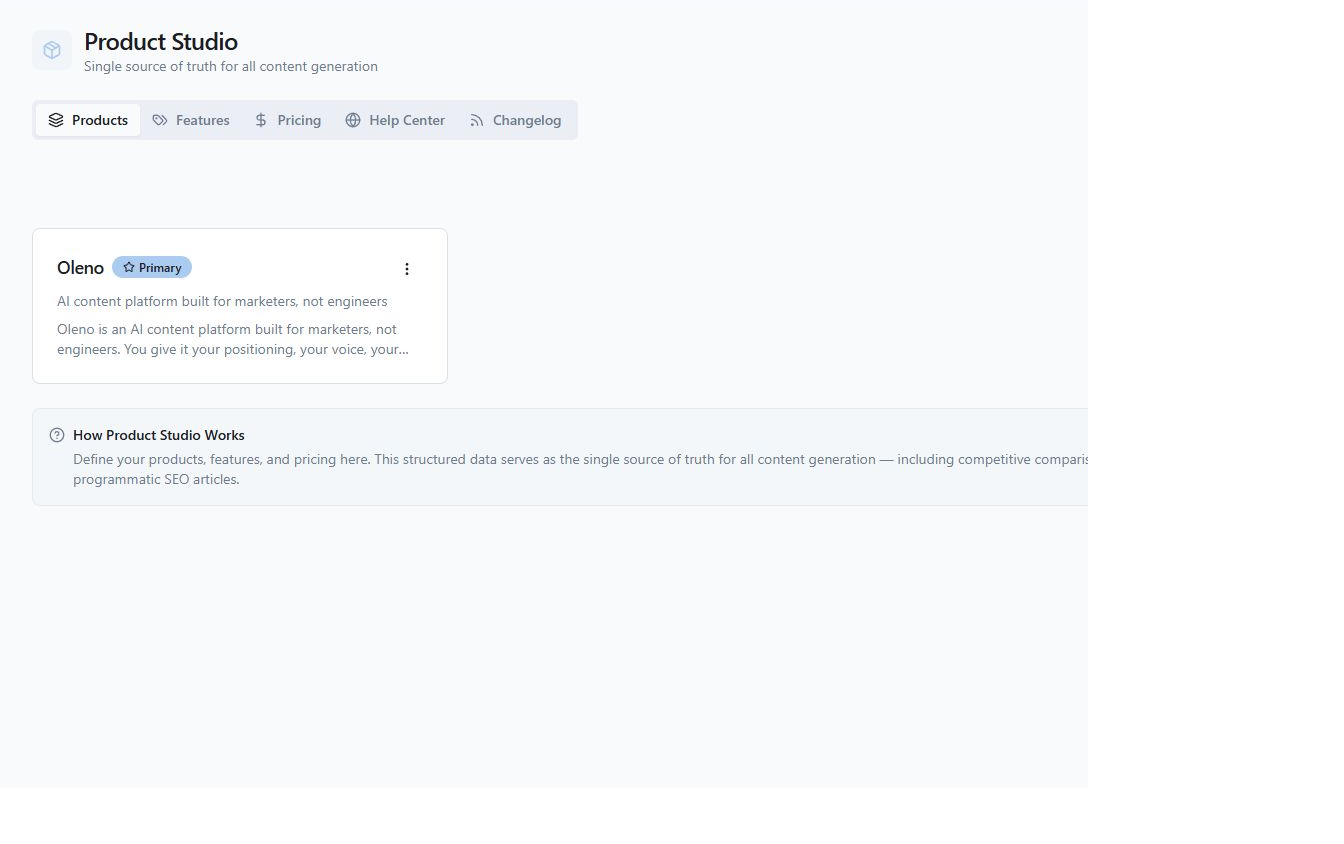
Oleno remains the control plane behind the interaction. Tenant access, scopes, previews, confirmations, revision checks, operation history, and publishing controls stay attached to Oleno. The chat surface can change. The company context doesn't need to.
Disconnected AI tools are still useful for one-off brainstorming. That's fair. I use them too. The problem starts when brainstorming becomes production, and the team assumes a long prompt is the same thing as persistent company context.
If you want to compare that tenant-bound model against the approval path you use now, see Oleno MCP in a governed workspace and bring the controls your team already requires.
The timing matters because marketers are already doing this work inside AI clients, with or without a governed connection.
AI-Client Adoption Is Outrunning Content Control
Marketers increasingly want to start research and drafting inside the AI clients they already use. Company policy tends to move slower. When access arrives before structured controls, the cleanup falls back on the marketer who has to verify the facts, recover the approved message, and work out what can actually publish.
AI Use Moves Faster Than Brand Context
Let's pretend your product marketer uses five separate chat sessions during a launch. One covers customer research. Another generates positioning angles. A third drafts the launch article. Two more handle edits and repurposing.

Five sessions now need the current positioning, product facts, audience, sources, prohibited claims, and voice guidance. A single outdated prompt can push the launch back toward an old category or mention a feature that changed last month. Nobody planned to create five versions of company truth. They just wanted the AI to work where they were already working.
Structured context changes the causal chain. The system loads the approved company knowledge at generation time, which cuts the dependence on model memory and copied prompts. When the marketer makes an edit later, the same context is loaded again instead of treating the selected paragraph as an isolated rewrite. So the fifth session inherits the same truth as the first.
Long Prompts Turn Every Session Into Manual Cleanup
Long prompts look like control because they contain lots of instructions. They're really a manual transfer mechanism. Someone has to find the current facts, paste them into the prompt, keep the prompt readable, and notice when part of the context has gone stale. Miss one of those steps and the draft ships with an old claim.
One B2B software CMO told us he avoided large-scale content automation because he saw no value in "spitting out a mountain of mediocre-to-terrible content en masse." What caught his attention was the focus on better thinking and better writing. That distinction matters here. More AI access without stronger controls just gives you faster slop.
The current operating need is pretty clear. AI should do more research and production work. Marketers should keep control over policy, judgment, and consequential approvals. Full autonomy has a place for low-risk work, but brand claims and publishing decisions deserve a higher bar.
That creates a more useful question: which marketers need governed AI-client access badly enough to change how they work?
Content Teams Gain Capacity Without Losing Editorial Authority
Governed MCP access is most useful for B2B SaaS content directors, product marketers, demand generation leaders, and content operations teams already using AI clients for real production work. They want the AI to perform more of the work without surrendering the context and approval path that protects the brand.
Content Leaders Keep The Editor's Seat
Content leaders usually aren't short on AI output. They're short on trustworthy output that can survive review without a full rewrite. The bottleneck is often the person who knows the positioning, understands the product, and catches the subtle claim that sounds plausible but isn't approved.
That person shouldn't have to restate the company every time someone opens an AI client. With governed access, company knowledge stays attached to the workspace. The marketer can start supported research or drafting work, inspect the proposed change, and confirm the write when it matches the intent.
There is some extra friction in previews and confirmations. True. A system that asks before changing the workspace will never feel as fast as a blank chat box that writes instantly. The tradeoff becomes worthwhile when the action affects product truth, approved positioning, or a publishable asset. That's exactly where a rushed write costs you a review cycle.
Operators Avoid Rebuilding The Workflow
Content operators feel the pain from the other side. They're the ones chasing source links, comparing document versions, checking whether legal language survived the rewrite, and asking which draft is current. Another AI interface can make that worse if it becomes another system to monitor.
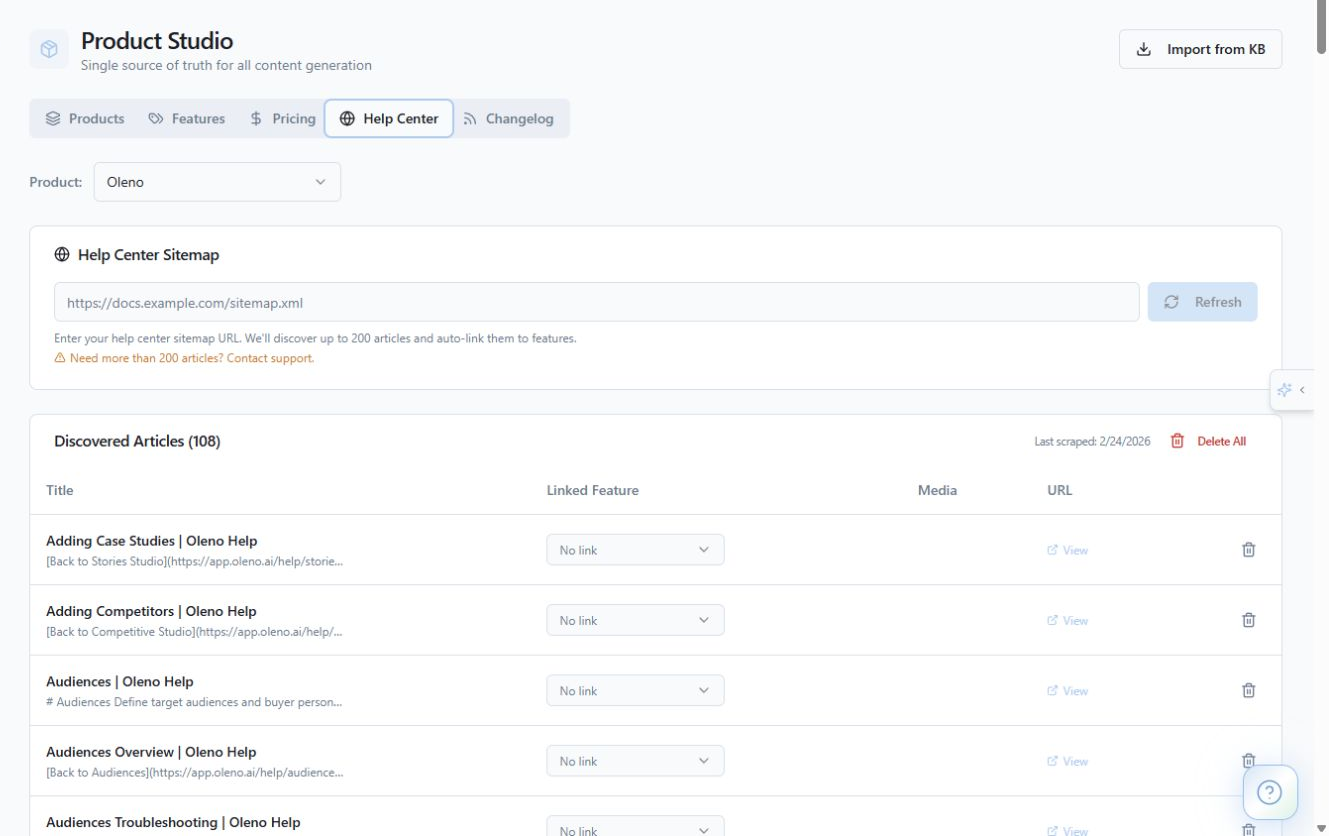
Oleno MCP is designed for marketers who want controlled production, rather than engineers looking to assemble node-based automations. There are no separate workflow diagrams to rebuild inside the AI client. Supported actions use the company context and production path already attached to the Oleno workspace.
The deciding test is practical. If your team would reject an AI-client action because nobody can show who requested it, what it was expected to change, or whether it ran twice, governed writes matter. If the work is disposable ideation with no connection to production, a standard chat may be enough.
For teams moving real content through AI clients, the mechanics decide whether that access is trustworthy.
MCP Writes Stay Controlled And Traceable
Oleno MCP uses a scoped request and confirmation process for supported writes. An administrator enables the appropriate tenant access, the marketer connects an approved client, and Oleno returns a preview before changing the workspace. The confirmed write then receives an operation record and an idempotency key.
Tenant Scopes Define What The Client Can Request
Access starts with an administrator. The administrator enables MCP for the tenant and sets the appropriate scopes, which define what the approved client can request. The client doesn't receive unrestricted access to every content action just because someone connected it.
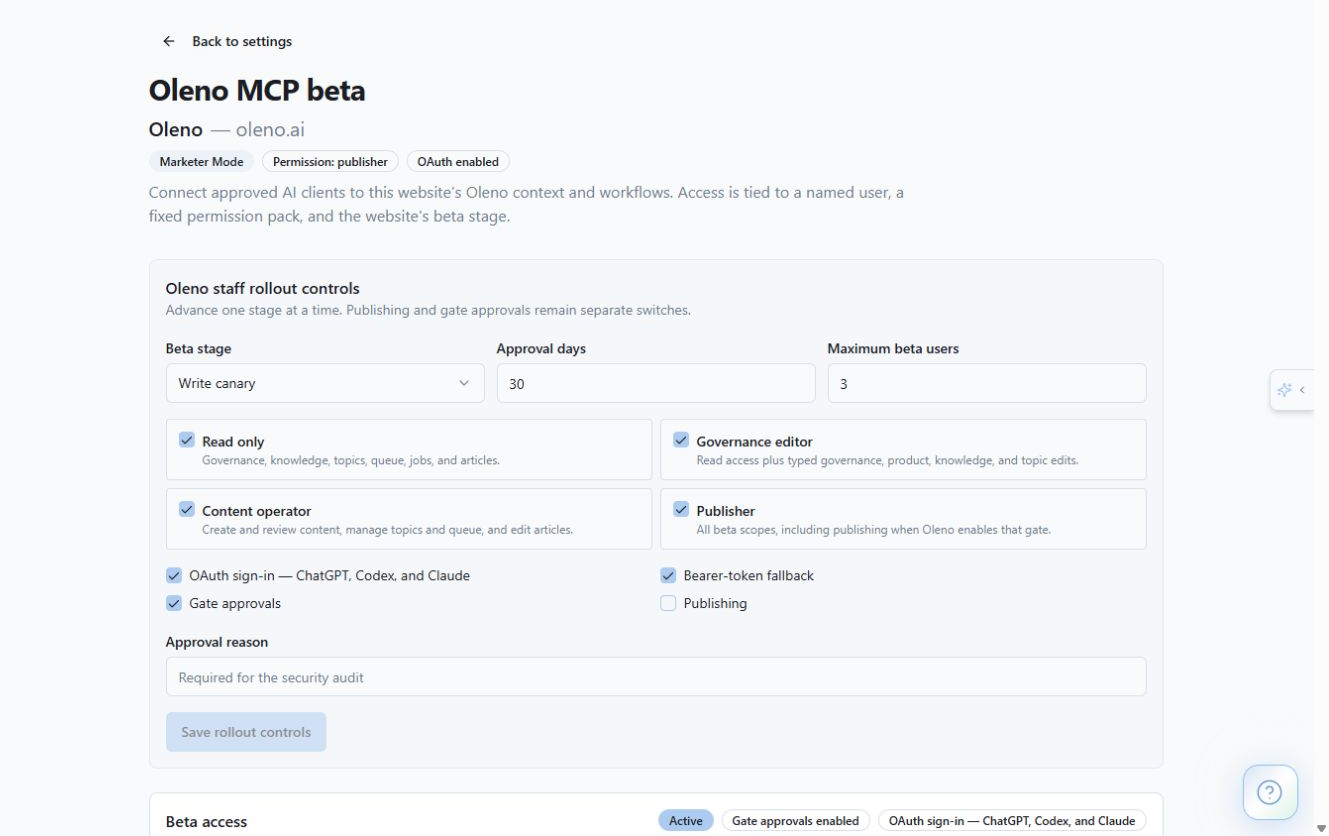
Once connected, the marketer requests a supported action from the AI client. Oleno loads the relevant company context from the governed workspace, including the positioning, voice, product facts, and stored source material that apply to the request.
Scopes matter because "connected" is too vague for a production system. Buyers should be able to ask which actions are supported, which require confirmation, and which remain unavailable. If those answers aren't specific, the connection is hard to govern.
Every Write Pauses For A Preview
A requested write doesn't immediately change the workspace. Oleno returns a preview first, giving the marketer a chance to inspect the proposed action before confirming it.
That pause creates a clear decision point. You can see what will change, compare it against the work you intended, and reject it before the write occurs. Catching a bad direction here is cheaper than discovering it after the draft has moved through review.
The marketer then explicitly confirms the write. No confirmation, no workspace change. That's the short version.
Four Controls Protect The Workspace
Every MCP write in the controlled beta passes through four controls:
- A preview shows the proposed change. The marketer can inspect the request before the workspace is modified.
- Explicit confirmation authorizes the write. The client can't treat a generated response as approval.
- A durable operation record captures the action. The team has a persistent record of what happened.
- An idempotency key makes retries repeat-safe. If a request is retried, the key prevents the same intended operation from being applied twice.
The idempotency key is easy to overlook. It matters when a client loses its connection, retries the request, or receives an uncertain response. Without repeat protection, a technical retry can create duplicate work that looks like a marketer requested it twice.
A durable operation record solves a different problem. It gives the team a persistent history rather than leaving the evidence inside a chat transcript that may be hard to recover or interpret later.
Quick Draft Keeps Its Existing Quality State
Quick Draft uses the existing Writing Studio pipeline rather than creating an MCP-only drafting path. The work is grounded against the approved context, then records a protected quality state before publishing can occur.
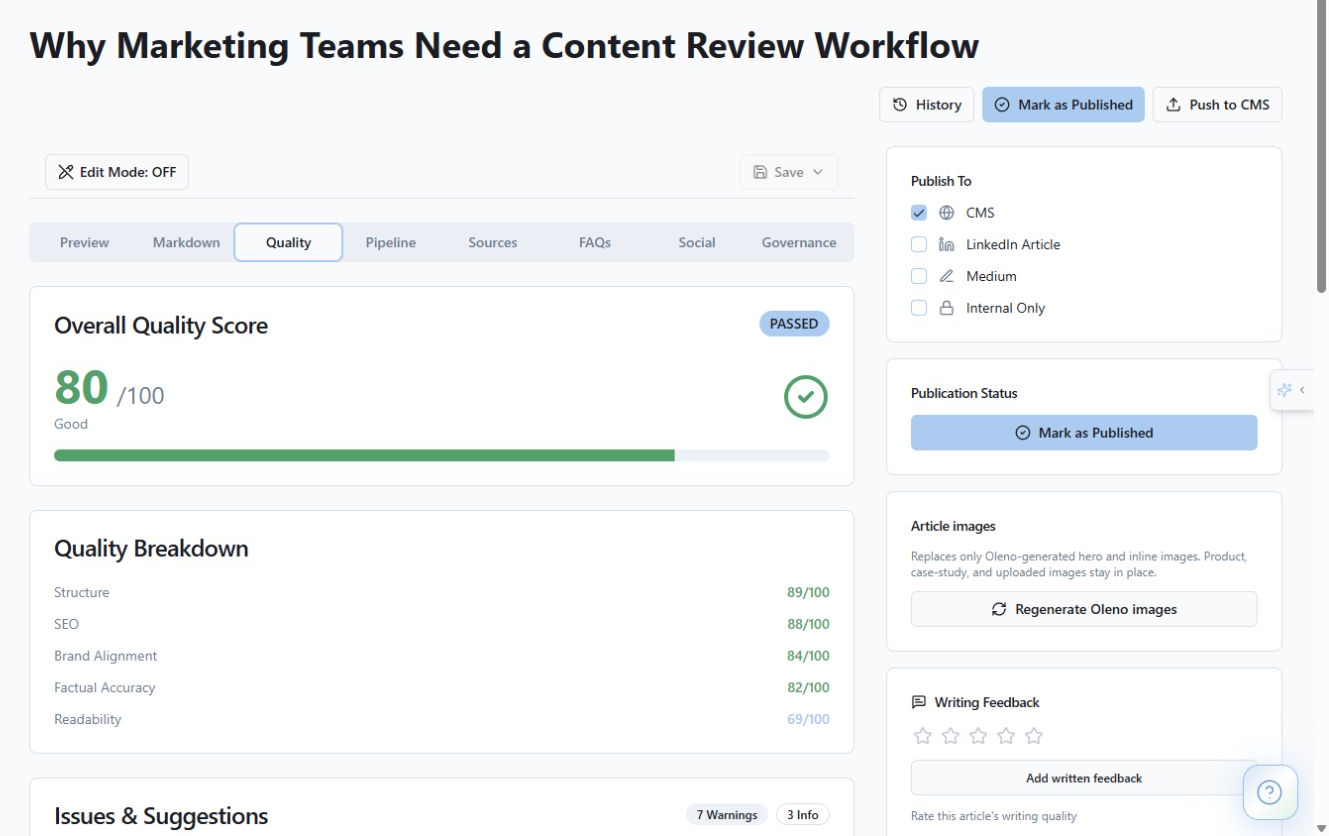
That quality state matters because AI-client access shouldn't lower the standard applied to the draft. Oleno's Quality Gate evaluates grounding, voice match, structure, link health, and SEO density before the marketer opens the cleaned piece. When the score falls below the configured threshold, a targeted Enhance pass addresses the flagged areas.
A draft can still need human editing. Of course. Brand control doesn't mean every sentence arrives exactly as the marketer would write it. It means the marketer can see what happened, shape the work, and keep edits grounded against the same company context.
Publishing Remains A Separate Decision
Publishing and gate advancement are disabled by default in the controlled beta. An administrator has to enable them separately, and content approval remains distinct from delivery.
That boundary prevents a supported drafting request from becoming an implied publishing command. The marketer can generate or edit work through the approved client without assuming the same connection can advance every review point or push content to the website.
Publishing through Oleno uses an available connector, structured export, or governed publishing workflow. The team chooses the destination and timing, and the resulting operation records whether the push succeeded, remains queued, or is blocked.
That separation is where vendor evaluation gets real. You can review Oleno's controls in a live demo against your own approval requirements, without treating AI-client access as unrestricted publishing access.
Once the write path is clear, the bigger milestone comes into view: one governed workspace can support more than one interface.
One Control Plane Can Serve Multiple Interfaces
MCP is a milestone toward operating Oleno from the interfaces marketers already use while keeping company context and consequential controls attached to one system. The value sits behind the AI client: governed knowledge, tenant scopes, revision checks, previews, approvals, operation history, and publishing controls.
The Control Plane Outlasts The Chat Surface
AI clients will change. Teams will adopt different ones, switch preferred models, and move between the Oleno UI and enabled AI workspaces depending on the task. Rebuilding company truth for every interface doesn't scale.
The stronger architecture keeps the company context in one governed workspace and lets approved interfaces request supported actions against it. MCP is the interface. Oleno remains the source of company context and the place where permissions, revision state, confirmation, and delivery controls live.
Frankly, I think this is where a lot of AI content products get the sequence backwards. They start with a chat surface, then bolt on a brand prompt, then ask the marketer to catch mistakes at the end. Brand control has to exist before the request reaches production, not after.
Released Foundations Stay Separate From Product Direction
The released foundation covers governed company knowledge, topic and source research, quality-controlled production, review, publishing or export, and content refresh. MCP extends access to that foundation through approved AI clients, within the scopes and beta boundaries described above.
Broader signal intake, opportunity synthesis, multi-action recommendations, measurement-driven next moves, and expanded MCP execution remain active product direction unless their release status is explicitly verified. They shouldn't be presented as generally available just because they fit the longer-term story.
That distinction can feel conservative during a launch. Fair point. Product marketing often wants to show the whole vision. Buyers are better served when the current capability is concrete and the direction is clearly labeled.
The future matters. The present scope has to be verifiable first.
Buyers Should Verify Scope Before Enabling MCP
Vendor-aware buyers should verify the approved clients, tenant scopes, supported actions, confirmation flow, publishing defaults, and audit history before enabling MCP access. General MCP support only explains how a client and server can communicate. It doesn't prove that a specific product preserves brand context or human approval.
Current Documentation Beats Roadmap Assumptions
The Model Context Protocol specification is the right starting point for understanding the underlying protocol. Teams evaluating Claude can also review the official Claude Code MCP documentation to understand how that client handles MCP connections.
Protocol documentation won't answer Oleno-specific questions, though. During evaluation, ask for the current MCP beta documentation, security and permissions details, and the relevant changelog entry. Those materials should define exact availability without relying on a roadmap conversation.
A useful buyer checklist covers seven questions:
- Which AI clients are currently approved and supported?
- Which tenant scopes can an administrator enable?
- Which actions return previews before a write?
- Where is explicit confirmation required?
- How are operation records retained and reviewed?
- How do idempotency keys prevent duplicate writes?
- Are publishing and gate advancement disabled by default?
No verified demo video was supplied for this launch, so none is embedded here. A live walkthrough should show the preview, confirmation, operation record, and disabled-by-default publishing boundary rather than hiding those controls behind a polished drafting demo.
If those controls match the way your team approves consequential content work, see whether governed MCP fits your team using an approved client and your actual publishing requirements.
About Daniel Hebert
I'm the founder of Oleno, SalesMVP Lab, and yourLumira. Been working in B2B SaaS in both sales and marketing leadership for 13+ years. I specialize in building revenue engines from the ground up. Over the years, I've codified writing frameworks, which are now powering Oleno.
Frequently Asked Questions