Automated Brand-Consistent Visuals: 3-Step Workflow for Content Teams
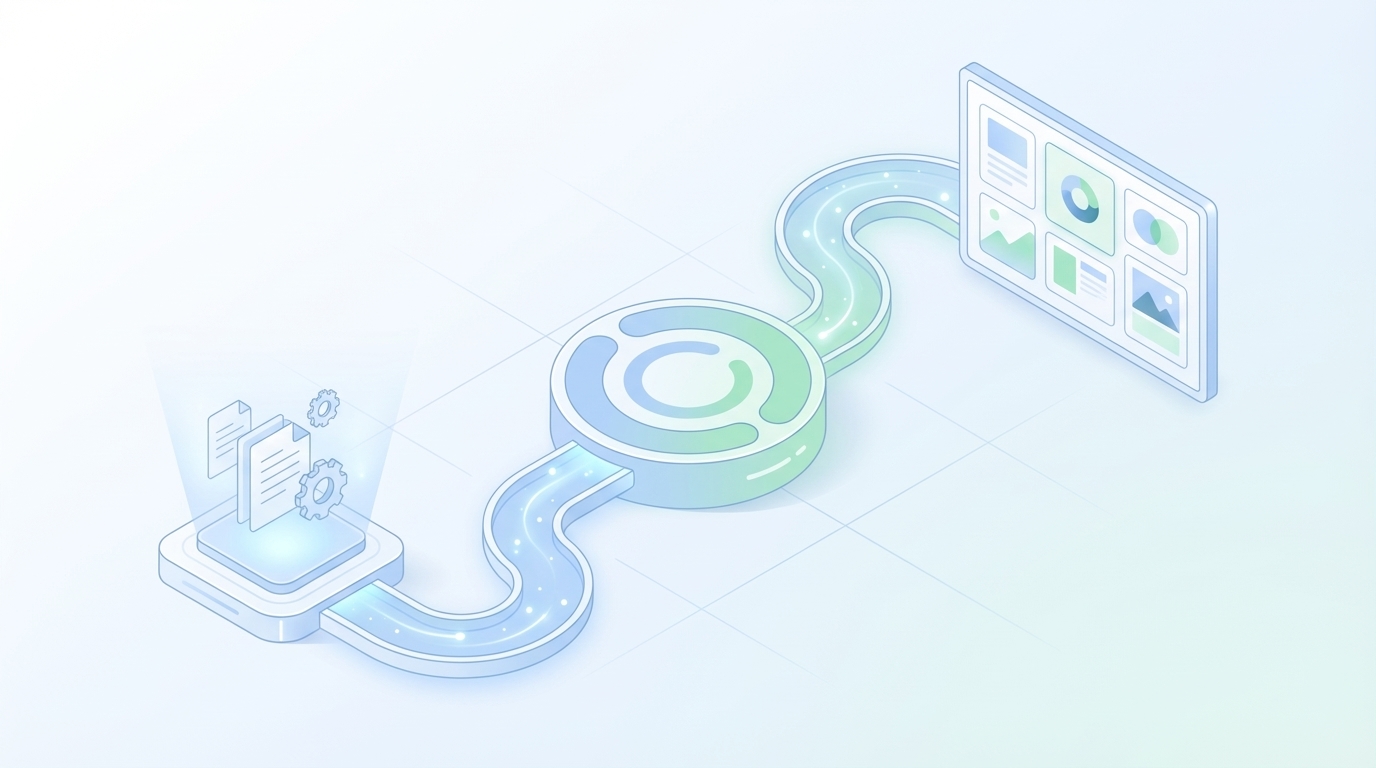
If you’ve ever shipped a solid article only to paste in a stock photo at the end, you know the sting. It looks fine. Kinda. But something’s off. The visual doesn’t match the voice or the point you’re making, and you feel it in your gut. I’ve been there on small teams where we were moving fast and bolting visuals on late. The result wasn’t wrong; it just wasn’t us.
Here’s what I’ve learned: visuals aren’t decoration. They’re credibility. When the image style, colors, and screenshots feel like your site, readers trust the words more. When they don’t, they question the substance. Worse, you burn hours in review threads fixing what rules could’ve prevented in the first place. That’s not a creative problem. It’s a systems problem.
Key Takeaways:
- Treat visuals as a governed system, not last‑minute decoration
- Encode brand rules as inputs (colors, logos, style refs, tagged screenshots)
- Use templates and parameters to create variety without drift
- Match product visuals to the right sections with semantic cues
- Block publish until alt text, filenames, ratios, and placement pass QA
- Reduce design review cycles so designers focus on hard problems, not rework
Why Generic Images Hurt Trust And Waste Hours
Generic images erode credibility because they don’t signal your brand or support the narrative. Readers feel the mismatch and hesitate, especially on product pages or solution sections where clarity matters. A hero that looks like a template marketplace can cost you trust even if the copy is tight and useful.

Why Most Teams Treat Images Like Decoration
Let’s be honest. Visuals often get handled after the draft. Someone grabs a stock photo, maybe adds a light filter, and calls it done. It’s not laziness; it’s the reality of shipping quickly without a visual system in place. But that “good enough” habit creates subtle friction that hurts trust and recall.
Visual consistency is a credibility signal. When colors, composition, and style align, readers process faster and believe more. That’s not a theory; it’s how our brains pattern‑match brand cues. If you want the long version, the explanation of why consistency lowers cognitive load is laid out well in this overview of visual consistency and credibility.
The shift isn’t more design time; it’s putting rules up front. Brand color tokens, logo placement boundaries, style references, and screenshot catalogs become inputs. Then generation and placement pull from those inputs automatically. You get pace and coherence, not last‑minute guesswork.
What Happens When Visuals Do Not Match The Narrative
Misaligned visuals slow readers down and raise doubts. Picture a section explaining “how comparison works,” but the screenshot shows a settings page. It’s a speed bump. Multiply that across a 2,000‑word piece and you’ve introduced a dozen tiny moments of “wait, what?” Readers won’t complain. They’ll just bounce.
This is where semantic matching matters. Map sections to intents, tag screenshots with features and benefits, then select candidates with nearest‑neighbor logic. Place visuals intentionally, hero for context, inlines near explanations, product shots in solution sections. AI can help, but constraints come first, as covered in this piece on maintaining brand consistency with AI image generation.
When you orchestrate placement rules, mismatches drop. Not to zero, nothing’s perfect, but the baseline gets a lot saner. Editors spend their time improving clarity, not swapping images.
The Real Bottleneck Is Not Design Time, It Is Missing Determinism
Most visual delays aren’t about creativity; they’re about decisions that should’ve been encoded as rules. Deterministic inputs, brand palettes, logos, style refs, and tagged screenshots, turn art direction from a case‑by‑case debate into repeatable logic. You get speed without sacrificing identity or intent.

Deterministic Inputs Beat One-Off Art Direction
One‑off art direction scales poorly. Every image becomes a fresh conversation: colors, composition, overlays, ratios, copy zones. That level of freedom sounds empowering, but it’s a throughput killer. Deterministic inputs flip the model. Decisions are made once, up front, and reused with parameters.
Here’s the pattern that actually works: color tokens as variables, logo lockups in predefined zones, typography ranges, and composition templates for hero, inline explainer, and product callout. Screenshots get tags for feature, step, and outcome. The generator then assembles visuals within bounds. You still get variety; you just don’t get drift.
We used to “solve” this with more reviews. That’s expensive. Determinism is cheaper than vigilance. Encode what’s non‑negotiable. Parameterize what can flex.
Why Templated Generation Is Not Cookie Cutter
Templated generation is a dirty phrase in some teams. I get it. But templates aren’t sameness, they’re frames. Inputs drive variety: headline length, color emphasis, iconography, background texture, and screenshot content. The style stays consistent while the story changes. That’s the point.
Think of three core frames you can reuse: a contextual hero, an inline explainer for concepts, and a product callout for proof. With ratios pre‑baked (16:9, 4:3, 1:1), you also avoid last‑minute resizing. Variety comes from the content and the parameters, not random styling. You move faster and stay on brand.
The interjection: nobody misses the “what blue is this again?” thread.
How Do You Make AI Respect Brand Constraints?
Stop relying on prompts alone. Prompts are suggestions. Constraints are rules. Feed seeded assets and style refs, set color tokens and logo zones, and constrain aspect ratios. Then backstop the whole process with a QA gate for alt text accuracy, filename hygiene, and brand alignment before anything publishes.
If you want the technical framing on controllability, this research on constraints in generative systems is useful context: Controllability of generative models. The takeaway is simple: creativity lives inside the box. Design the box well, and the output follows.
The Hidden Costs Of Manual Visuals Across A Content Program
Manual visual workflows look harmless on a single article and brutal across a program. Review threads, handoffs, resizing, replacements, and “quick fixes” add up. The visible cost is hours. The invisible cost is delays, context switching, and tiny trust leaks on pages that should convert.
Hours Lost To Briefing And Revisions
Let’s pretend you publish 20 posts a month. Two images per post. Three review cycles per image. Twenty minutes per cycle. That’s 40 hours, an entire week, spent on context handoffs, markups, and resizing arrows. And that’s charitable. Many teams spend more.
Deterministic inputs and templates cut those touchpoints dramatically. Designers get to focus on differentiated work, illustrations, campaigns, product storytelling, while routine visuals ship on rails. You don’t remove humans. You reserve them for the parts that actually move the needle.
Is it perfect? No. But it’s predictable. Predictability beats “who’s on that thread?” every time.
The Conversion Penalty Of Mismatched Visuals
Images influence trust. A fuzzy hero, an off‑brand palette, or a screenshot that doesn’t match the copy won’t always tank a page, but it nudges conversion down. Prospects feel uncertainty. “If they can’t get the basics right, will implementation be clean?” It’s a small doubt that compounds.
Align visuals with intent. Put product screenshots where a buyer expects proof. Keep filenames and alt text clean for search hygiene and accessibility. Prioritize solution sections for product shots. When visuals do the right job in the right place, the copy lands without friction.
What Would A 50-Post Month Cost Without Automation?
Do the math. Fifty posts, three visuals each, even 15 minutes per asset is 37.5 hours. That excludes QA, publishing, and rollback when something breaks. It also excludes the mental drag of re‑explaining brand choices.
A pipeline that embeds metadata, templates, and placement rules turns that into minutes per post. Not free. Just consistent and forecastable. Finance likes that. So does your calendar.
Still moving this by hand? You don’t have to. If you want to see a governed pipeline end to end, Try Generating 3 Free Test Articles Now.
The Frustration Of Off-Brand Visuals When You Are Shipping Fast
The emotional cost is real. Nothing breaks momentum like a late‑night ping about an off‑brand hero or a mismatched screenshot. You can’t schedule those interruptions. You can prevent most of them by blocking bad assets before they ever hit draft.
The 3am Replace-That-Image Fire Drill
We’ve all seen it. A post goes live, the hero looks wrong, and leadership wants it fixed before morning. You scramble, swap images, re‑upload, re‑publish. It’s not a strategy problem; it’s a guardrail problem.
The fix isn’t “try harder.” It’s a QA gate. Codify checks for brand color mismatches, ratio violations, missing alt text, and duplicate assets. Set thresholds. Block publish until they pass. You won’t eliminate every fire drill, but you’ll eliminate the routine ones.
When Your Product Screenshot Landed In The Wrong Section
Wrong screenshot, wrong section, right intent, now readers doubt the whole article. Nothing undermines authority faster than a product shot that contradicts the paragraph it sits under. The solution is straightforward: connect section meaning to screenshot tags and let selection follow the math.
Use semantic similarity to map “what this section explains” to “what this screenshot proves.” Then add simple placement rules: hero for context, inline after the first supporting paragraph, product visuals prioritized in solution sections. It feels obvious once you’ve lived with it.
A Short Story From The Trenches
On small teams, I’ve watched good content stumble because we bolted visuals on late. We shipped, then rewrote alt text and filenames after publish. It’s a headache and it’s avoidable. The shift was building visuals into the pipeline, generated with the draft, placed with intent, checked before anyone hit publish.
When visuals are part of the system, not an afterthought, editors go back to editing. Buyers stay focused on the story. You win back hours and credibility you didn’t realize you were losing.
A 3-Step Workflow For Automated Brand-Consistent Visuals You Can Implement Now
You don’t need a giant DAM or a reorg. You need a lean asset library, three reusable templates, and a QA gate that prevents bad outcomes. Start here, then scale formats and ratios as your program grows. The goal is momentum without drift.
Step 1: Build The Brand Asset Library With Required Metadata
Centralize color tokens, logos, style references, and a screenshot catalog. Tag screenshots by feature, step, and benefit. Add practical constraints: permitted logo placements, composition notes, aspect ratios, and max resolutions. Keep it lean but complete so generators and templates always have the right inputs.
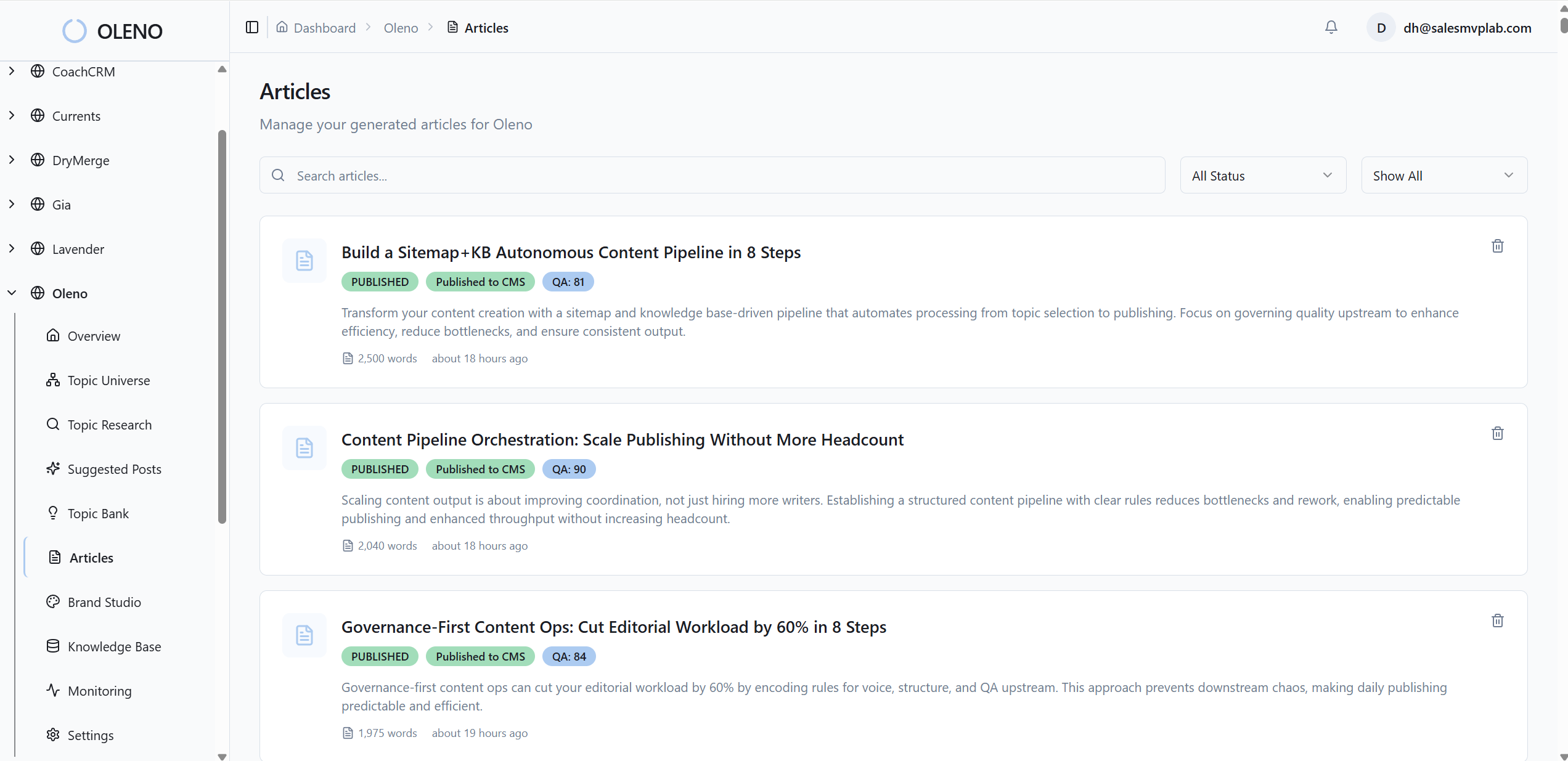
Make this your source of truth. Templates pull colors and layout zones from here. Screenshot selection relies on tags. SEO hygiene pulls alt text patterns and filename conventions from rules you define once. You’ll be tempted to keep it informal. Don’t. Informal is what’s causing the rework.
If you’re thinking “that sounds heavy,” it isn’t. It’s a few hours up front to retire dozens of hours downstream.
Step 2: Design Reusable Templates And Parameterized Generation
Create three templates: hero, inline explainer, and product callout. Parameterize color emphasis, typography ranges, copy zones, and logo lockups. Seed your generator with style refs and brand marks so outputs stay inside the lines. Export multiple aspect ratios by default to avoid ad hoc resizing later.
Prompts become safer when they reference template variables instead of freeform instructions. “Hero template alpha with Palette A and Logo Zone 2” beats “make a header image with our brand.” The first is enforceable. The second is a wish.
Variation should come from the content, not random styling. That’s how you ship faster without everything looking the same.
Step 3: Deterministic Placement, SEO Metadata, And QA Gate
Compute section embeddings, retrieve nearest image or screenshot candidates, then apply placement heuristics. For example: hero above the fold, inline after the first supporting paragraph, product visuals favored in solution sections. Generate alt text and SEO‑friendly filenames programmatically from rules.
Then get strict. Block publish on brand color mismatches, logo misuse, ratio violations, missing alt text, duplicate assets, or placement errors. The QA gate isn’t bureaucracy. It’s insurance. The outcome is fewer “oops” moments and more time spent on substance.
How Oleno Operationalizes The 3-Step Visual Workflow End To End
Oleno turns the three steps into a continuous, governed pipeline. Your brand inputs become parameters. Visuals are generated, matched, and placed with rules, then checked before publishing. It aims to reduce rework so your team focuses on story and product, not image hunts and resizing.
Brand Asset Library And Style Memory In Visual Studio
Oleno’s Visual Studio ingests your color palettes, logos, style references, and tagged screenshots and treats them as hard inputs. That means the system doesn’t guess your brand; it uses it. Templates and parameters drive generation, and outputs arrive in multiple aspect ratios to fit where they’ll live.
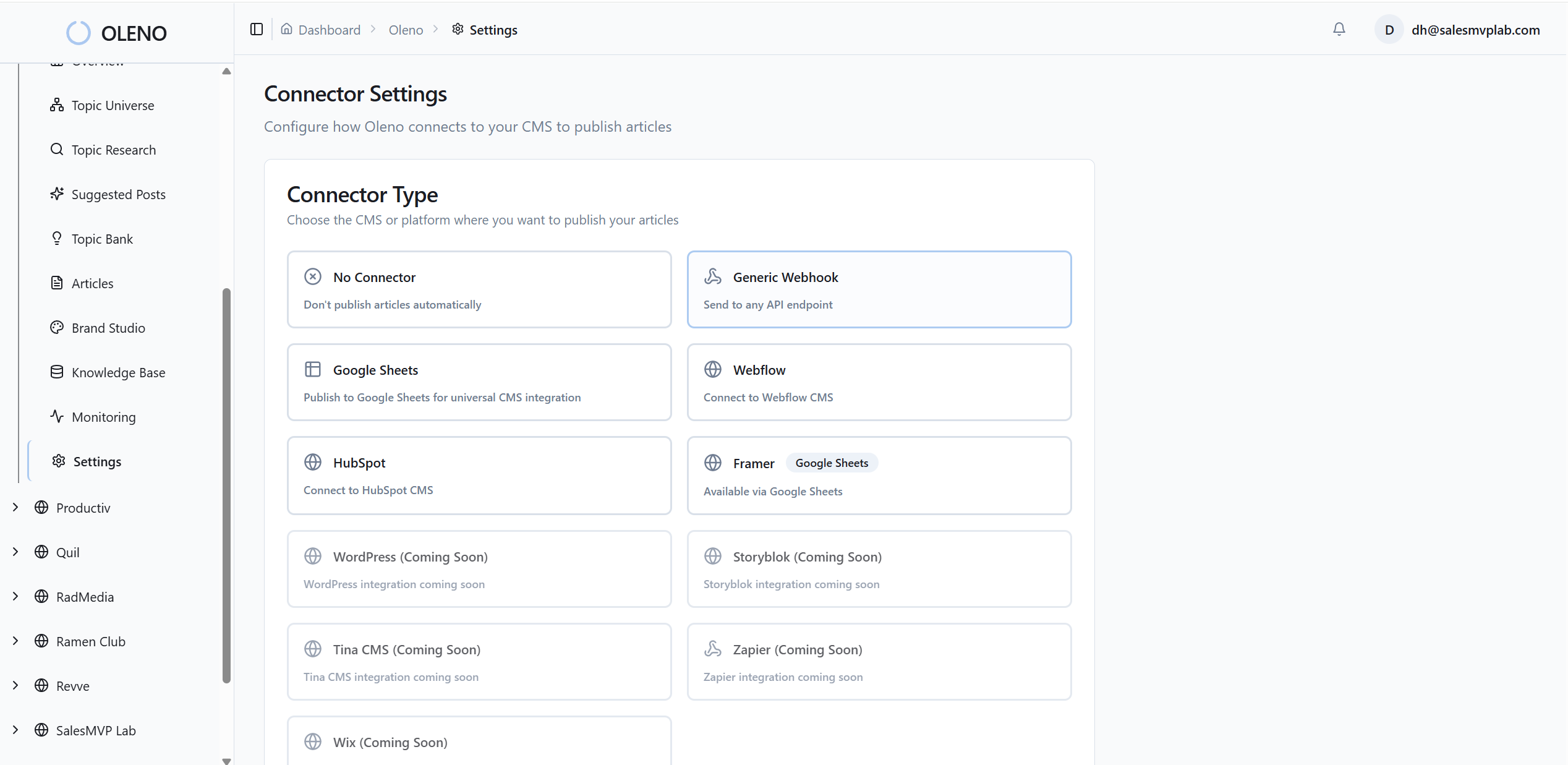
In practice, this trims the “maybe good enough” search. Visuals show up already aligned with your site’s look. The net effect is fewer review threads and less second‑guessing about whether an image “feels” right. It usually does, because it started inside your rules.
Semantic Screenshot Matching And Intentional Placement
Oleno matches product screenshots to sections using semantic similarity, then follows placement rules. Heroes set context. Inline visuals support explanations. Solution sections get product shots by default. Misplaced screenshots become the exception, not the norm.
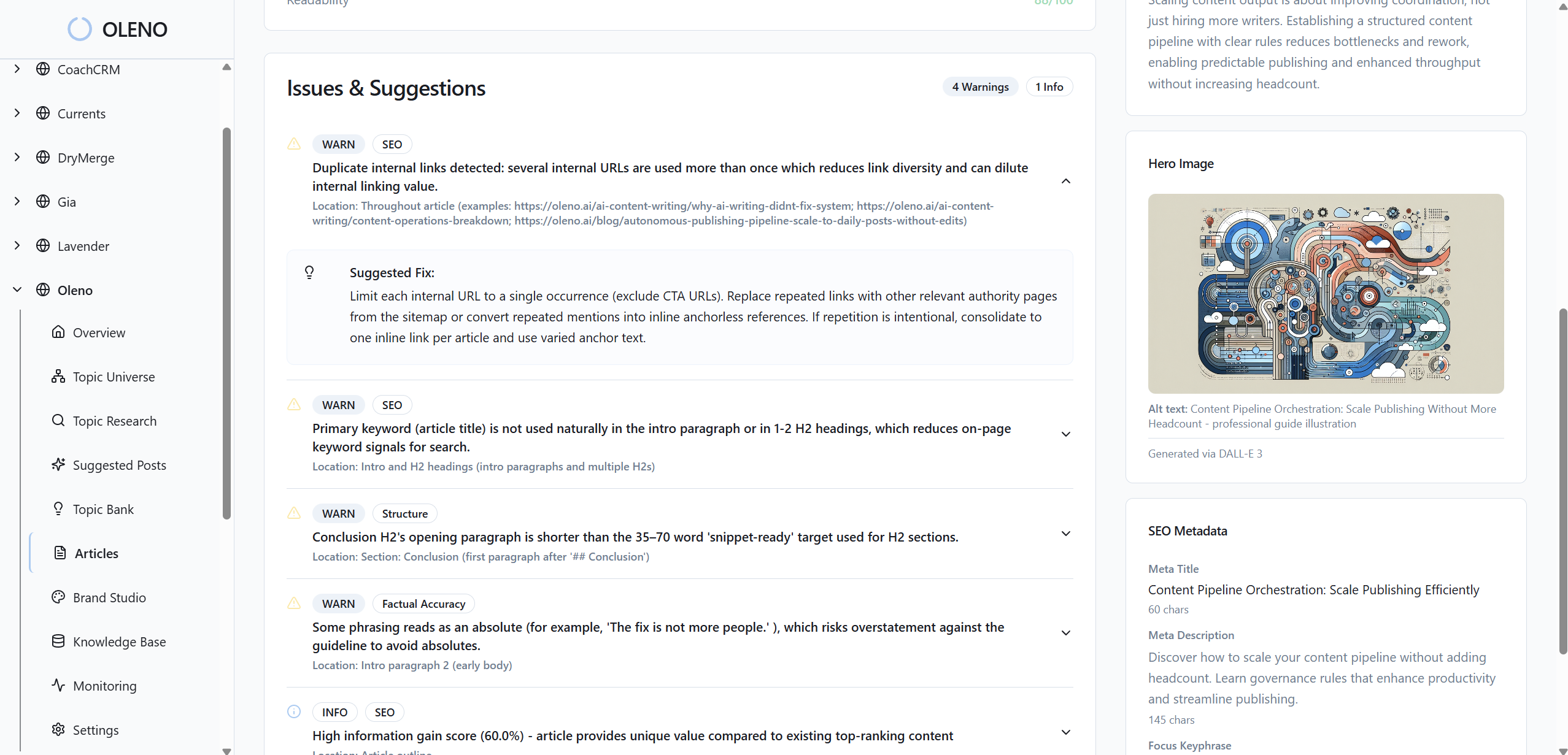
This matters for trust. When visuals prove the point you’re making, readers stay with you. When they contradict the story, they don’t. The system tilts the odds toward clarity.
QA Gate And CMS Publishing Without Duplicates
Every article passes automated checks for structure, information gain, brand alignment, alt text, filenames, and aspect ratios. Oleno blocks publish until thresholds pass. Then it maps fields to WordPress, Webflow, or HubSpot and prevents duplicate publishing so rollbacks are safe when you need them.
If you care about rigor, most teams do, there’s useful context in research on automated alignment like this paper from Wharton’s marketing group. The point isn’t academic; it’s operational. Guardrails reduce routine mistakes that quietly tax your calendar.
Here’s the throughline back to your costs. Fewer review cycles. Fewer mismatches. Fewer late‑night swaps. Oleno enforces the rules so your team can focus on narrative and product. Want to see it run on your brand? Try Using An Autonomous Content Engine For Always-On Publishing.
Conclusion
You don’t fix visual headaches with more vigilance. You fix them with rules. Encode brand inputs, use reusable templates, match visuals to narrative, and block publish until the basics are correct. That’s how you ship faster and look like you on every page. If you’re ready to test it on real content, Try Oleno For Free.
About Daniel Hebert
I'm the founder of Oleno, SalesMVP Lab, and yourLumira. Been working in B2B SaaS in both sales and marketing leadership for 13+ years. I specialize in building revenue engines from the ground up. Over the years, I've codified writing frameworks, which are now powering Oleno.
Frequently Asked Questions