Automated Visual Placement: Add 2–3 Brand Images Per Article

You can have a brilliant article and still lose trust the second a stocky hero lands on top. I’ve watched teams publish great thinking, including the rise of dual-discovery surfaces:, then duct-tape visuals in the last hour. It looks fine to insiders. Readers feel the wobble. Search engines do too. The fix isn’t more design time. It’s rules that run every time.
Here’s the thing: visuals aren’t decoration. They’re structure. They set tone, explain concepts, and prove your product is real. When you treat images as “we’ll add them later,” you invite mismatches, missed alt text, and filenames that make your SEO lead wince. Let’s move visuals upstream and make placement deterministic.
Key Takeaways:
- Move visuals upstream and assign roles deterministically (hero + 2–3 inline)
- Treat brand visuals as a governed system: colors, styles, screenshot tags, licenses
- Generate abstracts for concepts and use screenshots for solutions
- Automate alt text and filenames from section context, not after the fact
- Enforce fallbacks and review triggers that fail safe before publishing
- Use a QA gate to catch drift, not a designer’s last-minute scramble
Ready to skip theory and see it run? Try Generating 3 Free Test Articles Now. Try Generating 3 Free Test Articles Now
Why Bolting Visuals On At The End Breaks Credibility
Adding visuals at the end erodes credibility because design choices lose context and compliance details. Late assets rarely match tone, section intent, or SEO needs like alt text and filenames. Example: a strong product article with a generic abstract hero and no screenshot where the feature is explained.
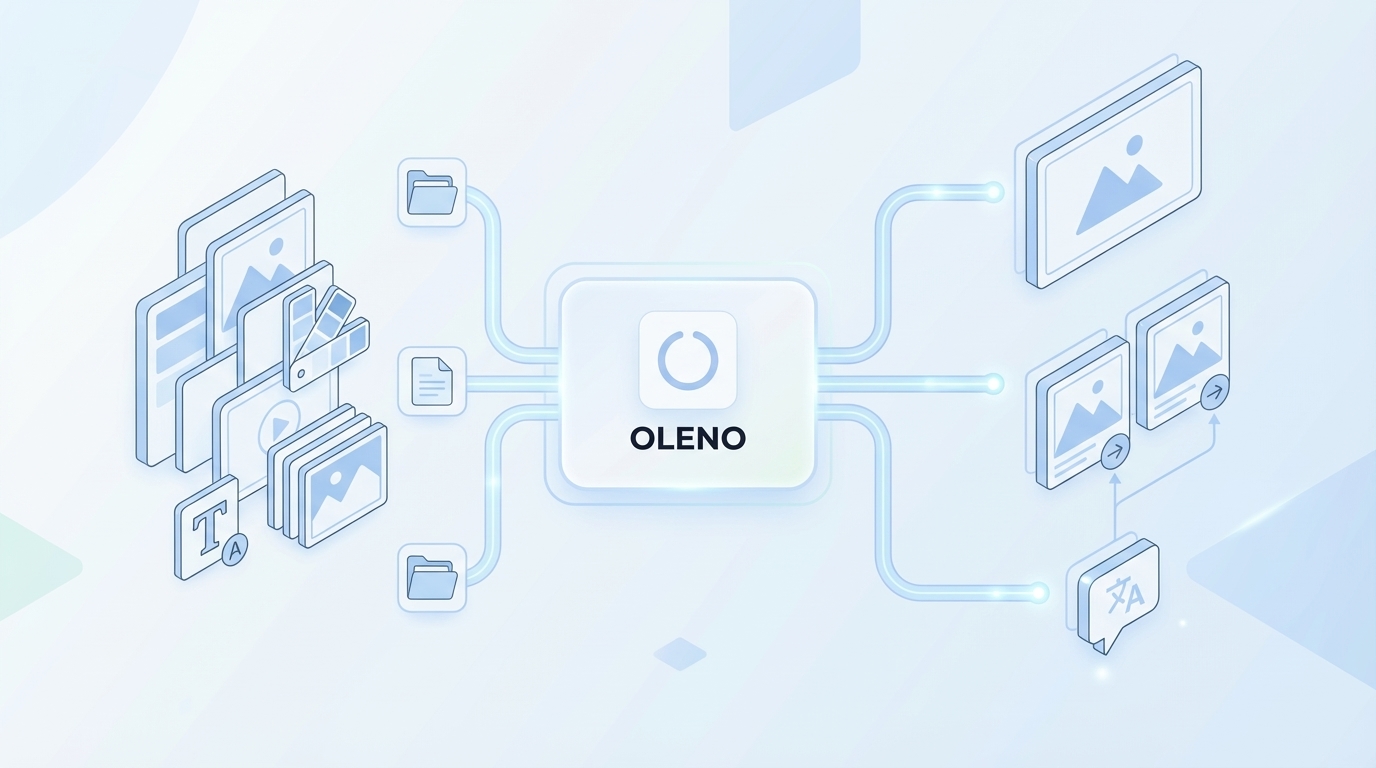
What Happens When Images Arrive Last Minute?
When visuals come in after drafts, you’re forced into aesthetics over purpose. The hero isn’t anchored to the article’s angle. Inline visuals don’t map to the sections that need proof. And alt text? It’s whatever someone can type before publish. You end up with a collage, not a narrative.
Teams also underestimate the cognitive signal of consistent treatment across the site. Readers notice when diagrams change style or screenshots float inconsistently. Search crawlers notice too—missing alt text, sloppy filenames, and oversized images whisper “unmaintained.” It’s not a crisis. It’s a slow leak.
If you’ve ever shipped on a Friday, you’ve felt this. The design arrives, the CMS fields don’t match, filenames get renamed by hand, and someone forgets the mobile crop. Fixable? Sure. Sustainable? Not really. The answer is policy, not taste.
The Hidden Complexity Behind “Just Add A Hero”
A hero is not one image; it’s a contract. Aspect ratio, including the shift toward orchestration, safe zones for headlines, brand color balance, and a filename pattern that won’t break your CDN. The hero frames the angle, sets the mood, and—in many cases—signals concept vs. product.
Treat it like a template with constraints. Pre-define aspect ratios (e.g., 16:9 and 4:3), color weighting, overlay behavior, and compositional rules for text-safe areas. Include alt text recipes that pull from the article’s core angle, not the visual’s vibes. This prevents the “almost right” hero that feels off-brand.
There’s research backing the credibility impact of consistent visual identity. Structured rules for layout, colors, and motif repetition reinforce recognition and trust, which is hard to rebuild once it slips. See the discussion of visual identity governance in this study on digital brand visual identity consistency.
Why Policy Beats Taste, Every Time
Taste is personal. Policy is repeatable. A strong policy says when to generate versus reuse, where screenshots must appear, and how alt text is composed. It also defines when the system should block publish rather than “let it slide.”
When policy is clear, teams still exercise taste—within guardrails. Designers improve templates. Writers suggest better screenshot choices. But the baseline is non-negotiable: the right number of visuals placed in the right spots with the right metadata. Your credibility stops depending on who’s in Slack that day.
This isn’t about removing creativity. It’s about removing guesswork. Creativity should shape the story, not fight the pipeline.
The Real Root Causes Behind Off-Brand Images
Off-brand images happen because asset libraries don’t contain operational metadata, generation is used where curation is better, and SEO/accessibility requirements live outside the pipeline. The fix is simple in structure, not easy in culture: make visuals machine-readable and rules-driven. Example: screenshot tags that map to product features.

What Gets Missed In Most Brand Asset Libraries?
Most libraries hold logos and hex codes. Useful, but not actionable. What teams need is metadata: palette tokens, legal usage notes, style references, and screenshot tags that describe the feature, UI state, and persona use case. Without this, every visual decision becomes a “hunt and hope.”
Make it machine-usable. Store approved logos with aspect ratio guidance. Include “do-not-use” flags for retired marks. Tag screenshots with feature names, keywords, and semantic notes. Now scripts can choose assets intelligently rather than guessing. That’s how you go from “nice folder” to “operating system.”
Automated alignment works best when policies are explicit and parseable. If your library can’t be read by code, it will drift over time. Consider how policy codification reduces ambiguity in automated brand systems, as outlined in this research on automated brand alignment.
Generation Versus Curated Assets, Choose With Intent
Not every visual should be generated. When you’re explaining a capability, use the real product. When you’re framing a problem or teaching a framework, abstract visuals make sense. Write a rule once and reuse it: solutions and features use screenshots; problem and method use on-brand abstracts.
This balance prevents the uncanny valley of “AI-illustrated product” while still letting you move fast. It also creates a visual language: readers learn that abstracts mean context, screenshots mean proof. That consistency builds trust without a policy doc in the header.
Write the exception path too. If a screenshot is out-of-date or the feature is in beta, allow a temporary abstract with a review trigger. Rules should adapt without turning into loopholes.
Why Pipelines Drift From SEO And Accessibility Needs
SEO and accessibility fail when they’re “someone else’s job.” If alt text and filenames live in a design file or a checklist, they’ll get skipped under pressure. Put templates in the pipeline. Generate from section titles and roles. Enforce lowercase kebab-case filenames with topic, role, and descriptor.
Here’s the kicker: don’t stuff keywords. Use descriptive, human-readable alt text that explains the object and action in context. Do the same for filenames. The point isn’t to trick search; it’s to make meaning clear to people and machines. When meaning is consistent, findability improves as a byproduct.
I’ve seen teams shave hours per week by codifying this. Less rework. Fewer “can you rename these assets?” messages. Fewer accessibility comments after publish.
The Hidden Costs Of Manual Image Work You Do Not See
Manual visual workflows hide costs in resizing, renaming, uploading, and retrofitting metadata. It looks small per post, but it compounds across a monthly cadence. Example: 45 minutes per article turns into a week of lost time every month for a lean team.
Engineering Hours Lost To Image Wrangling
Let’s pretend each post burns 45 minutes on image tasks—searching, cropping, resizing, renaming, alt text, upload, publish fixes. At 40 posts, that’s 30 hours. Nearly a workweek. For an engineer or content ops lead, that’s time stolen from roadmap or QA.
The worst part? It’s invisible work. Nobody budgets for it. It’s just friction spread thin across many people. When you add deterministic rules, there’s no “pause between draft and publish.” The pipeline handles the basics. Humans step in only when the system flags an exception.
We’ve also seen how automation can raise throughput while maintaining baseline quality when rules are explicit. See automation quality patterns discussed in this study on automation’s effects on quality and throughput.
The Cascading Impact On Performance And SEO
Random images hurt page speed and clarity. Oversized PNGs, no responsive variants, missing lazy loading—death by paper cuts. Enforce modern formats (AVIF or WebP) and serve the right sizes. Generate alt text and filenames from context. You won’t always see a spike; you’ll avoid the bleed.
Performance also affects perception. Faster pages feel more trustworthy. Consistent filenames and descriptive alt text help crawlers understand content without guesswork. Those are small gains that compound.
I’m not saying this fixes rankings. Effective why ai writing didn't fix strategies But it removes the self-inflicted errors you control. That’s the point.
Where Licensing And Compliance Risks Sneak In
If your images arrive from “somewhere,” you can’t prove usage rights. That’s a problem when legal asks questions. Track license metadata in your library. For generated assets, store prompts and model versions. Missing data? Block publish and use a safe placeholder.
This isn’t over-cautious. It’s pragmatic. One takedown or brand complaint is costlier than a fail-safe. Rules protect the team when the calendar is hot and decisions get rushed.
Exceptions should be logged and easy to resolve. “Replace with approved screenshot” is better than “We’ll revisit next sprint.”
Still bridging gaps by hand? Try Using An Autonomous Content Engine For Always‑On Publishing. Try Using An Autonomous Content Engine For Always‑On Publishing
When Visuals Slip, Trust Slips With Them
Trust dips when visuals don’t match message or product reality. Readers can’t always name it, but they feel it—off-brand color, abstract where proof belongs, inconsistent alt text. Example: a “how it works” section with no screenshot and a glossy illustration instead.
A Short Story From The Trenches
I’ve seen strong posts ship without a screenshot where the product moment mattered. We ranked, traffic came in, but demos didn’t lift. Why? The visuals didn’t prove the key interaction. We added screenshots and clarified the hero. Conversions nudged up. The fix wasn’t more design; it was rules that force proof where needed.
When that pattern repeats, leaders feel it. “Something’s off.” They aren’t wrong. Design was good. Placement was wrong. Policy solved it in a week. Taste debates had dragged it for months.
Once you make proof visual by default, writers write to the screenshot. Better clarity. Fewer rewrites.
What Do People Feel At Publish Time?
Without rules, publishing means DM threads and “one quick fix.” Images wait on context; context waits on images. The CMS bottlenecks everything. People feel it as frustration and nervous reviews. It’s not about talent. It’s about orchestration.
Translate feelings into signals. If image placement is manual, expect delays. If alt text requires memory, expect misses. When the system handles both, stress goes down. Review cycles shorten. Energy returns to the story, not the scaffolding.
That shift matters culturally. It’s easier to keep shipping when the last mile is predictable.
How Leadership Reads The Inconsistencies
Leaders don’t see the scramble. They see drift—logos treated five ways, heroes that don’t match tone, screenshots that appear once then vanish for three posts. Inconsistency chips at trust slowly. It’s not dramatic. It’s cumulative.
Visual identity consistency isn’t just aesthetic; it’s strategic. Consistent cues support recognition and message clarity across channels, which influences brand outcomes over time. See the discussion on message–visual alignment in this 2024 brand messaging and alignment research.
A governed pipeline makes variance an intentional choice, including why content now requires autonomous, not an accident. That’s the difference leaders can feel even if they can’t name the policy.
A Practical Way To Automate Visuals In Your Content Pipeline
Automate visuals by defining a minimal asset schema, mapping section archetypes to image roles, templating alt text and filenames, and adding fail-safe triggers. Start small. Example: hero + 2–3 inline visuals per article, with solution sections prioritized for screenshots.
Design A Minimal Brand Asset Library Schema
Begin with a JSON or folder-plus-CSV structure your scripts can read. Capture palette tokens, approved logos, style reference IDs, screenshot paths and tags, license notes, and do-not-use patterns. Keep it lean. You’re building a contract, not a DAM.
Two notes from experience. First, screenshot tags should include feature names and UI states (e.g., “Billing Settings – permissions modal”). Second, include license expiry dates and model versions for generated assets. That tiny bit of metadata saves a lot of back-and-forth later.
Once you have a baseline, you can scale. But do not start with a sprawling taxonomy. Start with the fields your placement logic needs.
Map Section Archetypes To Image Roles Deterministically
Write a mapping that ties structure to visuals. H1 gets a hero abstract. Solution subsections get product screenshots. Framework sections get diagrams. Tips get small inline icons. When only two inline images fit, solution content wins by default.
This removes taste debates from production. It also creates teachable consistency—readers learn your language. Screenshots mean proof. Abstracts mean context. Diagrams mean model.
If your team wants exceptions, great. Make the exception path explicit: require a note and a reason. Interjection: exceptions should be rare.
Automate Alt Text And Filename Patterns
Generate alt text from section title, image role, and object/action. Example: “Billing Settings: product screenshot, permissions modal, Level 2 role.” Avoid stuffing keywords; prioritize clarity. For filenames, use lowercase kebab-case like “billing-settings-screenshot-permissions-modal.avif.”
Build a max-length rule and strip stopwords. Pull nouns from the section header rather than the image prompt. This keeps SEO and accessibility intact without making copywriters memorize your format.
You’ll be surprised how much friction disappears when this is enforced by code, not checklists.
Build Fallbacks And Review Triggers That Fail Safe
Define what happens when the engine can’t place an image. Use a brand-safe placeholder and block publish if license metadata is missing, semantic matches are below a confidence threshold, or the section is compliance-sensitive.
Log the reason and surface one-click fixes: “Choose a screenshot,” “Approve abstract,” or “Attach license.” You’re not removing humans—you’re asking them to decide only when policy requires it.
There’s good support for rule-based automation as a way to improve consistency without overfitting processes. See the treatment of policy-driven automation in this research on rule-based automation and brand outcomes.
How Oleno Automates Brand-Consistent Visuals End To End
Oleno operationalizes all of this with Visual Studio: reading your Brand Asset Library, generating a hero and 2–3 inline visuals, semantically matching screenshots to sections, and enforcing alt text and filenames. It’s rules first, then polish. Example: solution sections automatically get product context.
Brand Asset Library And Semantic Screenshot Matching
Oleno’s Visual Studio reads your Brand Asset Library—colors, logos, style references, and tagged screenshots. Those screenshot tags matter. They let Oleno match product features to the right sections using semantic similarity, so a “Billing Settings” callout doesn’t get a “Dashboard” image by mistake.
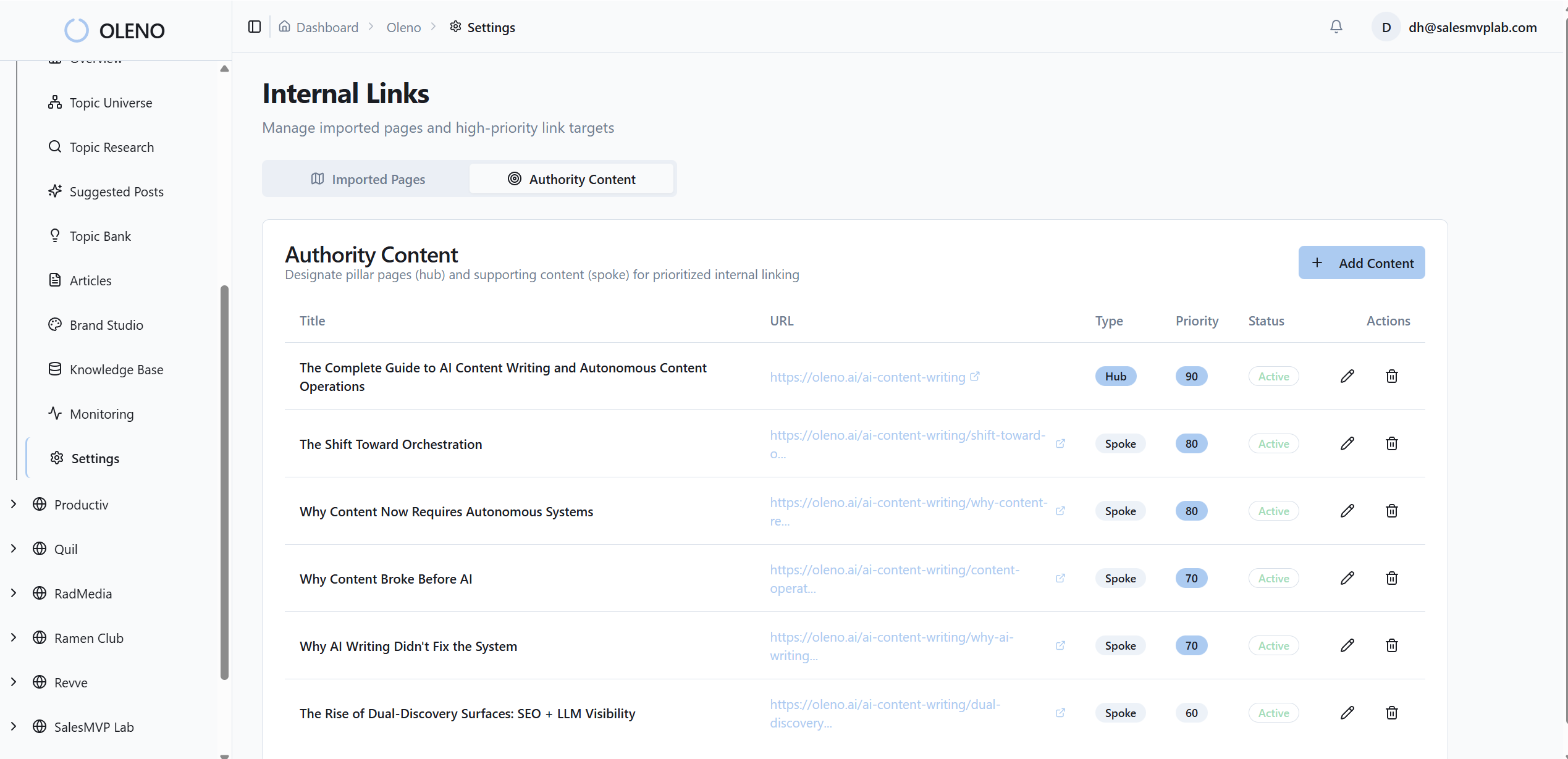
The benefit is felt in drafts and in reviews. Writers see the real UI where it matters. Reviewers spend less time asking for proof. And you cut the “can someone find the right screenshot?” loop down to nearly zero.
It’s not about perfect matches every time. It’s about putting the right kind of proof in the right place by default.
Deterministic Placement Engine That Prioritizes What Matters
Placement follows rules, not vibes. Oleno generates one hero plus 2–3 inline visuals per article, then assigns them based on a mapping that prioritizes solution content. If only two inline images fit, solution sections win. Frameworks get diagrams. Concept sections get on-brand abstracts.

This removes decision churn and shortens the last mile to publish. No Slack threads about “where should this go.” The engine decides. You override when there’s a good reason.
We’ve seen teams reclaim hours each month just by removing that debate. It’s not flashy. It’s effective.
Alt Text, Filenames, And Formats Generated Automatically
Oleno composes alt text from section context and role, not from the image prompt. Filenames use SEO-friendly, lowercase kebab-case patterns with topic, role, and descriptor. Multiple aspect ratios and resolutions are generated, with modern formats (e.g., AVIF/WebP) available so performance isn’t an afterthought.
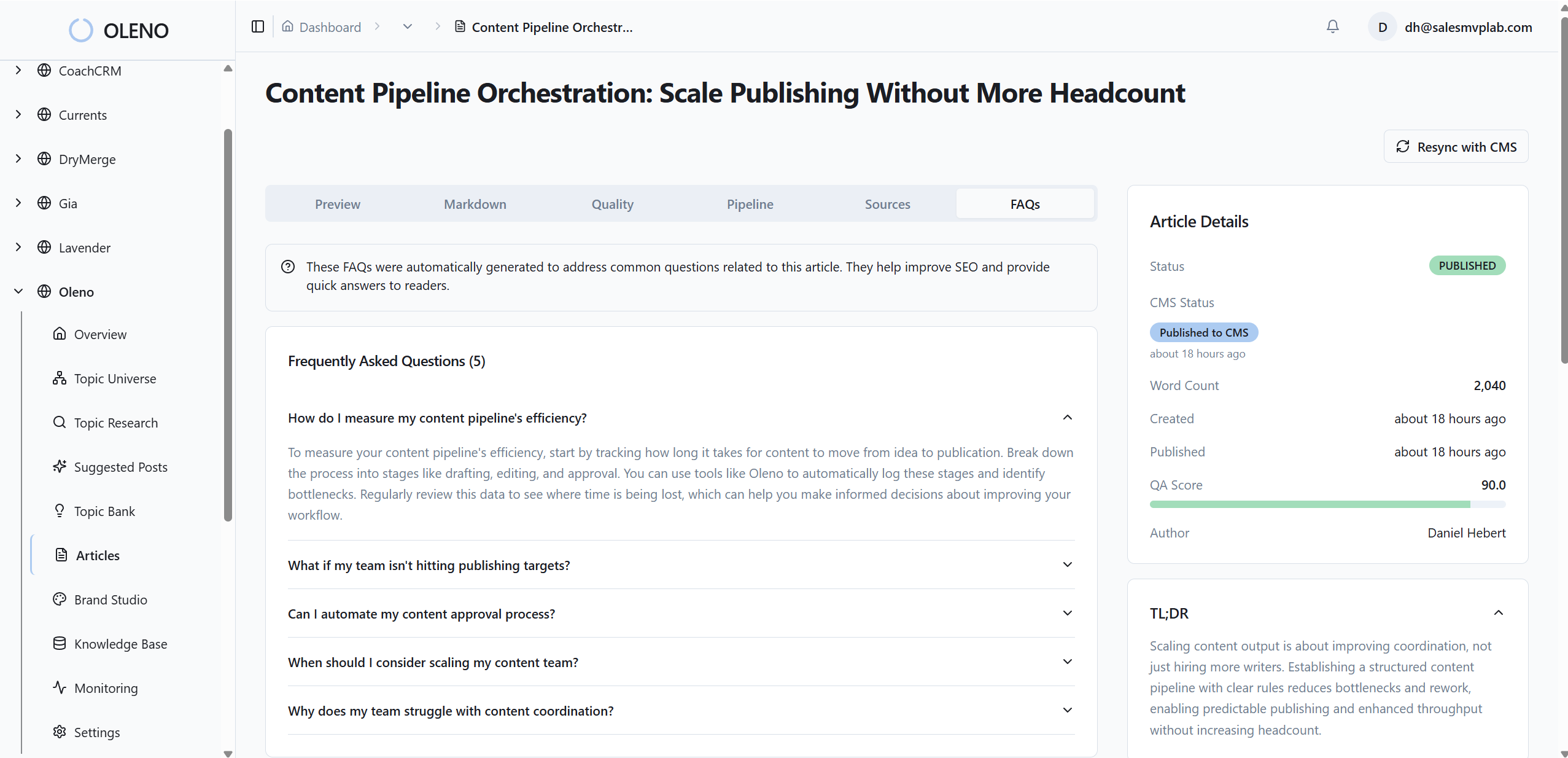
No more manual renaming or resizing. Effective brand consistent images 6 step workflow for seo friendly visuals strategies No more “we’ll fix alt text later.” The system enforces the baseline every time. Less headache. Fewer regressions.
That’s how you stop small mistakes from compounding across dozens of posts.
QA Gate Catches Visual Drift Before Publish
Every article passes a QA gate that scores visual consistency, placement correctness, alt text completeness, and filename patterns. Low scores trigger automatic refinement loops. If something’s off, you hear about it before it ships, not from a customer screenshot on Monday morning.
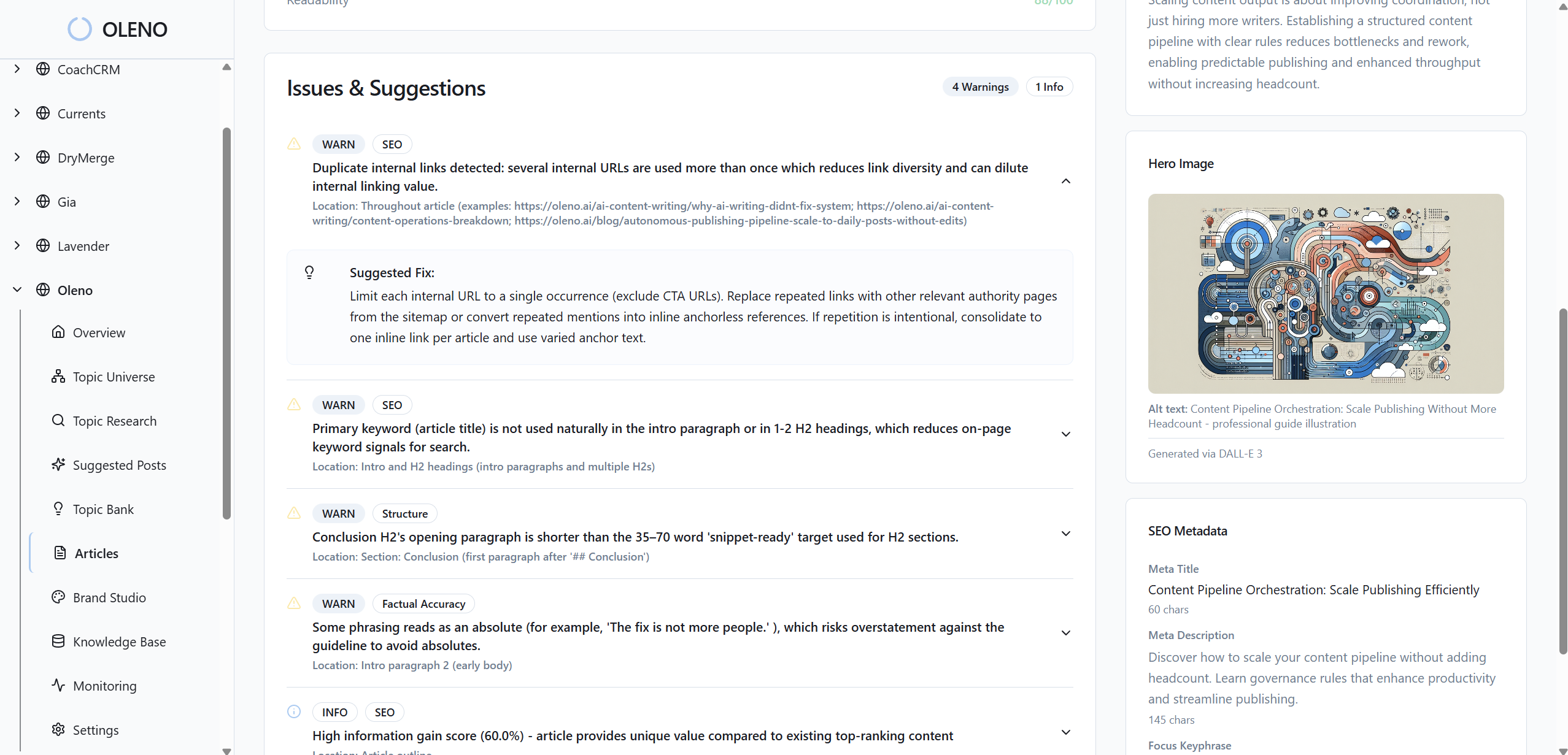
This ties directly back to the hidden costs we covered—manual fixes, re-exports, late-stage edits. Oleno turns those into structured remediation, not firefighting. It also keeps exceptions honest: if a policy is bypassed, it’s visible and intentional.
Want to feel this in your workflow? Try Oleno For Free and see a complete article—text and visuals—flow end to end. Try Oleno For Free
Conclusion
If visuals are optional, trust becomes optional. That’s the uncomfortable truth. The fix isn’t taste; it’s policy your system can enforce—hero plus 2–3 inline visuals, screenshots where proof matters, alt text and filenames from context, and fail-safes when data is missing. Do that, and your content stops wobbling. It compounds.
About Daniel Hebert
I'm the founder of Oleno, SalesMVP Lab, and yourLumira. Been working in B2B SaaS in both sales and marketing leadership for 13+ years. I specialize in building revenue engines from the ground up. Over the years, I've codified writing frameworks, which are now powering Oleno.
Frequently Asked Questions