Best Blogging Tools for Small Business

Running a small business blog isn’t a writing problem. It’s an execution problem. You can have a decent idea, a keyword list, and even an AI draft, and still fail because the work comes in bursts, the quality drifts, and publishing turns into a monthly fire drill.
Best Blogging Tools for Small Business: What Actually Drives Results on a Small Team
The best blogging tools for a small business are the ones that reduce coordination, enforce consistency, and get posts published without your “marketing system” being one overworked person. Price matters, but the real cost is the hours lost to research, rewrites, approvals, and CMS busywork. For most SMBs, the winner is whichever tool creates a reliable weekly cadence without brand drift.
| Tool | Best for | Starting price | Core focus | Notable limitation (source) |
|---|---|---|---|---|
| Oleno | Small teams needing governed, on-brand long-form posts at a steady cadence | from $449/mo (SEO + Social) | Governed production plus QA Gate plus CMS publishing | Upfront configuration effort; governance setup takes time (Features of Oleno) |
| Outrank | SMBs wanting automated SERP-aligned long-form with one-click publishing | $49 to $99/mo | SERP-driven briefs plus volume publishing | Reported quality variance; lacks direct GSC integration (Outrank, Babylovegrowth) |
| Byword | Agencies/teams running programmatic SEO at scale | $99/mo or $5/article | Bulk generation plus templates plus GSC loop | Learning curve; cost can add up for solo users (Skywork, Babylovegrowth) |
| Surfer | Teams optimizing on-page content with live scoring | $79/mo (annual billing) | Content Editor scoring plus SERP analysis | Score-chasing risk; pricing for freelancers (EntreResource) |
| AirOps | Teams prioritizing AI answer engine visibility and customizable workflows | ~ $99 to $449/mo | AEO plus extractability plus no-code workflows | Heavier setup/config; support maturity varies (AI Certs, AirOps blog) |
| Jasper | Marketing teams needing brand-consistent multi-format content | $49/mo | Brand voice plus templates plus images | Manual fact-checking still needed (Jasper pricing pages) |
Key Takeaways:
- Outrank is a solid pick if you want SERP-aligned blog volume fast and you’re okay reviewing accuracy before publishing.
- Byword shines for programmatic campaigns where you’re generating lots of pages, but solo SMB use can get pricey at scale.
- Surfer is an optimization workbench, great for tightening on-page SEO, but it won’t run your blog on autopilot.
- If you’re tired of prompt-by-prompt chaos, Oleno is built around governance plus QA plus publishing, so the system carries the standard.
Why Small Businesses Struggle to Keep a Blog Going (and What to Evaluate)
Small businesses struggle to keep a blog going because blogging quietly steals time from the same person who’s also running email, paid, sales support, and customer fires. The failure mode isn’t “we don’t know what to write,” it’s “we can’t sustain the grind long enough to compound.” If you evaluate tools on output quality alone, you’ll miss the real bottlenecks: review, coordination, and publishing.
The hidden time tax in small-team blogging
The hidden tax is all the micro-tasks around the writing. Topic selection. Briefs. SERP scans. Internal links. Finding old posts to reference. Formatting in the CMS. Then someone says “can we tweak the intro to sound more like us,” and you’re rewriting the same piece three times.
I’ve lived this. Back when I was the only marketer on a team, I could crank out 3 to 4 good posts a week. Then we hired help and output slowed down, because the new writer didn’t have the context in their head, and I didn’t have time to download my brain into them. That’s the part nobody budgets for.
What usually eats the calendar:
- Research and outlining that never quite gets reused across posts
- Brand voice fixes after the draft is “done”
- Fact-checking product claims and screenshots
- CMS formatting and publish steps that feel small, until they repeat weekly
- Social repurposing that gets skipped because you’re already behind
Evaluation criteria that matter for SMBs
The right tool depends on what’s breaking for you. If you’re already decent at writing, your problem is probably throughput and consistency. If your SEO is weak, you need structure and optimization. If you’re publishing but nothing converts, you need messaging control, not more volume.
When I’m evaluating blogging tools for a small team, I look at a handful of criteria that predict whether the blog will still be alive in 90 days:
- Does it reduce research time without creating garbage?
- Does it enforce brand voice, or do you fix tone manually every time?
- Does it reduce factual risk, especially around your product and claims?
- Does it ship content into your CMS reliably, or are you copy-pasting?
- Does it support a steady cadence, even when you’re busy?
That last one matters more than people admit. A blog doesn’t compound because one post was amazing. It compounds because you kept showing up.
Outrank for Small Businesses: Where It Fits
Outrank fits small businesses that want a more automated, SERP-aligned path from keywords to long-form drafts and publishing. It’s positioned as an end-to-end SEO workflow, including content planning, SERP analysis, generation, and one-click publishing. If you want to push volume quickly, Outrank’s feature set is pointed in that direction (Outrank AI SEO Content Generator).
Key strengths for SMBs
Outrank’s strength is the “one place to do the SEO content thing” approach. It leans heavily into SERP alignment, outlines, and long-form drafting, and it pairs that with publishing support so the last mile doesn’t die in your Google Doc.
For a small business owner who’s wearing 12 hats, that matters. You don’t want five tools and a Zapier chain. You want something that gets you from “we should write about this” to “it’s live.”
A few strengths that stand out, based on their product positioning and feature descriptions:
- Keyword research and planned content calendars for SEO content programs (Outrank best SEO tools for small businesses)
- SERP-driven briefs and outlines designed to match what’s already ranking (Outrank AI SEO Content Generator)
- One-click publishing options (WordPress, Webflow, Notion, API) described in their materials (Outrank AI SEO Content Generator)
Limitations and pricing considerations
Outrank’s tradeoff is that SERP mirroring and fast generation doesn’t automatically equal “credible, correct, and on-brand.” That’s where small teams get burned. You publish a bunch, then realize half the posts need cleanup, or the voice feels off, or the facts aren’t tight enough to trust.
Pricing is also something to watch. Outrank has promoted pricing and then a standard subscription price, which means you should confirm what you’ll actually pay after any promo period (Outrank AI SEO Content Generator). And while they position publishing as easy, outside reviews and comparisons mention quality variance and gaps like direct Google Search Console loop depending on what you expect (Babylovegrowth Outrank alternatives comparison).
If you’re a small team, the question is simple: are you okay being the QA department?
How Oleno is Different: Outrank is built to mirror SERPs and push volume, but Oleno is built to lock standards in before you scale. Oleno’s Brand, Marketing, and Product Studios encode voice and allowed claims, then the QA Gate blocks publishing if the draft fails those checks. You still move fast, but you’re not gambling on “we’ll fix it in edits.”
Byword for Small Businesses: Where It Fits
Byword fits small businesses when the goal is programmatic SEO and bulk generation, not a handful of handcrafted posts. It’s designed for scaling production from keyword lists, templates, and repeatable page types. If you’re building out dozens or hundreds of pages, Byword is one of the more direct tools for that job (Byword home).
Key strengths for SMBs
Byword’s big advantage is structured scale. Instead of treating every article like a one-off, it treats content like a system where you can run batches, templates, and variants.
That’s a better mental model for SEO growth, honestly. When I ran big content sites, the step-function traffic spikes didn’t come from one brilliant post. They came when we crossed thresholds: 500 pages, 1,000 pages, 2,500 pages. Volume plus quality. That’s the game.
Strengths that show up consistently in Byword’s positioning and reviews: This is particularly relevant for best blogging tools for small business.
- Batch generation for large keyword sets (Byword home)
- Programmatic templates with variables, useful for repeatable page formats (Byword home)
- Discussion of scaling SEO content and workflow-level production in third-party reviews (Skywork Byword review)
Limitations and pricing considerations
Byword can be overkill for a typical local SMB blog that wants two posts a month. And it can be a bit of a climb if you’re not used to template-driven workflows. That’s not “bad,” it just means you need the stomach for systems.
Pricing can also creep up if you’re paying per article or pushing high volume, especially if you’re a solo operator watching every expense (Skywork Byword review). And a few comparison writeups flag that it’s strong for scale, but still needs human editing for nuance and expertise (Babylovegrowth AI content tools comparison).
So the real question is: are you building a library, or just “trying to blog”?
How Oleno is Different: Byword is excellent at bulk generation, but Oleno is built to keep voice and product truth from drifting as volume climbs. Oleno grounds drafts in a Knowledge Archive and blocks publication with a QA Gate if the content fails voice, accuracy, or structure checks. For small teams, that means you can scale output without turning into a full-time editor.
Surfer SEO for Small Businesses: Where It Fits
Surfer fits small businesses that already have content (or drafts) and want a practical, on-page optimization workflow with live scoring and SERP analysis. It’s more “SEO workbench” than “blogging engine,” which is often exactly what you want if rankings are the pain. If your main bottleneck is optimization decisions, Surfer’s Content Editor is the product center of gravity (Surfer official site).

Key strengths for SMBs
Surfer’s value is clarity. You write, it scores, it tells you what to adjust. That’s appealing when you don’t have an SEO specialist in-house and you’re tired of guessing.
Surfer also has a reputation for deep SERP analysis and tooling around content planning and audits, which can help a small business decide what to update versus what to create next.
Strengths supported by Surfer’s positioning and third-party reviews:
- Content Editor with on-page suggestions and scoring workflow (Surfer official site)
- SERP analysis and content planning tooling described across their site and product materials (Surfer official site)
- Practical guidance for using Surfer day-to-day in tutorials, which reflects real adoption patterns (How to use Surfer SEO guide)
Limitations and pricing considerations
Surfer can push you into “score chasing.” That’s not always Surfer’s fault, it’s how humans behave when a dashboard gives you a number. You start writing for the tool, not the reader, and you end up with content that’s technically optimized and emotionally dead.
Pricing is also a factor for SMBs, especially freelancers or tiny teams stacking multiple subscriptions. Some reviews specifically call out cost considerations and the learning curve of using it well (EntreResource Surfer review).
Also, Surfer doesn’t replace governance. It can guide structure and keywords, but it won’t automatically protect your brand voice or stop you from publishing something that’s “SEO fine” but off-message.
How Oleno is Different: Surfer helps you optimize a piece, but Oleno is designed to run the whole pipeline consistently, from discovery through publishing. Oleno sets guardrails with Brand, Marketing, and Product Studios, then the QA Gate prevents a publish if the post misses voice, accuracy, or structural requirements. So you’re not relying on someone to interpret a score correctly every time.
AirOps for Small Businesses: Where It Fits for Best blogging tools for small business
AirOps fits small businesses that care about AI answer engine visibility and want customizable workflows for content operations, not just drafting. It’s positioned as a platform for building content workflows, with an emphasis on “AI Search Optimization” and extractability. If you have some ops capability, or an agency helping, AirOps can be shaped into a pretty sophisticated system (AirOps official site).

Key strengths for SMBs
The big upside with AirOps is flexibility. You can design workflows around briefs, refreshes, approvals, and distribution, and you can make it fit the way your team works (or the way you want them to work).
AirOps also leans into the idea that search is changing. Not just Google rankings, but AI citations and answer engines. They talk openly about the “AI slop” problem and content quality, which signals that they’re thinking about the same risks you’re probably worried about (AirOps AI slop post).
Strengths you’ll see in their positioning and coverage:
- No-code workflow builder and structured approaches to content production (AirOps official site)
- Emphasis on AI search optimization and citations, including tracking concepts in their content (AirOps official site)
- Public funding and market validation signals, like their reported $40M raise (AI Certs AirOps funding news)
Limitations and pricing considerations
The downside of flexibility is setup. If you’re a small team that’s already underwater, building workflows can become a project that never ends. You start with “we’ll set up a pipeline,” and you’re still tweaking it six weeks later.
Pricing for SMB plans is typically framed as a range, and you’ll want to validate the exact tiering and what’s included for your use case (AirOps official site). And while AirOps is built for operations, it doesn’t magically create expertise or point of view. You still need someone to care about quality and messaging, especially for thought leadership.
If you’ve got ops maturity, it’s a real option. If you don’t, be careful you’re not buying a kit you never assemble.
How Oleno is Different: AirOps can be configured into almost anything, but small teams often don’t have the time to engineer their own content factory. Oleno ships with a governed pipeline built around Brand, Marketing, and Product Studios, plus a QA Gate that blocks low-quality publishes. You get the “system” part without needing to design every workflow from scratch.
Jasper for Small Businesses: Where It Fits
Jasper fits small businesses that want brand-consistent marketing content across formats, not just blog posts. It’s positioned as an AI marketing platform with templates, brand voice controls, and collaboration features, and it’s widely known in the category. If you’re producing ads, emails, landing pages, and social alongside blogs, Jasper’s breadth is the appeal (Jasper pricing).
Key strengths for SMBs
Jasper is usually strong when the work is “make this sound like us,” across lots of little assets. Templates and brand voice features can reduce the blank-page feeling and get you into a usable draft quickly.
And for teams that collaborate, Jasper’s workspace model and tools like Canvas and Pipelines are built around marketing production, not just one-off chat prompts. That’s important if you’ve got multiple people touching copy.
Strengths supported by their public pricing/product materials and third-party pricing overviews:
- Creator plan entry pricing and tier structure publicly listed (Jasper pricing)
- Brand voice and brand feature positioning discussed in their materials (Jasper pricing)
- Independent breakdowns of plan differences and costs, useful for SMB budgeting (Samantha North Jasper pricing overview)
Limitations and pricing considerations
Jasper still requires manual fact-checking. That’s not a Jasper-specific sin, it’s just reality for a lot of AI writing tools, especially when you’re writing about your product, competitors, or anything where a wrong detail creates risk. Their pricing and plan pages don’t claim “you can stop reviewing facts,” and you shouldn’t assume that (Jasper pricing).
Also, Jasper isn’t primarily an SEO suite. You can write blog posts in it, sure. But if your blog program is driven by organic acquisition, you’ll likely need additional SEO tooling and process around it.
So Jasper can be a good creative engine. It just doesn’t fully solve “small team blogging as a system.”
How Oleno is Different: Jasper gives you a flexible marketing workspace, but Oleno is built specifically for governed, long-form publishing with factual grounding and pre-publish quality control. Oleno uses a Knowledge Archive to anchor product details, then the QA Gate blocks publishing when something is off. For a small team trying to maintain a steady blog cadence, that cuts down the “rewrite and re-check” loop that tends to eat weeks.
Why Oleno Works for Small Teams That Need Consistent, On-Brand Blogging
Oleno works well for small teams because it treats blogging like a production system with rules, not a series of one-off writing sessions. It’s built around governance (voice, messaging, product truth) plus a QA gate that blocks publishing when a post fails those standards. The practical outcome is fewer rewrites, fewer “does this sound like us?” debates, and a cleaner path from topic to published post.
Governed production vs. prompt-by-prompt writing
Prompt-by-prompt writing feels cheap at the start. Then you hit the wall, especially when evaluating best blogging tools for small business.
Every new post becomes a new negotiation with the model. Every writer has their own style. Your freelancers guess what’s allowed to say about the product. Then you, the founder or the marketing lead, become the human QA layer who fixes tone, facts, positioning, and CTAs over and over.
Oleno flips that. You put the effort in once:
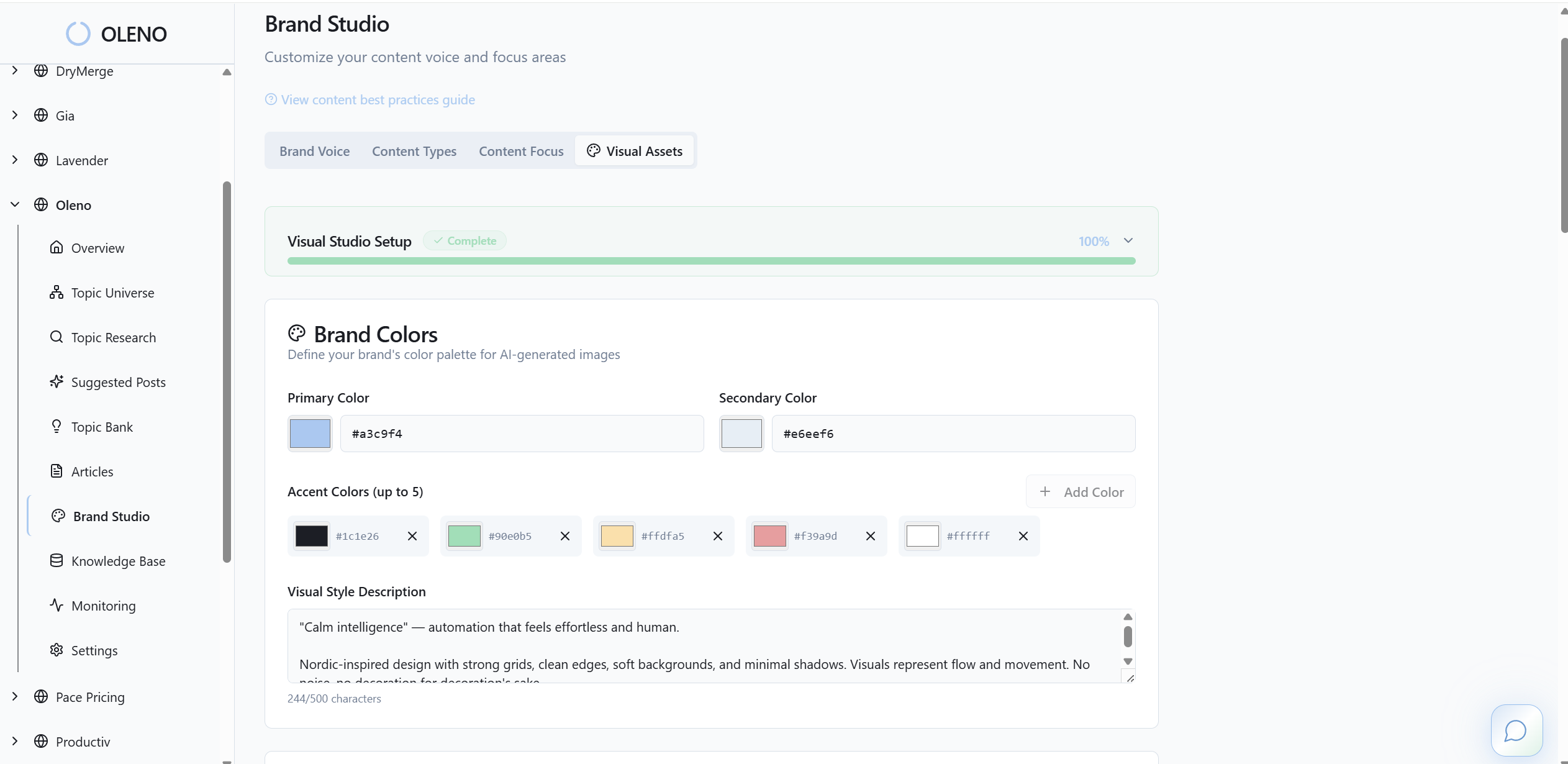
- Brand Studio to encode tone, terms, and CTAs
- Marketing Studio to enforce your POV and messaging structure
- Product Studio plus Knowledge Archive to ground claims in what’s actually true
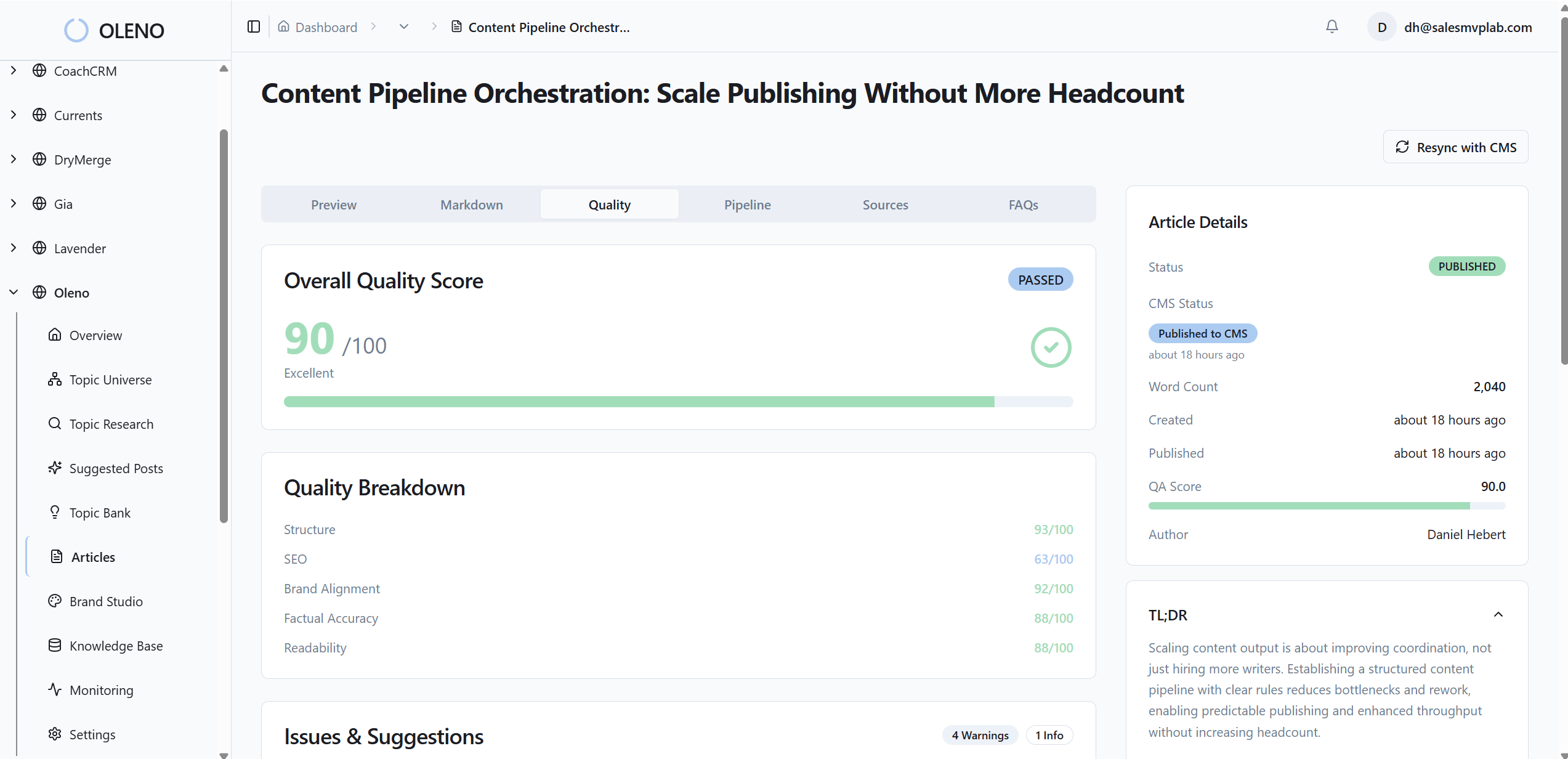
- QA Gate to prevent “pretty draft, wrong content” from shipping
And then it publishes directly into your CMS with idempotent publishing, meaning it’s designed not to create duplicates by accident. That sounds like a small detail. It’s not. Duplicate posts and messy pipelines are the kind of dumb operational problems that kill small-team momentum.
If you want to see what this looks like for your content program, request a demo and walk through a real pipeline, not a generic tour.
Who should pick Oleno (and who shouldn’t)
Oleno is a strong fit when you’re serious about steady, on-brand blogging and you’ve felt the pain of drift. If you’re publishing comparison pages, alternatives pages, or SEO-driven long-form that needs to be accurate, this is exactly the kind of work where governance and QA pay off.

It’s probably not the right fit if you want a casual writing assistant for random one-off content, or if you hate the idea of setting up governance upfront. That setup is real work. You’re building the playbook and the guardrails so you don’t have to babysit every post later.
In my experience, teams are happiest with Oleno when:
- They publish consistently (or want to) and need the system to carry the habit.
- They care about brand voice and product accuracy, not just “words.”
- They don’t want to keep hiring editors just to keep quality from collapsing.
If you’re in that camp, book a demo and pressure-test whether a governed pipeline would actually reduce your weekly content workload.
Feature and fit grid: small-business blogging needs
This grid summarizes the real question small businesses are asking: do I want a flexible writing tool, an SEO optimizer, a programmatic generator, or a governed publishing system. Most tools can generate drafts, but fewer tools reliably protect voice, facts, and publishing hygiene at the same time. Use this table to map your bottleneck to the tool that actually addresses it.
| Criteria | Oleno | Outrank | Byword | Surfer | AirOps | Jasper |
|---|---|---|---|---|---|---|
| Brand voice governance | Brand Studio encodes tone/terms/CTAs | Brand voice preservation (basic) | Custom tone settings | Editor guidance; limited governance | Brand Kits | Brand Voice / BrandIQ |
| Messaging/narrative control | Marketing Studio enforces POV & frameworks | SERP-aligned outlines | Templates/variables | SERP structure suggestions | Workflows + governance | Templates + Canvas |
| Factual safety | Product Studio + Knowledge Archive grounding | Requires manual fact-check | File knowledge; manual checks recommended | Facts Booster assists; verify manually | Knowledge bases; depends on setup | Manual fact-checking required |
| Pre-publish quality control | QA Gate blocks publish until standards met | SEO score; no hard publish gate | Metadata/SEO automation; manual QA | Live score; manual decision | Workflow approvals (config-dependent) | Pipelines/approvals (manual) |
| Programmatic SEO at scale | SEO Studio with locked-structure briefs | Strong programmatic generation | Best for bulk/batch campaigns | Primarily optimization, not programmatic | Programmatic pages via workflows | Bulk drafting via templates |
| Competitive content (vs./alternatives/best-of) | Competitive Studio systematizes and governs | General long-form generation | Templates can be adapted | Optimization lens | Workflows; depends on setup | Templates + manual guardrails |
| Direct CMS publishing | WordPress, Webflow, HubSpot, Storyblok, Framer | WordPress, Webflow, Notion, API | CMS publishing supported | WordPress/Docs integrations | CMS integrations (varied) | API/integrations (tier-dependent) |
| Google Search Console loop | Not advertised as native | Not direct (per public info) | Native GSC integration | GSC integrations common | Analytics; varies by setup | No native GSC focus |
| Audience/persona targeting | Audience & Persona Targeting + Variation Layer | General brand tone options | Custom prompts/tones | Keyword/topic focus | Brand kits + workflows | Templates with brand voice |
| Distribution to social | Distribution repurposes posts to social with cadence | Focus on blog publishing | Blog-centric; images available | Optimization focus | Workflows can schedule | Multi-format content (incl. images) |
| Pricing (entry) | from $449/mo (SEO + Social) | $49 to $99/mo | $99/mo or $5/article | $79/mo (annual) | ~ $99 to $449/mo (SMB) | $49/mo |
| Best fit summary | Small teams needing consistent, on-brand pipeline | SMBs wanting SERP-aligned volume fast | Agencies running programmatic campaigns | Teams optimizing existing/new content | Ops-savvy teams chasing AI citations | Marketing teams needing multi-format content |
Picking a tool without overthinking it
Most small businesses don’t need six tools. They need one clear lane.
If you want speed-to-publish and SERP alignment, Outrank is a reasonable place to look. If you want bulk programmatic coverage, Byword is built for that. If you want to tighten on-page SEO, Surfer is the optimizer. If you want configurable workflows and care about AI citations, AirOps is a serious platform. If you want broad marketing content creation, Jasper covers a lot.
If you want a blog that stays consistent when you’re busy, that’s where Oleno is different. It’s built around governance plus QA plus publishing, so quality doesn’t depend on who’s writing that week.
If you want to sanity check this for your situation, request a demo and bring one of your real topics. You’ll know pretty quickly if a governed pipeline matches how you actually operate.
The goal isn’t more content. It’s less chaos, more consistency, and a blog that compounds.
About Daniel Hebert
I'm the founder of Oleno, SalesMVP Lab, and yourLumira. Been working in B2B SaaS in both sales and marketing leadership for 13+ years. I specialize in building revenue engines from the ground up. Over the years, I've codified writing frameworks, which are now powering Oleno.
Frequently Asked Questions