Brand-Consistent Images: 6-Step Workflow for SEO-Friendly Visuals

Here’s the uncomfortable truth: visuals are usually an afterthought. Teams ship great copy, then scramble for images at 4:45 p.m. with five tabs open and a file named screenshot-final-FINAL.png. Readers feel it. Search engines do too. If visuals don’t carry your brand and clarify the story, they drag both performance and trust.
The fix isn’t “try harder in design.” It’s upstream rules. Decide the image types, ratios, naming conventions, alt-text templates, and placement logic before the draft exists. Let the process make the decisions when people are tired. When you do that, visuals stop being decoration and start pulling their weight for brand and SEO.
Key Takeaways:
- Treat visuals as a governed pipeline, not a last-minute task
- Standardize ratios, types, filenames, and alt-text templates
- Prioritize product shots where decisions happen (solution/how-to)
- Enforce performance targets (formats, byte limits, sourcesets) at the gate
- Use deterministic placement rules mapped to section intent
- Add schema and QA checks so small misses never hit production
Ready to skip the theory and see a working pipeline? Try Generating 3 Free Test Articles Now.
Why Visuals Added Last Hurt Both Brand And SEO
Visuals added last fail because they’re chosen under deadline pressure, without rules that tie them to the narrative or brand system. That leads to mismatched palettes, generic stock, and missing metadata. A repeatable pipeline prevents this by making visuals a structural requirement, not an optional flourish.

What happens when visuals are added last?
When images are a final-mile chore, rushed choices creep in. People grab something “close enough,” forget alt text, and drop a 3MB PNG into a 320px slot. That’s how you get layout shifts and “image-1.png.” It’s also how you confuse readers. Set a pre-publish gate that rejects off-ratio, off-brand, and off-topic visuals.
It’s not about policing taste. It’s about protecting attention and credibility. Your audience notices tone before they notice details, and images drive tone quickly. If the hero doesn’t feel like you, the copy starts on the back foot. Policy beats Photoshop when time is tight and context is scattered.
The signals search engines actually read
Search engines don’t grade “vibes.” They parse filenames, alt text, surrounding copy, and structured data. Use a filename pattern that encodes topic and section. Keep alt text concise and specific. Add schema where appropriate. Consistent signals across dozens of posts compound trust over time, which is what you want.
You don’t need a masterpiece. You need clarity and consistency. A clean system outperforms sporadic brilliance. Brand teams echo this for a reason, and guidance like Contentful’s perspective on brand consistency aligns with what we see in production.
Why “looks nice” is not a strategy
Aesthetic-only choices drift under pressure. Today’s “nice” becomes tomorrow’s mismatch when a different editor ships at speed. Instead, decide the image set per article archetype up front. One hero. Two inline visuals mapped to the hardest H2s. A product shot tied to the solution moment. No debate at 4:45 p.m.
This shifts taste to the brief, not the browser. Editors make fewer choices. Designers aren’t blockers. And writers don’t pick stock photos that look like everyone else. Less variance, better throughput, stronger signal.
The Real Bottleneck Is A Repeatable Image Pipeline
The bottleneck isn’t creative talent. It’s the absence of a pipeline that defines inputs, rules, and checks for images just like you do for copy. Inventory brand assets, codify image types and ratios, apply deterministic placement rules, then enforce them with QA. Throughput rises. Rework falls. Quality feels inevitable.

What traditional image workflows miss
Most teams have a brand book for color and logos. Useful, but incomplete. What’s missing are file naming rules, alt-text templates, and placement heuristics by content type. Without those, good intentions get replaced by improvisation. Editors don’t know what to reject, so everything slips through.
Close the gap with templates that show both “approved” and “reject” patterns. Make it obvious what a wrong ratio looks like in your layout. Include real examples that map image types to section intentions. Templates aren’t bureaucracy. They’re speed in disguise.
Where product relevance fits in the visual story
Screenshots belong where readers are deciding, not just where you want to show a logo. Put product visuals in the solution section or the how-to moment so they clarify, not decorate. Use semantic cues from the copy to match the right screenshot to the right paragraph.
Readers process visuals faster than text, so use that to your advantage. A clean “before/after” or a focused dashboard crop beats a generic UI collage. Several brand teams formalize this in their content systems, and guidance like Siteimprove’s take on brand consistency reflects the same truth: consistency earns trust.
The Hidden Costs Of Inconsistent Images Across Articles
Inconsistent visuals create silent drag across your process and results. They spawn rework, introduce accessibility gaps, and waste engineering time with last-second fixes. Let’s pretend you publish 20 posts a month with four images each. Ten minutes wasted per image is 13 hours gone. That’s before you count SEO leakage from weak filenames.
The compounding effect on publishing speed
Small misses cascade. A wrong ratio forces a layout fix, which pushes QA, which delays publishing. Multiply that by every post. The fix is unglamorous: defaults. Pre-set aspect ratios, compression targets, and sourcesets. When defaults exist, people stop deciding and start shipping.
Standards also help you onboard new contributors without meetings. A crisp template becomes the team’s “shared memory.” It’s not just faster; it’s fairer to the people doing the work.
When accessibility gets triaged
Alt text often gets rushed or skipped when deadlines loom. That’s risky and avoidable. Use a template with three variables: subject, action, context. “Dashboard view showing Topic Universe coverage by cluster, bar chart.” That’s readable and useful to both search and screen readers.
Automation can help here, but keep humans in the loop for the final pass. Stories like Amplience’s write-up on automatic alt text at Tapestry show the direction. Templates and QA gates keep you out of the “we’ll add alt text later” trap.
A quick story from the trenches
On small teams, I’ve shipped content without a visual plan. It worked, until the volume rose. Designers were swamped. Writers improvised. We looked inconsistent. Sales flagged assets they couldn’t reuse. A basic gate for filenames, alt text, and placement would’ve saved hours and protected trust. Lesson learned.
If you’re still coordinating visuals in Slack threads, you’re paying a hidden tax. A defined workflow replaces reminders and apologies with predictable outcomes. That’s the job.
Still dealing with this manually across posts? Try Using an Autonomous Content Engine for Always-On Publishing.
When Your Design Falls Off The Critical Path
Design will get swamped. Content still has to ship. Without a visual system, that’s how mismatched tones, outdated logos, and decorative images slip in. Readers feel the disconnect immediately. So do sales teams when they try to reuse that content later.
Why this feels like a small miss, but hurts trust
One off-brand hero looks like a shrug. Five in a row looks systemic. Audiences notice patterns, not exceptions. If visuals don’t reinforce the narrative, they erode credibility. Treat images like paragraphs you can “read.” Each one should answer a question the section creates.
When images do that, you shorten time-to-understanding. That’s the outcome that matters. It’s not about pretty. It’s about clarity you can feel.
Who owns images when everyone is busy?
Give ownership to the process, not a person. The pipeline defines types, ratios, filenames, alt text, placements, and checks. Anyone can run it. No one needs to reinvent it on deadline. That’s how you protect quality during crunch weeks when “good enough” is loud in the room.
Once the rules exist, you can automate the repetitive parts. But even before automation, you’ll see fewer debates and fewer errors. Structure creates speed.
A Repeatable 6-Step Workflow For Brand-Consistent, SEO-Friendly Images
Here’s a practitioner workflow you can paste into your editorial SOP. It covers asset inventory, generation, naming, alt text, deterministic placement, performance, and a QA gate with schema. Use it as a human checklist today. Wire it into automation when you can.
Step 1: Build your brand asset inventory and palette mapping
Centralize color tokens, logos, brand marks, style references, and approved screenshots. Store hex values with semantic names and safe areas for light and dark backgrounds. Tag screenshots with feature and section keywords so they’re findable. Document usage constraints so anyone can choose correctly without guesswork.
This inventory becomes the single source of truth when contributors rotate in. It also prevents outdated logos and color drift. When ramping new people, you’ll point at one place and move on.
Step 2: Define image types and aspect ratios with templates
Set a standard set per article: hero (16:9), two inline (4:3), optional social (1:1), and a mobile crop (9:16). Prebuild Figma or code templates with padding, logo placement, and text-safe zones. Include min/max resolutions and responsive breakpoints to reduce downstream questions.
Templates remove taste debates. They also make performance targets easier to hit because dimensions are predictable. People stop freehanding and start shipping.
Step 3: Set automated naming and alt-text conventions
Adopt a filename rule like site-topic-section-image-type-keyword.ext. Example: acme-topic-coverage-audit-new-way-inline-chart.webp. Keep a short list of stop words to exclude from filenames. For alt text, use a subject-action-context template aligned to section intent.
This is where consistency becomes a ranking signal. Search can understand context. Screen readers can convey meaning. Editors can spot violations in seconds.
Step 4: Apply deterministic placement rules
Map image types to sections by archetype. One hero near the top, inline visuals attached to the most complex H2s, and product screenshots in the solution or how-to moment. Place images at natural interpretive beats. If a section explains a concept, show a diagram. If it compares options, use a side-by-side.
“Show, don’t tell” works for B2B too. Deterministic placement keeps you honest. It’s harder to drift when the rules decide where images go.
Step 5: Enforce performance and format targets
Default to AVIF with WebP fallback, JPEG as a last resort. Set byte-size targets per type: hero under 120 KB, inline under 80 KB, social under 100 KB. Enable lazy loading and define width descriptors for responsive sourcesets. Document compression settings so results stay consistent across posts.
You’ll prevent layout shifts and improve load times without heroics. If you need an operational blueprint, frameworks in pieces like SEO workflow management help teams align people and steps when volume climbs.
Step 6: Run a visual QA checklist and schema integration
Block publish if any image fails on ratio, color, filename, alt text, or byte size. Validate lazy-loading attributes and sourcesets. Add JSON-LD where appropriate to describe key visuals. Log rejections and fix patterns upstream in templates, not by one-off edits in a rush.
This is how you stop small misses from reaching your front end. A checklist is unglamorous. It’s also the difference between a clean system and “we’ll fix it live.”
How Oleno Automates Visual Consistency And SEO Signals
If you want this to run without handoffs, Oleno handles it end to end. Visuals are generated, placed, named, and checked inside a governed pipeline that runs the same way every time. You keep the strategy and standards. The system does the execution with deterministic rules that don’t blink on deadline.
Visual Studio generates on-brand heroes and inline images
Oleno’s Visual Studio uses your colors, logos, and style references to produce one hero and two to three inline visuals per article. Product screenshots are matched to relevant sections using semantic similarity so visuals show up where readers need them, not where it’s convenient. That’s how the product story stays anchored to intent.
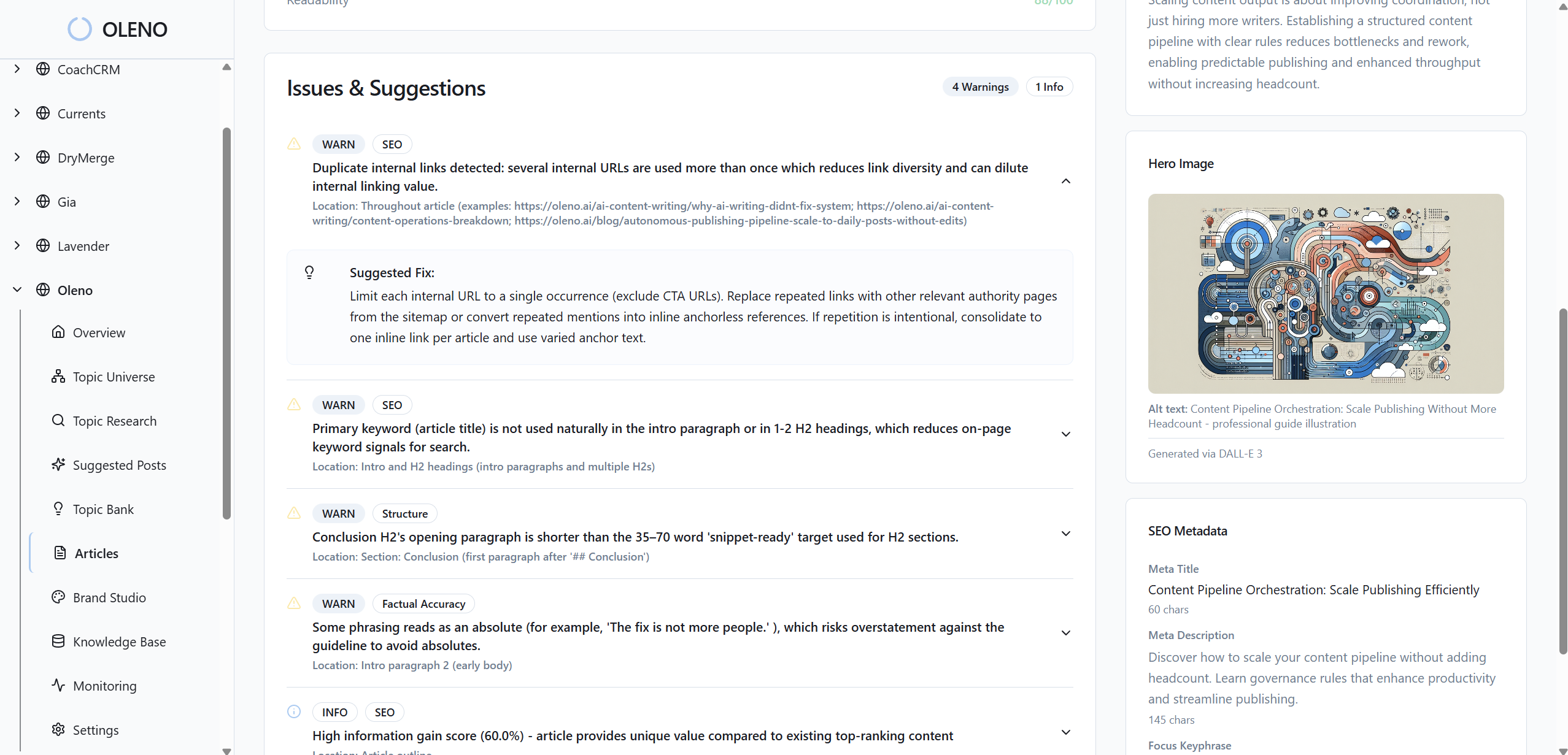

It supports multiple aspect ratios and resolutions out of the box, so templates aren’t a suggestion, they’re a rule. The result is visual consistency without design bottlenecks.
Alt text, filenames, and placements are deterministic
Oleno generates SEO-friendly filenames and alt text against templates, not vibes. Placement rules prioritize solution sections for product visuals and tie inline images to the most complex H2s. That addresses the two biggest failure modes: rushed naming and random placement. Readers understand faster. Snippet readiness improves section by section.
Performance, schema, and QA are handled before publish
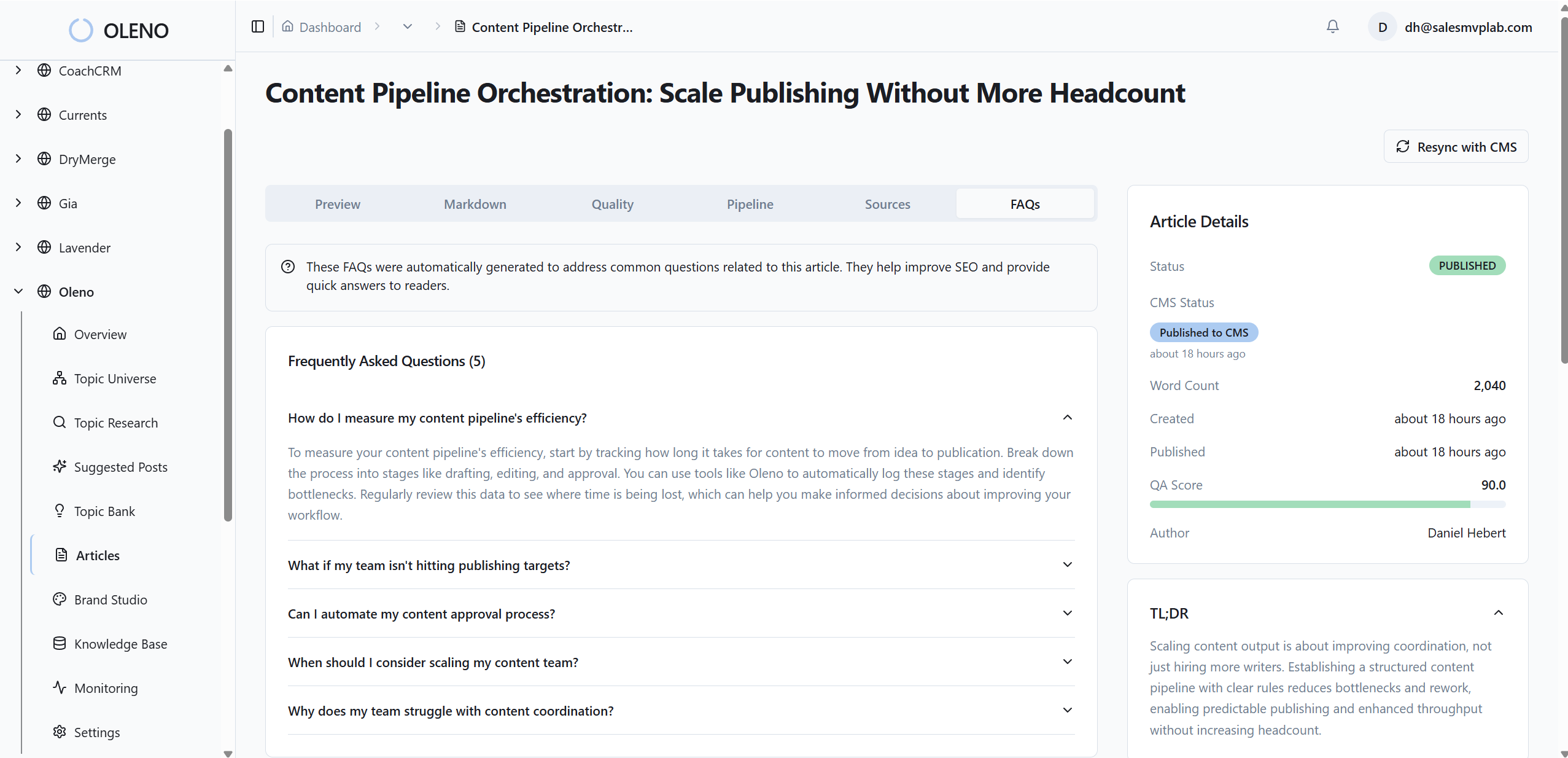
Images ship with the right ratios and formats. JSON-LD is generated for articles, FAQs, and breadcrumbs. An automated QA gate checks visual consistency, alt text, filenames, and snippet-ready section structure across 80+ criteria. Oleno blocks publish until thresholds are met, reducing rework and protecting brand trust during peak weeks.
This ties directly back to the earlier costs: fewer last-minute fixes, fewer accessibility gaps, and faster publishing velocity. Want to see how this feels when it’s running? Try Oleno for Free.
Conclusion
You don’t need more design time. You need a system that decides image types, ratios, names, alt text, placement, performance, and schema before anyone opens a browser tab. When those rules live upstream, visuals start carrying their weight for brand and SEO. And when a platform like Oleno enforces them for you, consistency stops being a promise and becomes your default.
About Daniel Hebert
I'm the founder of Oleno, SalesMVP Lab, and yourLumira. Been working in B2B SaaS in both sales and marketing leadership for 13+ years. I specialize in building revenue engines from the ground up. Over the years, I've codified writing frameworks, which are now powering Oleno.
Frequently Asked Questions