Brand-Consistent Visuals: 7-Step System to Boost Credibility

Most teams treat visuals like the garnish on the plate. Nice to have, including the rise of dual-discovery surfaces:, optional, picked at the end. That is usually why the first screen on your articles feels off. Your reader is deciding whether to trust you in about three seconds. They see a hero, maybe a screenshot, and a color story. It either looks like your brand or it doesn’t.
You do not need to turn designers into traffic cops. You need rules you can enforce and a system that actually follows them. We built Oleno’s Visual Studio to do that job without adding meetings. Images come out on-brand, placed where they matter, with filenames and alt text handled upstream. Not perfect. Predictable.
Key Takeaways:
- Identify and score first-screen trust signals to stop subjective debates
- Convert “brand vibes” into fields tools can read and enforce consistently
- Set non-negotiables for images to reduce rework and drift
- Quantify visual debt so budget and time impacts are visible
- Standardize filenames, alt text, and aspect ratios to reduce SEO risk
- Implement deterministic placement rules that favor product visuals where it counts
- Use automation to generate, place, and QA visuals without slowing publishing
Why Visuals Decide Trust In The First Scroll
Your first screen sets credibility faster than any line of copy. People scan visual quality, product presence, and brand cohesion to decide if they should keep reading. A strong hero, a relevant screenshot, and aligned colors telegraph confidence, for example a crisp hero with your product UI in your palette.

What Signals Shape First Impressions?
You are judged on three first-screen trust signals. One, including why content broke before ai, hero image quality that looks intentional, not stock. Two, visible product presence when you are making a product claim. Three, color and typography that match your brand system. That is the difference between “this is real” and “someone rushed the header.”
When you define “good,” use examples. Screenshot two recent posts. Label what is on-brand, where a screenshot would help, which colors drifted. That removes taste arguments and turns feedback into rules. To give the conversation foundation, it helps to see how visual consistency supports trust in the literature, like Marcom’s overview on brand consistency and trust or Sage research on how consistent branding influences perception.
Run a quick scan across 10 posts. Tally stock usage, missing screenshots, color drift, inconsistent aspect ratios. This is not busywork. It is a baseline that supports your move toward autonomous content operations. You can only improve what you can name and count.
How Do You Measure Visual Debt Quickly?
Create a one-page audit. Keep it simple. Image count per article, asset types used, aspect ratio consistency, alt text presence, filenames, product screenshot relevance. Score 0–2 each, then sum to a 10-point scale. You will see patterns by week two, not month six.
Flag the high-risk items that undermine trust. Focus on:
- Generic AI art that looks out of place
- Off-palette colors that clash with your brand
- Old UI screenshots after a redesign
- Unreadable text overlays inside images
- Random placement that breaks context
These become your non-negotiables. If an item shows up on this list, it does not ship. One interjection. Keep the list short enough that people remember it.
Set Credibility Targets That Content Can Hit
Set targets you can actually sustain. Two to three on-brand visuals per article. At least one relevant product screenshot where you describe product behavior. One accessibility target, including the shift toward orchestration, clear alt text on 100 percent of images. That is manageable for most teams and it prevents the slow drift into “we will fix visuals later.”
Add a 30-day checkpoint. Sample 10 new posts and re-score with the same audit. If scores stall, your rules are too vague or your templates are missing pieces. You are solving a system problem, not asking people to care more.
Curious what this looks like in practice? Request a demo now.
Shift From Decoration To Governed Visuals
Visuals are not decoration, they are evidence. Treat them like you treat claims. Define rules, assign an owner, and enforce a small set of non-negotiables. This is how you reduce frustrating rework without turning every post into a design review.
Who Owns The Rules And The Outcomes?
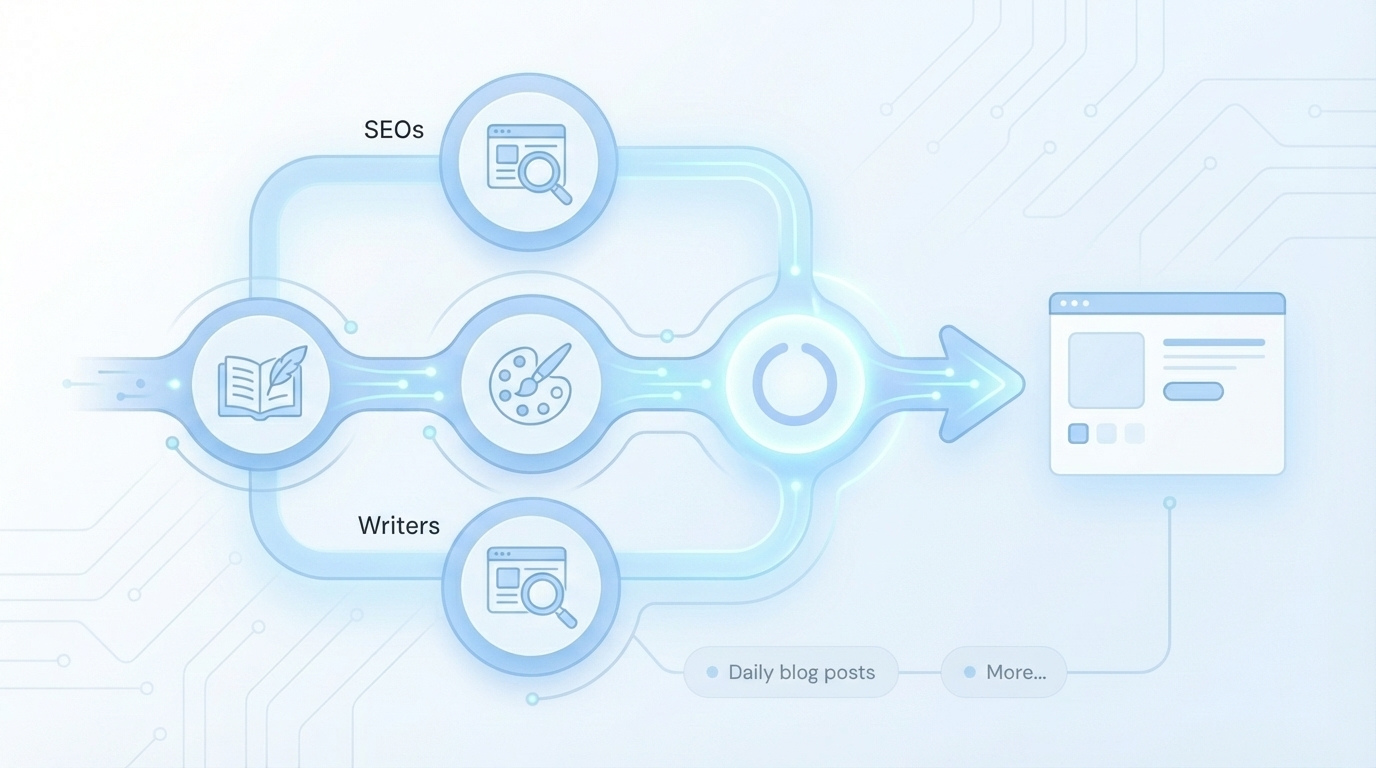
Make one person accountable, usually content operations or the design system lead. Give them a scoreboard: monthly visual debt reduction and QA pass rates. The job is not to police taste. The job is to keep your standards alive when deadlines press. This is the core of the content orchestration shift, moving from opinions to operations.
Convert subjective feedback into rules that a tool can apply. Palette constraints. Allowed style references. Logo usage. Screenshot recency windows. Placement heuristics. If it can be tested, it can be enforced. If it cannot be enforced, it will drift.
Convert Brand Into Fields, Not Vibes
Turn your brand into a schema. Primary and secondary colors, approved logo variants, style reference images, and tagged screenshots by feature, persona, and use case. The Brand Asset Library becomes a reliable source of truth instead of a folder of hope. In upload forms, require tags, aspect ratio selection, and an alt-text starter. People follow forms more consistently than guidelines.
This is about scale. Consistency becomes harder as you add authors, channels, and timelines. A rules-first setup supports that growth, which echoes how consistent branding supports scaling in practice, see why branding matters when scaling execution.
When Should A System Override Personal Taste?
Decide tie-breakers now to avoid heated edits later. If a section explains product functionality, screenshots beat conceptual art. If the section is conceptual, an abstract image that references your style library is the right call. Document exceptions, keep them rare.
Publish a non-negotiables list. No off-brand palettes. No unreadable text overlays. No screenshots older than your last major UI release. When taste conflicts with non-negotiables, the rule wins. This is why faster drafting alone does not fix visual drift, as outlined in the limits of speed-first writing here: ai writing limits.
The Hidden Costs Draining Your Content Budget
Visual issues look small, then they compound. Rework time, including why ai writing didn't fix, slow approvals, missed screenshot refreshes, and subtle credibility hits add up. Measure it for a month and you will see a real number. It is not just time. It is trust.

Let’s Pretend We Quantify The Rework
Let’s pretend you ship 20 posts this month. If 60 percent need visual fixes, and each needs two edits at 20 minutes, you have 8 hours of designer or writer time burned. At an $80 per hour fully loaded rate, that is about $640 a month. Over a year, it becomes real budget, not a rounding error.
That ignores the opportunity cost. Slower publishing, outdated screenshots after feature launches, and the credibility penalty of mismatched UI. This fragmentation shows up across the stack, see the content operations breakdown. The rationale is simple and supported by broader evidence on consistency and trust, like Marcom’s brand consistency analysis.
Where Ad-Hoc Visuals Create SEO Risk
Bots parse structure and metadata. Inconsistent filenames like image1.png, missing alt text, and random aspect ratios reduce snippet eligibility and image search pickup. Your copy might be strong. Machines still need clean signals.
Standardize three things:
- Descriptive, crawlable filenames that reflect content and function
- Structured alt text that states what the image shows or explains
- A small set of aspect ratios, like 16:9, 4:3, and 1:1, that map to your layouts
This is free distribution. You are removing friction, not gaming anything.
When To Pause And Standardize
If more than 20 percent of articles fail visual QA, pause new variations. Ship with standardized templates for two sprints while you rebuild your library and rules. Velocity returns when you stop the bleeding.
Freeze hero image experimentation until your pass rate clears 85 percent for a month. You can reintroduce variation later with guardrails. This reduces the “worried about” feeling every time a new post goes live.
What Good Looks Like For Your Team
Good looks boring in the best way. Writers know where to find assets. Designers do less cleanup. SEOs do not chase filenames after the fact. Your product shows up clearly, where it matters. Accessibility is baked in.
Who Needs What, When?
Writers need approved templates and a simple placement guide, ideally on a single page. Designers need fewer one-off requests and a backlog of reusable assets to refresh. SEOs need alt text and filenames handled upstream, not jammed in at the end.
Agree on lightweight SLAs. New templates quarterly. Screenshot refresh after major UI releases. A monthly sweep for outdated images. This is how you keep authority compounding, supported by the bigger system approach in autonomous content systems.
The Minimal Viable Template Set
Start with three templates: a 16:9 hero, a 4:3 inline explainer, and a 1:1 CTA visual. Pre-wire palette, typography, and room for product UI or abstract motifs. Name and version them clearly. Map typical placements, for example hero at top, inline after the first H2, CTA near the conclusion. Deterministic placement reduces inconsistent choices.
You do not need endless variations. You need three good ones that always look like you.
Accessibility As A Default, Not An Afterthought
Write alt text that captures intent. “Screenshot showing filters applied to segment leads” beats “dashboard.” Keep it short, avoid repeating nearby captions. Enforce contrast and legible text in images. If text is overlaid, use brand color blocks for contrast and put the same message in body copy.
Consistency and accessibility are linked in the research too, see an academic view on design consistency constructs and accessibility and the trust reinforcement angle from brand consistency literature.
Implement The 7-Step Playbook Now
You can roll this out without pausing everything. Start with a fast audit, turn brand into fields, build a tiny template set, then codify placement rules. Think two sprints, not two quarters. Then iterate.
Audit Visual Debt And Set Targets
Pull the last 20 posts. Score stock usage, product screenshot presence, aspect ratio alignment, alt text quality, and filename conventions. For each metric, set a from and to goal, for example stock usage from 40 percent to less than 10 percent. Publish a one-page visual policy with non-negotiables and your audit checklist. That document ends circular debates.
Sample ten new posts in 30 days and re-score. If you are not moving, fix the rules or the templates, not the people.
Build The Brand Asset Library And Design Templates
Create fields for colors, logos, style references, and tagged screenshots, including feature name, persona, use case, and last updated. Store them where tools can read them. Add upload rules, require tags, map each screenshot to relevant sections, and set a 90-day refresh window. For conceptual sections, see guidance on abstract hero images.
When designing templates, lock palette and type, including why content now requires autonomous, then offer two or three variants per template. Specify aspect ratios and resolutions so exports are consistent:
- 16:9 hero at 1920×1080
- 4:3 inline at 1200×900
- 1:1 CTA at 1080×1080
Placement Rules And Priority Heuristics
Write four clear rules. Product sections require screenshots. Solution sections prefer product visuals. Conceptual sections use abstract, on-brand images. Avoid back-to-back images without explanatory text. Add sentence-level heuristics, for instance place an image after a definition, before an example, or to summarize a mini-process. Tie these rules to discoverability thinking with seo and llm visibility, not for hacks, but to reduce ambiguity.
Ready to eliminate design rework and guessing? try using an autonomous content engine for always-on publishing.
How Oleno Visual Studio Automates Generation, Placement, And QA
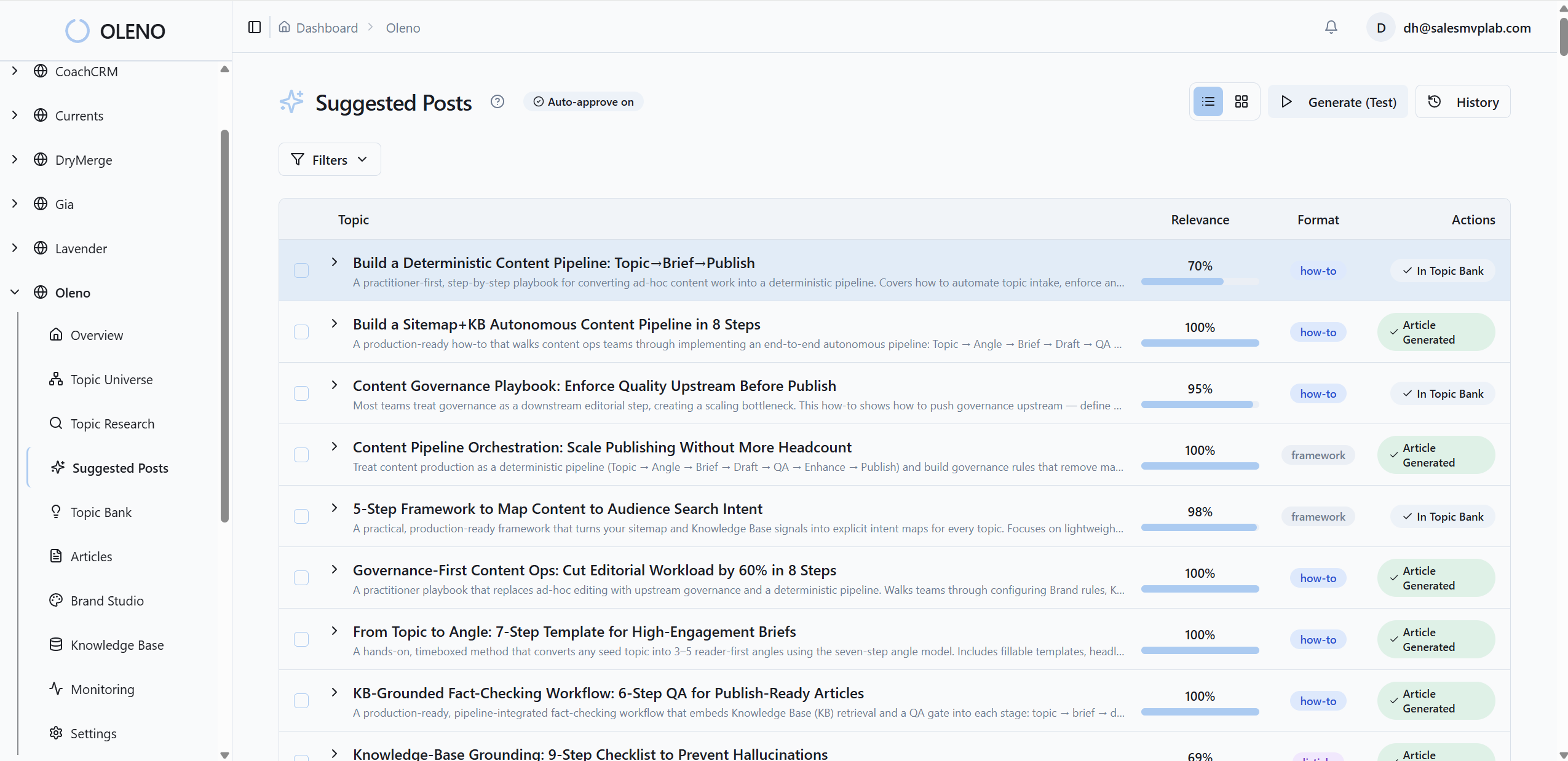
Automation should follow your rules, not override them. Oleno Visual Studio starts from your Brand Asset Library, then generates a hero and 2–3 inline visuals in set aspect ratios. It matches product screenshots to the right sections and prioritizes product visuals where readers expect proof.
How Do You Automate Generation Without Losing Brand Control?
Initialize Visual Studio with your Brand Asset Library, including colors, logos, style references, and tagged screenshots. Use templated prompts and approved models to generate one hero image and 2–3 inline visuals per article, with set aspect ratios and up to 4K output. Product screenshots are matched to relevant sections using semantic similarity. Solution sections get priority for product visuals by rule. You set the guardrails, Oleno does the repetitive work.
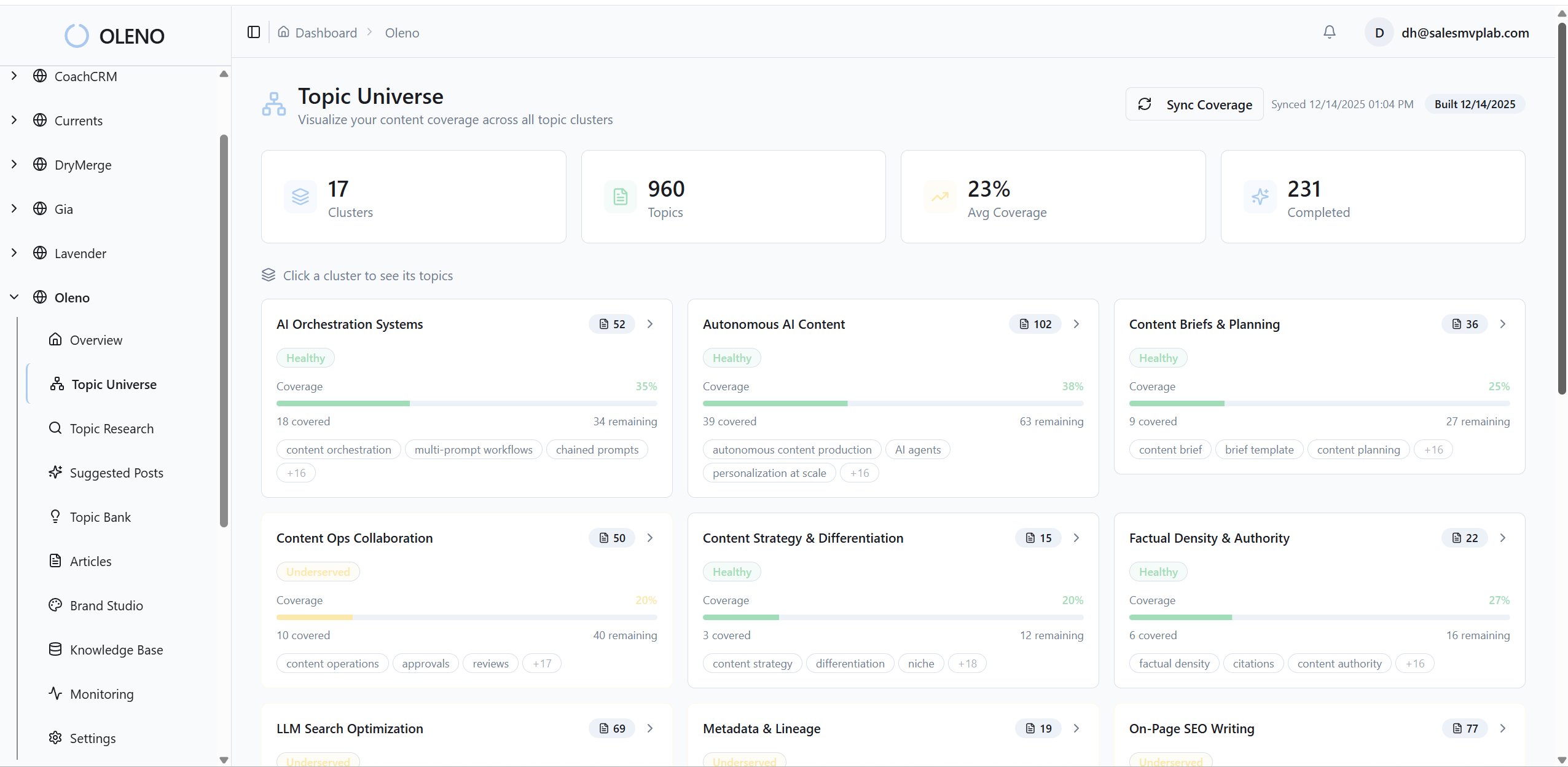
This is not a design suite. It is a way to make sure every article looks like it came from you, even on a busy week.
Alt Text And SEO Filenames On Autopilot
Oleno generates descriptive alt text and crawlable filenames at creation time. Functional descriptions for screenshots, concise summaries for abstract visuals. No keyword stuffing, clarity first. Naming conventions are enforced automatically, such as feature-segmentation-filters-inline-4-3.png. That reduces cleanup and improves retrieval in your DAM or CMS. The result aligns with structured approaches to brand consistency discussed in Gartner-style academic work on standardization and signaling and with trust outcomes covered by brand consistency research.
QA Gates And Rollout Cadence Without Slowing Publish
Every article passes automated checks across 80 plus criteria, including visual placement against rules, alt text quality, filenames, and snippet readiness. The QA gate requires a minimum passing score of 85, and failures trigger refinement loops until thresholds are met. You can pilot on ten articles, compare pass rates and rework time, then expand. Keep a manual exception path for edge cases so the system does not block niche needs. For a closer view of checks, see automated qa checks, and for voice alignment, see how a brand voice linter complements visual consistency.
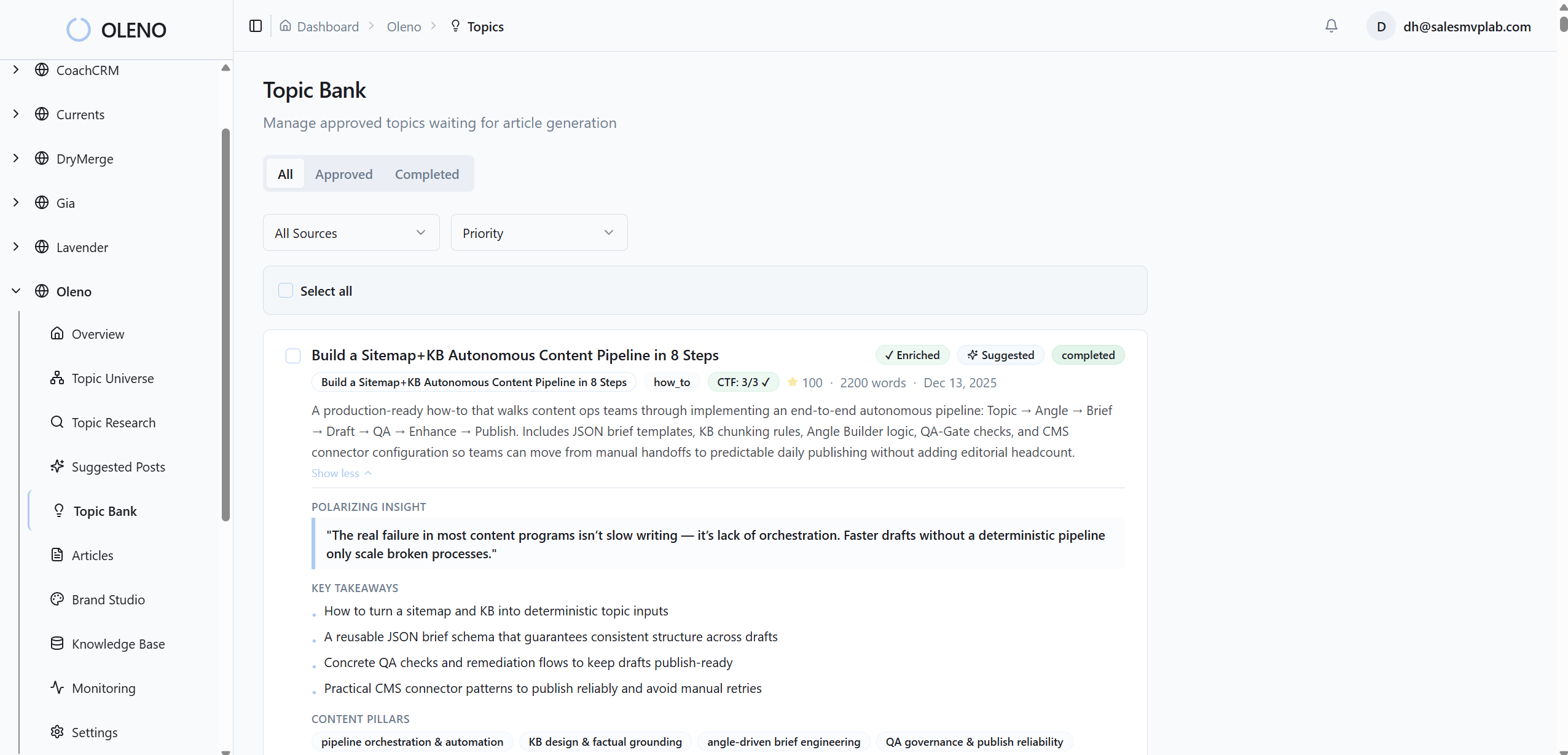
Remember the 8 hours a month lost to visual fixes? Oleno eliminates most of that by handling generation, placement, filenames, and alt text automatically. Teams usually report fewer handoffs and fewer edits, not perfection. That is the point.
Want to see the Visual Studio workflow on your content? Request a demo.
Conclusion
If your first screen looks off, readers will not wait for paragraph three to decide. Treat visuals like evidence, not decoration. Put rules in writing, turn brand into fields, and standardize a small set of templates. You will reduce rework, ship faster, and build credibility consistently.
We can do this with people alone, but you will hit the same bottlenecks. Automation helps when it follows your rules. That is why Oleno Visual Studio generates brand-consistent images, places them where they matter, and passes them through a QA gate before anything ships. You get fewer headaches and less frustrating rework, and your articles start looking like yours on the very first scroll.
About Daniel Hebert
I'm the founder of Oleno, SalesMVP Lab, and yourLumira. Been working in B2B SaaS in both sales and marketing leadership for 13+ years. I specialize in building revenue engines from the ground up. Over the years, I've codified writing frameworks, which are now powering Oleno.
Frequently Asked Questions