Create Brand-Consistent Visuals Without a Designer in 6 Steps

Most teams treat images like decoration. Nice to have. Add them at the end. That’s the fastest way to make good writing feel untrustworthy. Readers can’t always articulate why a visual feels off, but they sense it in a second. Consistency signals care. Drift tells them you’re guessing.
I’ve been on both sides of this. At Steamfeed, we published at volume. When we nailed visual rhythm—same aspect ratios, predictable layouts, readable contrast—trust went up, bounce went down. At later SaaS roles, the last-mile scramble burned hours. Heroes looked “kind of off,” screenshots didn’t match the copy, filenames were chaos. Predictable visuals stopped that bleed.
Key Takeaways:
- Treat visuals as governed output, not decoration or taste
- Define simple constraints: aspect ratios, typography pairs, color usage, filenames
- Tie image types to section purpose so placement is deterministic
- Bake alt text patterns and contrast checks into your process
- Use a lightweight QA gate that blocks risky assets from publishing
- Small rules cut rework, improve accessibility, and build reader trust
If you’d rather see a governed system do this end to end, you can Try Generating 3 Free Test Articles Now.
Why Visuals Decide Whether Readers Trust You
Visuals decide trust because readers assess quality before they read a word. Consistent aspect ratios, color discipline, and clear filenames reduce cognitive load so ideas land. A hero that matches the message sets the frame; a mismatched screenshot breaks it and makes the copy work harder.

The credibility gap when images feel off
You’ve felt the wobble. The hero is slightly the wrong crop, the typography is a hair too small, and the accent color doesn’t match your palette. Most people won’t name the issue. They’ll just feel it. That feeling erodes authority and forces your words to compensate for design noise you could have avoided.
The fix isn’t more taste reviews. It’s rules. Lock aspect ratios (hero 16:9; inline 4:3 or 1:1). Define two typography pairs that play well across devices. Set file naming patterns that include topic and section. When non-designers follow constraints instead of vibes, output gets repeatable. Repeatable builds trust.
Why ad hoc visuals drift off brand
One-off graphics look harmless at first. A slightly different shade, a third font “just for this one,” a screenshot with the wrong theme. That drift compounds. Each publish adds another variable until your brand starts speaking in three dialects at once and no one recognizes you at a glance.
You prevent that by shrinking choices. A small kit produces a big effect. Two fonts, three colors, three layout types. Write it down where work happens—templates, checklists, presets. When people don’t have to decide basic things, they make better decisions about the story. That’s where judgment belongs.
What is brand consistency and why does it matter for visuals?
Brand consistency means your audience can identify you quickly and move on to the idea. It reduces mental effort by making patterns familiar—type, color, spacing, image style. That familiarity builds trust over time, which is why visual discipline isn’t cosmetic; it’s strategic.
A short palette, two font pairs, and three layout types carry most workloads. Back them with metadata rules—filenames that travel, alt text that explains function, and sizes that render crisply. If you want a broader view of why this matters for recognition and recall, see this primer on brand consistency. Use it as context, not an excuse to add more rules than your team will follow.
Visuals Work When Governed By Simple Rules
Visuals work at scale when you replace taste with constraints. Codify color usage, type hierarchy, spacing, and placement. Tie image types to section purpose, then enforce naming, alt text, and aspect ratios. When the rules live in your workflow, not a deck, quality becomes predictable.

What traditional approaches miss
Most teams lean on a designer’s judgment or a folder of templates. That’s fine until volume rises or schedules tighten. Taste doesn’t scale across 30 articles a month. A template without rules becomes a canvas for drift—new fonts, imprecise spacing, different crops—because nothing stops it.
You need rules that travel with the work. Clarify which colors are for backgrounds versus accents. Define the heading/body type sizes and the spacing grid. Decide where heroes live (above the first H2) and where proof shots appear (after the claim they support). If you need a reference on capturing these basics in one place, a short visual style guide explains the essentials. Keep it pragmatic. Fewer pages, more decisions.
The hidden complexity behind placement and metadata
Images aren’t just pixels. They anchor sections, serve accessibility needs, and carry SEO signals. A beautiful hero with no alt text is a liability. A crisp screenshot with a cryptic filename won’t help you later when you’re migrating content or debugging a broken link preview.
Make placement deterministic: hero image above the first H2; contextual screenshots after the second paragraph of the section they support; diagrams only when they clarify a sequence or comparison. Pair that with metadata rules—alt text patterns, WCAG contrast checks, and filename schemas. When the workflow handles these, teams stop arguing about “what looks better” and start shipping more consistently.
How do you make visuals deterministic across articles?
Tie image types to section semantics. If a section explains a workflow, it gets a product screenshot. If it frames a problem, use an abstract hero that matches your palette. If it proves a claim, insert a diagram or a before/after shot right after the claim. Not before, not three paragraphs later.
Pre-assign positions. Hero above the first H2. Proof shots after paragraph two of the relevant section. Thumbnails for summaries only. Write these assignments into the checklist and templates so they’re automatic. This is where a governed system, whether manual or automated, earns its keep: decisions become encoded, not renegotiated.
The Hidden Cost Of Ad Hoc Images
Ad hoc images cost more than design time. They create rework, slow publishing, and introduce accessibility risks. If each post triggers color picking, font tweaking, and filename fixing, you’re burning hours you could spend improving narrative. That cost scales with volume and morale.
Time lost and the rework drag on small teams
Let’s pretend your team spends 25 minutes picking colors, 15 minutes formatting, and 10 minutes renaming files per post. That’s 50 minutes you don’t get back. At five posts a week, you’re at roughly four hours. Multiply by a month and you’ve lost about half a workweek to avoidable decisions.
I’ve watched this stall otherwise solid content programs. You start missing publish windows. You carry stress into reviews. You over-index on “good enough” because the last mile becomes a headache. Small rules cure this: one palette, one type system, fixed aspect ratios, and a naming pattern. Decision count drops. Speed rises.
The SEO and accessibility tax when metadata is wrong
Metadata mistakes aren’t neutral. Missing alt text hurts accessibility and search comprehension. Low contrast damages readability. Vague filenames confuse systems and humans. Accessibility standards such as WCAG exist for a reason, and teams that ignore them usually pay with trust and visibility later.
Search engines interpret structure and metadata more than intent. If your contrast is poor or alt text is absent, you’re handing away signals. If you need a grounding explainer on why visual consistency and accessibility matter, this overview of visual consistency meaning is a useful lens. Then operationalize it: alt text patterns, contrast checks, and preset filenames.
When screenshots contradict the narrative
A screenshot that doesn’t match the copy forces readers to reconcile two realities. Wrong UI theme. Outdated label. Different state than the step you’re describing. It’s subtle, but it creates friction and doubt—exactly what you don’t want when you’re explaining workflow or making a case.
Fix it with a pipeline. Capture with a standard theme. Annotate sparingly—one action per image. Tag each screenshot to the section it supports so updates are obvious when the narrative changes. When you adjust copy, the mapping tells you precisely which image to recapture. Guesswork disappears. So does the rework loop.
The Frustration Of Publishing Images You Do Not Trust
Publishing with images you don’t trust feels like rolling dice. The hero looks “fine,” the screenshot might be outdated, and the filename is a mess. A lightweight visual preflight—contrast, crop, placement, alt text—removes doubt and reduces weekend fixes.
The last mile scramble before pushing live
You know the drill. Fifteen minutes to publish and the hero doesn’t fit the new headline. The proof shot is from last quarter’s UI. Someone renamed it screenshot-final-3.png, so the CMS slug is nonsense. You push anyway and hope no one notices. That stress isn’t a rite of passage. It’s a system gap.
The solution isn’t a bigger review meeting. It’s a preflight checklist embedded in the workflow. Verify aspect ratio, contrast, placement, alt text, and filenames. Compare the hero against the previous one for palette drift. When the QA gate blocks problems by default, launches get calmer and quality stops relying on luck.
When a customer calls out an off brand graphic
It happens. A customer or colleague points out a color that isn’t yours or a UI that’s out of date. It’s uncomfortable, and it chips away at credibility. Doubling reviews after the fact rarely fixes it because the root cause is too many choices and too few rules.
Tighten the system. Shrink the palette. Standardize layouts. Add a visual QA gate that checks placement and metadata before anything touches the CMS. People don’t need more steps. They need fewer decisions. When risk is removed upstream, production feels lighter and trust rebounds.
When should a checklist replace design reviews?
When the same issues repeat—contrast, padding, alt text, filenames—you’re past the point of taste. You’re dealing with recurring process defects. Reviews won’t cure what rules should prevent. That’s your signal to codify and enforce.
Move decisions upstream and encode them: templates with locked grids, export presets with filenames, alt text patterns in the brief, acceptance criteria in the QA gate. Reviews become about message and narrative, not commas and crops. That’s a better use of senior time.
Still dealing with the last-mile scramble every week? It may be time to let a governed system handle it. You can Try Using an Autonomous Content Engine for Always-On Publishing.
A Practical Workflow To Create Brand-Consistent Visuals In 6 Steps
A six-step workflow turns visuals into a repeatable process: audit your assets, define a minimal system, build templates, create a screenshot pipeline, standardize safe AI image processing, and run a pre-publish visual QA. Each step removes choices, speeds production, and reduces rework.
Step 1: Audit your brand assets in 30 minutes
Start with a quick inventory. Gather logo variants, primary and secondary colors with hex codes, two approved font pairs, iconography, and a current screenshot library. Put them in one folder your team actually uses, not a dusty drive. Normalize names so search works and exports don’t go missing.
Then capture usage rules in a simple doc. Where each logo version belongs. Which colors are backgrounds versus accents. Font size pairs for headings and body. You’re building the kit you’ll reach for daily. Not a museum of options. A constrained kit speeds every future decision.
Step 2: Define a minimal visual system non designers can follow
Write three layout rules: hero, inline, thumbnail. Set two typography pairs: headings and body. Lock a three-color palette: base, accent, contrast. Document ratios: hero 16:9; inline 4:3 or 1:1. Simplicity beats flexibility because it reduces decisions under deadline pressure.
I’ve seen small teams move faster once the palette and type hierarchy are off the table. The conversation shifts from “which blue?” to “does this image support the claim?” That’s where judgment belongs. Keep the system visible—in templates and checklists—not buried in a brand deck no one opens.
Step 3: Build three reusable templates and export presets
Create working files for your hero, explanatory inline, and social thumbnail. Prewire grids, margins, and text styles. Add placeholder layers for logos and annotations. If your tools support it, lock the grid and type so accidental changes don’t slip in when people are rushing.
Then define export presets. PNG at 2x for web heroes, JPG at quality ~80 for social, and a filename schema that includes keyword and section. When these are one-click decisions, drift disappears and the team stops reinventing exports on every post. It’s mundane. It’s also where time leaks.
Step 4: Create a screenshot pipeline that maps to sections
Choose one capture tool and stick to your product’s default theme. Hide personal data, set a consistent canvas, and annotate lightly—one action per image. Over-annotation is a common trap; it clutters the message and dates quickly when UI labels change.
Map each screenshot to the section it supports—intro framing, how it works, proof. Tag and store accordingly. When copy changes, your mapping tells you exactly what to update. No scavenger hunts. No “which version was that?” Slack threads. The pipeline pays for itself the first time you avoid rework.
Step 5: Generate safe AI images and post process to match brand
If you generate conceptual heroes, stabilize prompts: color family, composition, mood. Keep nouns and verbs steady to reduce variation. Then post process to your brand—adjust palette to hex codes, align typography overlays to your pairs, and crop to template ratios so edges don’t feel improvised.
Before shipping, do a quick wall check. Place the new hero next to the last three. Does it sit comfortably in the system? If it jumps out, fix the outlier—color temperature, crop, or type scale. This two-minute step catches drift early and keeps the library feeling coherent.
Step 6: Run a visual QA checklist before publish
Right before publishing, run a lightweight gate. Verify alt text clarity and purpose. Confirm file naming and aspect ratios. Check brand color usage and contrast against WCAG. Ensure placement rules hold—hero above the first H2; proof shots after the claim they support.
It feels strict because it is. But it saves headaches. When the gate blocks risky assets by default, you stop carrying anxiety into launch windows. Your reviews get shorter, and your team trusts the system because it keeps catching what used to slip through.
How Oleno Enforces Brand-Consistent Visuals For Non-Designers
Oleno enforces brand-consistent visuals by embedding rules into the creation pipeline—visual generation aligned to your brand, an automated QA gate that blocks risky assets, and direct CMS publishing with clean metadata. The result is fewer decisions, less rework, and visuals that support the story.
Visual generation aligned to your brand rules
Oleno generates hero images and optional inline illustrations that follow your brand constraints—color usage, type rhythm, and layout ratios. It applies SEO-safe filenames and alt text patterns automatically, so accessibility and search signals are handled as part of creation, not a separate chore.
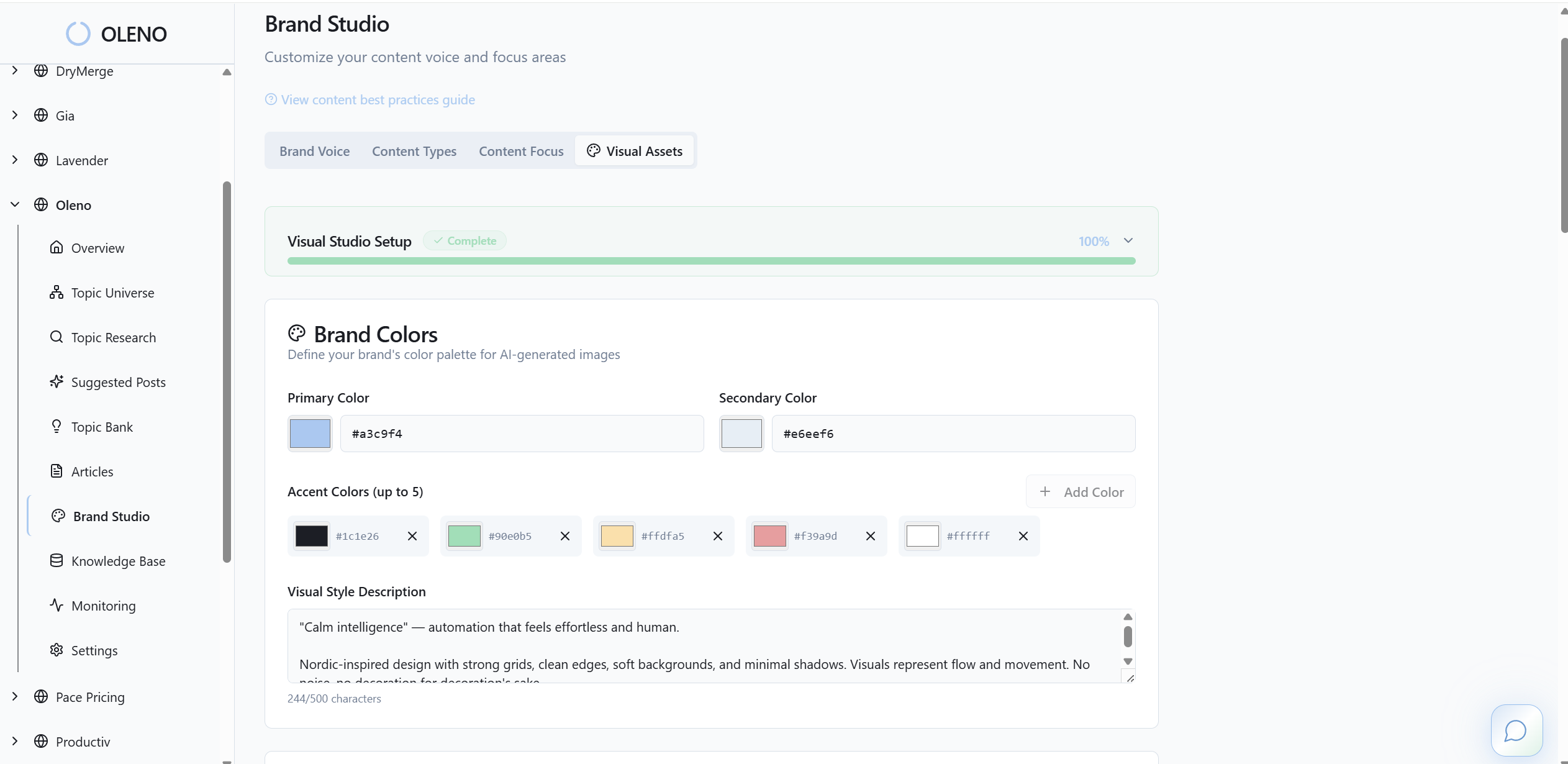
Because the pipeline is deterministic, non-designers don’t improvise under deadline. Oleno keeps decisions inside guardrails you configure once—ratios, palette, and placement—so daily output remains coherent. You focus on whether the visual supports the argument, not on crop math and file naming.
QA gate that blocks risky images before publishing
Every article passes through Oleno’s QA gate. Structure, voice, and visual rules are checked, and anything below threshold is revised automatically. Images must meet minimum clarity, placement, and metadata requirements, or the article doesn’t move forward. That’s how the 3pm scramble disappears in practice.
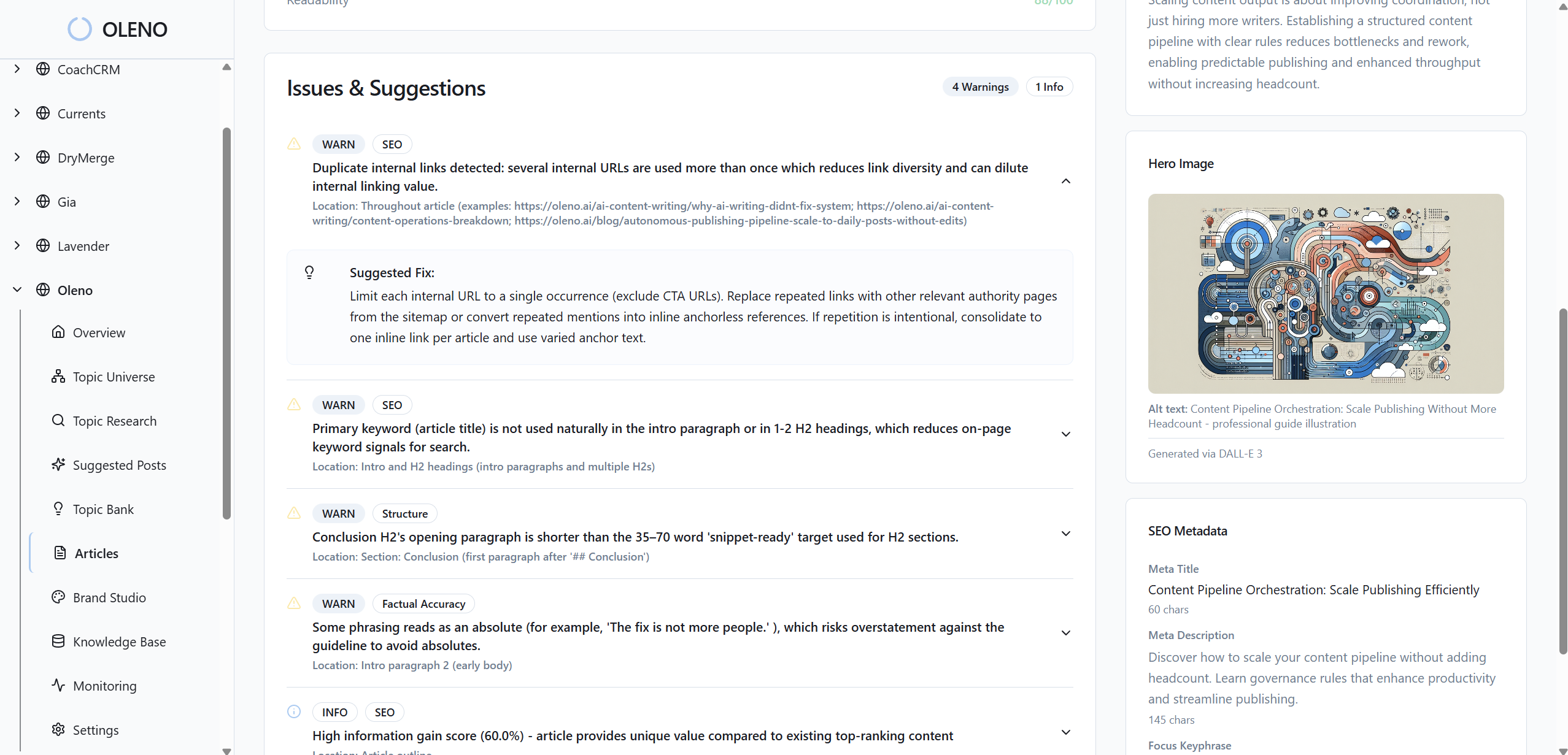
This isn’t about perfection. It’s about preventing the common failure modes: contrast too low, alt text missing, screenshots out of date, filenames that won’t travel. By catching these upstream, Oleno reduces the “let’s fix it after publish” loop and gives teams back the 50 minutes per post they keep losing.
Direct CMS publishing with clean metadata
Once visuals clear QA, Oleno publishes directly to your CMS with idempotent safeguards. Images go up with the right sizes, filenames, and alt text, and duplicate posts are avoided. No manual uploads, no formatting drift, no guessing at which version should ship.
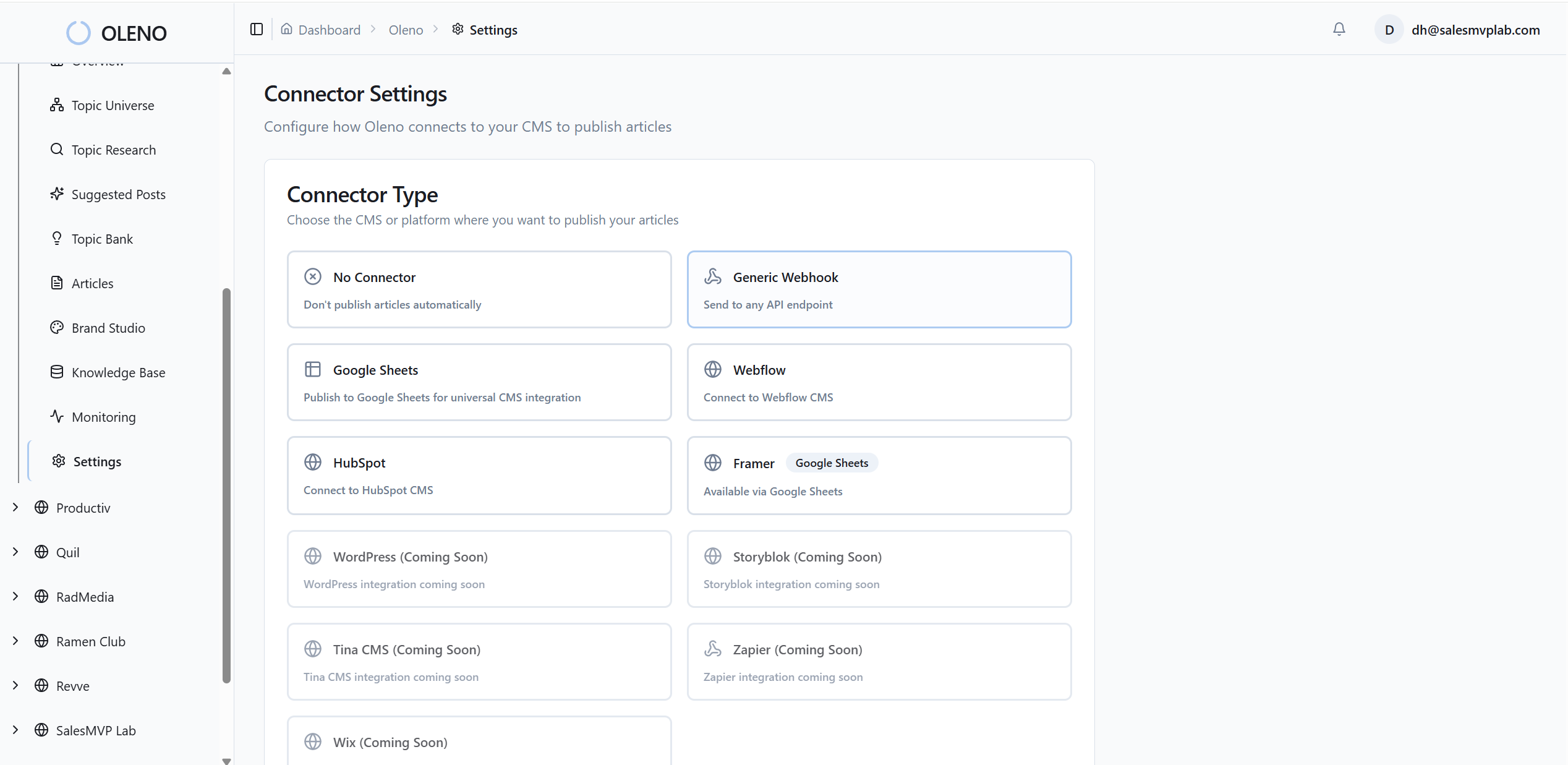
If you want a quick refresher on why aligned visuals matter for perception and comprehension, this overview of visual branding is a helpful backdrop. Oleno doesn’t replace judgment; it reduces the decisions that create drift. When the system handles structure and publishing, your team spends energy on narrative, not pixels. Ready to remove the last-mile guesswork? Try Oleno for Free.
Conclusion
Visuals aren’t a garnish. They’re part of how readers decide whether to trust you. When you replace ad hoc choices with a small rule set—ratios, type, color, placement—and enforce it with a checklist or a system, you cut rework and ship confidently. Whether you run this manually or let Oleno encode it, the outcome is the same: less drift, more clarity, and visuals that carry the story instead of distracting from it.
About Daniel Hebert
I'm the founder of Oleno, SalesMVP Lab, and yourLumira. Been working in B2B SaaS in both sales and marketing leadership for 13+ years. I specialize in building revenue engines from the ground up. Over the years, I've codified writing frameworks, which are now powering Oleno.
Frequently Asked Questions