Internal Linking Audit: 7-Step Playbook to Boost Page Authority

Most teams treat internal links like a quick tidy-up before publish. A couple “related posts,” one link to the homepage, done. Then six months later, traffic flattens and someone blames “algorithm changes.” The truth’s simpler. Your routing is random, so authority never consolidates where it should.
I’ve lived the chaos on both ends. At Steamfeed, volume masked the problem because thousands of pages accidentally propped each other up. At smaller SaaS teams, the opposite happened. Great pieces got buried because no one owned link policy. We weren’t short on content. We were short on rules.
Key Takeaways:
- Treat internal linking as policy, not a last-mile edit
- Map anchors to page titles and SERP intent to reduce drift
- Fix the sources of orphans: templates, sitemaps, canonicals, and redirects
- Quantify cost: hours lost to bulk edits, revenue leaks from weak hubs
- Use a 7-step audit to inventory, prioritize, route, and ship changes
- Enforce deterministic linking rules upstream so fixes stick
Ready to turn linking into a system, not a sprint? Try a small pilot and see the difference. Try Generating 3 Free Test Articles Now.
Why Internal Links Stall Authority On Large Sites
Internal links stall authority when they’re treated as ad hoc edits instead of enforced routing rules. Link equity pools in nav and footers, starving revenue pages that live in the body where it matters. For example, teams link “Resources” 200 times and forget the pricing comparison that actually converts.

Why Editorial Habits Dilute Link Equity
Most editorial teams add links at the end. It feels safe. It also pushes equity to already-safe pages like the blog hub or homepage. Those links are easy to approve and hard to argue with, so they multiply. Meanwhile, your product pages and comparison pieces—real revenue pages—don’t get contextual body links.
The fix isn’t a reminder to “add more links.” It’s a policy. Decide targets per cluster, define anchor patterns tied to titles, and set placements in the first two-thirds of body copy. Create quotas per piece so editors can’t over-link or under-link. If you publish weekly, manual linking will never keep up with volume. Rules will.
What Is An Internal Linking Audit, Really?
An internal linking audit isn’t a pretty report. It’s a reconciliation between the site you think you ship and the one you actually ship. Start with a full inventory of indexable URLs. Strip anything noindex, canonicalized elsewhere, redirected, or duplicate. Clean input makes smart decisions possible downstream.
Map each surviving page to a topic hub and dominant intent. Then produce a backlog, not advice. Every item should include the target page, the exact anchor text, the sentence pattern to place it, and the owner who will ship it. No ambiguity, no handoffs that get lost in Slack. The output is action, not commentary.
Where Most Teams Ignore Anchor Intent
Anchors do two jobs: describe the destination and match the search intent that page targets. Editors often write “guide” when the page is transactional, or “pricing” when it’s a comparison. Mixed signals confuse both users and crawlers. The title and the SERP tell you what the anchor should say. Use them.
Build a small, reusable anchor bank per cluster, then enforce it. Keep synonyms tight unless you have data that a variant converts better. This isn’t about keyword stuffing. It’s about consistency and clarity. If you need a refresher, the patterns in this internal linking best practices overview are useful starting points.
The Real Root Cause Of Orphans And Weak Hubs
Orphans and weak hubs usually come from upstream mismatches, not lazy editors. Template drift, stale sitemaps, and canonical confusion create new orphans every month. Fix the sources—templates, redirects, and robots rules—and the symptom slows down. Think engineering first, cleanup second.

What Traditional Audits Miss At Scale
Traditional audits stop at counts: inlinks, outlinks, depth. Those numbers flag issues, but they don’t repair routing. At scale, the culprits are mechanical. Templates change and drop contextual modules. Sitemaps lag behind production. Canonicals point to variants no one remembers approving. The math looks fine while equity leaks.
Compare a fresh crawl to your XML sitemap and your canonical map. Reconcile gaps. Redirect chains? Fix them. Canonicals pointing to non-indexable pages? Fix that too. Solve upstream and you stop generating new problems. Then you can spend your limited time on routing, not whack-a-mole. For a structured checklist, I like the framing in this internal linking audit guide.
The Hidden Complexity Inside Crawl Depth And Canonicals
Depth isn’t just “clicks from home.” It’s also “how many strong, relevant pages point here with aligned anchors.” A page at depth four can rank if ten credible cluster articles link in with the right text. Conversely, a page at depth two can languish if the only links are in nav chrome and footer widgets.
Before you rip templates, validate canonicals. Consolidate split variants—UTM ghosts, trailing slashes, HTTP vs HTTPS artifacts. Avoid thin tag pages that siphon equity without adding intent clarity. Clean canonicals give your anchors a stable target. Stability makes automated checks possible, which saves everyone time.
Why Page Titles Should Govern Anchors
Page titles are the canonical label you control. When anchors mirror titles, you reduce editorial variance, improve clarity for readers, and make programmatic checks straightforward. You’re aligning your link graph to a consistent language the entire site already uses.
Build a title-to-anchor dictionary per cluster. Keep it short. Prefer exact matches in high-confidence contexts. Allow a couple of close variants when readability demands it or conversion data supports it. Document the exceptions. That discipline makes QA a checklist, not a debate.
The Cost Of Leaving Links To Chance
Leaving internal links to chance burns engineering time and leaks revenue. You pay twice: once to clean up, again when the same issues reappear because nothing changed upstream. Even strong content underperforms if it sits on an island. The fix is controllable and cheap compared to the wasted effort.
Engineering Hours Lost To Bulk Edits
Let’s pretend you run 600 posts and push ad-hoc link fixes once a quarter. Two people spend 12 hours each per pass, three passes a year. That’s 72 hours gone to context switching, copy-paste risk, and last-minute merges. It looks like progress. It’s not. The root causes stay put, so the list returns next quarter.
The hidden tax is morale. Engineers and editors lose trust in the process when fixes don’t stick. They get conservative, ship fewer links, and the backlog grows. Move rules upstream and the cadence changes. You spend two hours codifying anchors and placements, then minutes to enforce. Time back, less rework, fewer headaches.
Traffic And Revenue Left On The Table, Even With Great Content
You can publish the best explainer in your category and still bury it. If the cluster never points to it, Google probably won’t either. Internal links are leverage you control. They’re not a magic switch, but they nudge both crawlers and users toward the pages that matter.
Model something small. Say you add 20 contextual links into five mid-stage pages and lift CTR 5 percent from internal traffic alone. That lift won’t change the company in a week, but it compounds. The patterns in this internal linking case study map closely to what I’ve seen: targeted inlinks move needles.
How Do You Know Link Equity Is Leaking?
Patterns tell the story. Orphans rising. Target pages with few body links and lots of chrome links. Anchors that say “read more.” Pages carrying more than 100 internal links. Redirected links in nav. You don’t need a fancy stack to see it—you need a consistent way to look.
Run a crawl and export inlinks. Sort by target. Then by anchor. If your revenue pages aren’t top ten by inlinks or lack aligned anchors, you’ve got a leak. Fixing it isn’t glamorous, but it’s straightforward: route equity where it should go, keep it there, and stop creating new holes.
The Pain Of Fixing Links By Hand Every Quarter
Manual link campaigns feel productive and rarely change the system. You export, color-code, assign tasks, and celebrate the burn down. Then a template push moves modules and half the links shift below CTAs. You’re back to zero. It’s frustrating rework that no one budgets for.
The Spreadsheet Whiplash No One Budgets For
You know the drill. Export a monster sheet. Color-code anchors. Email assignments. Chase status. Merge content. Accidentally break links. Repeat. The throughput looks good on paper and still misses the pages that matter most. Effort without policy creates churn.
Shift the work upstream. Decide targets, quotas, and anchor banks in a short policy doc. Enforce placement rules in templates. Add checks before publish. When rules live where work happens, spreadsheets turn into audits, not project plans. You’ll still fix things, but you won’t relive the same quarter.
When Your Best Article Is Invisible On Your Own Site
We’ve all been there. A flagship piece underperforms because no one marked it as the default target. The cluster links sideways, not inward. You don’t need more content. You need routing. Make that page the hub and point related pieces in. Then add reciprocal links back out so users have a path.
When you do this, users stay longer and crawlers get a clearer map. You’re not gaming anything. You’re clarifying your own site. The payoff isn’t just rankings; it’s easier navigation and more coherent storytelling. That matters across the funnel.
The CMS Merge That Breaks Anchors You Just Fixed
Template refactors change headings and move link modules. Suddenly, contextual links live below CTAs or inside a sidebar that collapses on mobile. The links technically exist, but the value drops. Placement matters, both for readers and for how signals are interpreted.
Freeze link placement rules during migrations. Validate that anchor text survives, placements remain in body copy, and nothing points through a redirect after deploy. A tight pre- and post-release checklist catches most issues. If you need extra perspective, this piece on using internal linking to boost page authority mirrors that pragmatic approach.
Tired of the quarterly thrash? There’s a cleaner path that doesn’t rely on heroics. Try Using an Autonomous Content Engine for Always-On Publishing.
A Production-Ready Internal Linking Audit And Remediation Playbook In 7 Steps
This playbook turns audits into shipped changes. Inventory first, fix sources of truth, then route equity on purpose. Each step is small on its own. Together, they turn a messy graph into a coherent internal map. Use it once to clean up, then monthly to keep it clean.
Step 1: Crawl And Inventory Your Site
Start with two inputs: a full crawler export and your XML sitemap. Keep indexable URLs only. Remove 404s, noindex pages, and URLs canonicalized elsewhere. This isn’t busywork. Clean inputs make accurate decisions, and accurate decisions ship faster.
Add key columns: url, title, status, canonical, crawl depth, inlinks, outlinks, and primary intent. This becomes your source of truth for every decision downstream. When someone disputes a target or an anchor, you’re not debating opinions. You’re referring to a single, stable inventory.
Step 2: Detect Orphans And Score Impact
Find URLs present in the sitemap with zero inlinks in your crawl. Those are orphans. They might be important. Or they might be legacy debris. Don’t treat them equally. Score each by current traffic and business intent to focus your time where it matters.
If you lack traffic data, proxy with ranking keywords and commercial stage. Assign an impact score (1 to 5 works). High-intent orphans jump to the front of the backlog. It’s a simple triage move that saves hours later when resources get tight.
Step 3: Map Priorities To Hubs And Targets
Pick one target page per head term. Document it. Then create a hub map: one target URL and 10 to 30 supporting pages that must link inward. The goal is clarity. Each keyword theme gets a single destination to avoid cannibalization and mixed signals.
Write reciprocal rules too. Hubs link out to spokes with clear anchors. Spokes link back in. This simple structure does more for authority than chasing new content topics. You’re organizing the effort you already invested so it can compound.
Step 4: Design Anchor Text To Match Intent
Build an anchor bank per target using the page title and two or three close variants that match SERP intent. Exact match where confidence is high. Vary when readability suffers. Keep the bank small so editors use it without guesswork.
Add sample sentence patterns for placement. Editors plug them into body copy without breaking flow. It’s not restrictive; it’s guidance that scales. When the bank changes, update the doc and keep shipping. That’s how you keep drift in check.
Step 5: Decide Placement And Per Page Limits
Favor body copy, ideally in the first two-thirds of the article. Avoid nav and boilerplate because they dilute signals and don’t help users much. Set per-page quotas. For example, 3 to 6 contextual outbound links and 1 to 2 inbound links added per remediation pass.
Cap total links around 100 to prevent dilution. Always test that links render above primary CTAs when possible. These are boring constraints that prevent real problems. No one argues about them once they see the before-and-after.
Step 6: Ship Fixes With A Repeatable Workflow
Choose bulk-friendly methods. For CMS sites, patch markdown or rich text via export/import where safe. For static sites, open PRs against content blocks. Keep changes small and reversible. It makes reviewing diffs faster and reduces risk.
Add a short checklist: validate anchors, confirm placement, and ensure no links point through redirects. Batch by cluster. Ship, verify, and move on. This is where “audit” becomes “done,” and where teams usually stall without a pattern.
Step 7: Monitor Results And Iterate Safely
Track a few leading signals. Inlinks to targets, anchor distribution by intent, proportion of links in body copy, and orphan count. Set a monthly cadence. Add alerts for redirected internal links and sudden orphan spikes after deploys. You don’t need a new platform to do this.
A saved crawler project and a spreadsheet get you far. The point is to catch drift early and nudge it back on course. If you want a reference process, the workflow in this internal link audit walkthrough outlines a sensible rhythm.
How Oleno Enforces Deterministic Internal Linking Without Rework
Oleno treats internal linking as a governed step in the publishing pipeline. Links are injected after text and visuals are final, and before schema and publishing, so placement is intentional and stable. The effect is simple: fewer regressions, fewer redirected links, and less rework with every release.
Verified Sitemap Linking With Exact Match Anchors
Oleno reads your verified sitemap, selects 5 to 8 relevant internal pages, and injects links with anchor text that matches page titles exactly. Placement happens at natural sentence boundaries inside the body, not in boilerplate. You get deterministic routing without fabricated URLs or editorial drift.
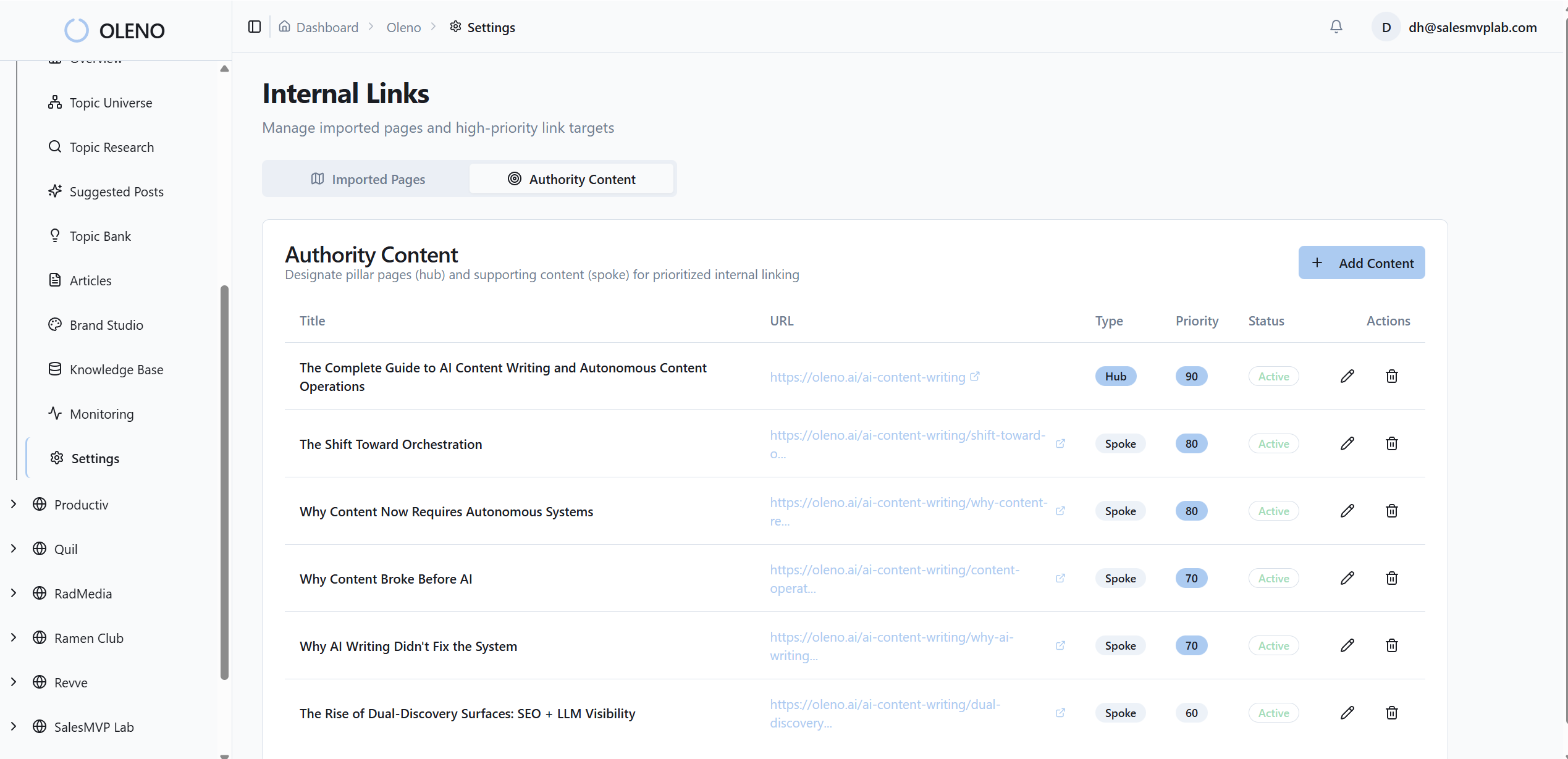
Because Oleno anchors to titles and the sitemap, you can change your routing rules in one place and see it reflected across new articles. That consistency directly addresses the leaks we covered earlier—orphans from drift, weak hubs, and mismatched anchors. It’s policy, enforced by the system, every time.
Snippet-Ready Structure That Improves Link Context
Every H2 opens with a snippet-ready paragraph—direct answer, context, example. That structure creates obvious, high-value spots for contextual links. Sections stand alone, so links remain clear and scannable. Editors don’t have to guess where links belong because the layout invites them.
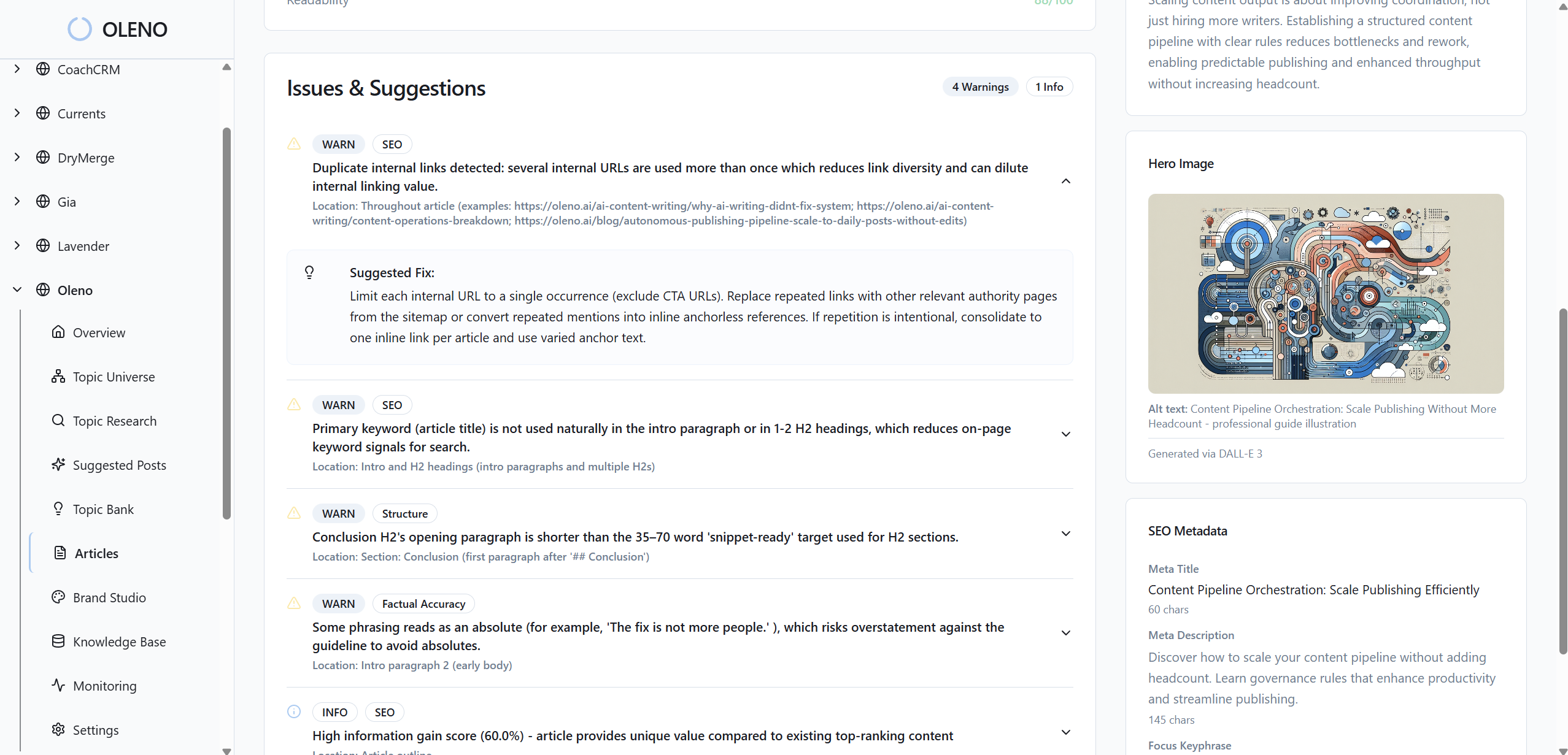
Oleno bakes this structure in during draft generation and validates it during QA. The benefit is twofold: better on-page clarity for readers and cleaner signals for crawlers. When context is clear, internal links do their job with fewer words and less risk of over-optimization.
QA Gating And CMS Connectors That Prevent Regressions
Oleno runs automated QA on structure, visuals, links, and schema before publish. If a draft fails, it’s refined and re-tested until thresholds are met. Then publishing connectors map fields to WordPress, Webflow, or HubSpot, preventing duplicate posts and reducing template-induced link regressions.

This matters for costs. Those quarterly bulk edits? Oleno’s deterministic linking and QA gate remove most of the reasons they exist. You spend less time fixing redirects and more time deciding where equity should flow next. If you want to see how this feels in your stack, Try Oleno For Free.
Conclusion
Internal links aren’t a finishing touch. They’re how authority moves. When you codify targets, align anchors to titles and intent, and enforce placement in the body, your existing content works harder. The 7-step audit gets you clean. A deterministic system keeps you clean. That’s how you trade frustrating rework for steady compounding.
About Daniel Hebert
I'm the founder of Oleno, SalesMVP Lab, and yourLumira. Been working in B2B SaaS in both sales and marketing leadership for 13+ years. I specialize in building revenue engines from the ground up. Over the years, I've codified writing frameworks, which are now powering Oleno.
Frequently Asked Questions