JSON-LD for Articles: Step-by-Step Schema to Win Featured Snippets

You can paste JSON-LD at the end of a project and hope for the best. Or you can wire content and schema together so they move in lockstep. One gets you lucky wins. The other gives you repeatable eligibility for rich results without chasing regressions every time someone edits an H2.
I’ve lived on both sides. At one company, we shipped fast and fixed structured data after publish. It looked efficient until tiny template changes nuked our cards and burned a week of cleanup. Later, when we mapped editorial fields to schema up front, drift basically stopped. Not because we were smarter. Because the system handled the boring parts.
Key Takeaways:
- Design content and schema together; don’t bolt JSON-LD on after publish
- Create a field map from editorial elements to schema properties and enforce it
- Use Article for page context, BreadcrumbList for IA, and FAQ only for real Q&A on-page
- Generate JSON-LD from canonical metadata, not scraped HTML; make it deterministic
- Validate in CI and block publish on failures to prevent late-night schema fixes
- Centralize schema generation so WordPress/Webflow/HubSpot all get consistent output
Schema Works Only When Content And Markup Are Designed Together
Schema works when it mirrors the meaning already visible on the page. Align the title, description, and author in your Article JSON-LD with the same elements on-page. For example, match the H1 and opener to headline and description, and your byline to the author object.

Why Pasting JSON-LD After the Fact Fails
Pasting JSON-LD at the end treats schema like decoration, not data. It drifts the moment someone tweaks an H2, updates a byline, or reorders a section. You don’t want to chase those edits. You want a reliable pipe where content fields generate schema every time you publish, so updates flow through automatically.
The fix isn’t complicated. Tie schema to the same canonical fields your CMS uses to render the page. Store those fields in one place. Regenerate JSON-LD on save. When editorial and schema share a source of truth, you stop reconciling “what the page says” with “what the JSON says.” They’re the same thing.
If you’re thinking “that’s a dev task,” you’re right. But the payoff shows up in SEO and ops. Less rework. Fewer regressions. And a cleaner handoff between content and engineering that doesn’t rely on memory or manual checks.
A simple set of guardrails helps:
- Map fields once; never scrape page HTML to guess properties
- Keep description tight so it matches your opener
- Use one author source of truth across templates
What Does Google Actually Read?
Google reads structured data in context with the visible page. It’s not just validating JSON-LD syntax; it’s comparing meaning. If your headline says one thing and your Article headline property says another, you might pass tests but quietly lose eligibility. Keep them aligned and explicit.
The fastest way to see what’s supported is the official documentation. Review Google’s introduction to structured data and the schema.org Article type. You’ll notice a pattern: the guidance assumes your schema reflects what’s already on the page, not a parallel universe.
I’ve seen teams troubleshoot “why didn’t we get the card?” for days only to find the on-page author module and the JSON-LD author were out of sync. Not wrong. Just different. Machines don’t love “different.” They reward consistency.
The Snippet-Ready Opener Principle
Open each H2 with a 40–60 word direct answer that cleanly supports the claim your schema encodes. Structure those openers so both humans and machines can cite them without guesswork. Then ensure your Article description echoes the page’s TL;DR, not some marketing line from a different doc.
This isn’t about writing for robots. It’s about reducing ambiguity. When your H2 opener states the answer, your schema description reinforces it, and your FAQ (if present) restates it concisely, you make it simple for search engines and AI systems to extract, cite, and display the right thing.
We’ve used this pattern across dozens of articles. The short answer up top reduces rewrites later because the meaning is pinned early. Editors stop debating phrasing in three places; they align once and call it done.
Ready to see what a content-to-schema pipeline looks like when it’s wired correctly end-to-end? If you want to skip the glue work, Try Generating 3 Free Test Articles Now.
The Real Bottleneck Is Mapping Editorial Structure To Schema Types
The hard part isn’t JSON syntax. It’s deciding how your editorial structure maps to Article, BreadcrumbList, and FAQ. Make those decisions once, document them as a field map, and enforce them in templates so anyone can write to the same rules.

What Traditional Guides Miss
Most guides explain properties, not the mapping. They’ll teach headline vs. name, but not whether your TL;DR becomes the description or how H2 openers feed FAQ entries. Without a map, every author and developer makes local decisions. That’s how you get valid but inconsistent outputs.
Write your map like a contract between editorial and engineering. Title to headline. TL;DR to description. Byline to author.name. H2 openers to FAQ acceptedAnswer copy when you actually have a Q&A. If you change the structure, change the map. Then let your template layer consume it, not the other way around.
I’ve seen teams cut schema issues by half just by moving this logic into code and handing writers a short checklist. When everyone writes to the same fields, schema isn’t a second project. It’s a side effect of good structure.
How Article, BreadcrumbList, And FAQ Align To Sections
Use Article for page-level context, BreadcrumbList to reflect your site hierarchy, and FAQ for discrete Q&A already on the page. Don’t invent questions to chase a result. Promote what’s present. Keep acceptedAnswer tight—under a couple of sentences—so it mirrors the concise opener your section already uses.
Breadcrumbs should match your IA, not a guess from a plugin. If your URL structure changes, the BreadcrumbList should update from the same source. Again, one map, many outputs. That’s how you avoid “why do we have two different paths for the same page?” during audits.
FAQ isn’t a cure-all. When it’s used where appropriate, it clarifies. When it’s pasted on everything, it dilutes signal and creates more to maintain. Be choosy.
When Should You Add FAQ Schema?
Add FAQ when readers encounter explicit questions on-page and you answer them clearly. A short FAQ block at the end. Collapsible Q&A toggles. A true “People Also Ask” section with crisp, unique answers. If your section is narrative, skip FAQ. Article schema plus clean headings is often enough.
Chasing FAQ for every article invites drift. Editors shorten a question, but the JSON-LD doesn’t update. Or the answer ages, and now you have contradictory statements. The time you “save” upfront gets repaid with interest later.
A good rule: if the question and the answer wouldn’t make sense printed out on their own, they don’t belong in FAQ.
The Hidden Cost Of Brittle Or Incorrect Schema
Bad schema rarely breaks loudly. It quietly erodes your eligibility and creates recurring rework. Small problems multiplied across a publishing cadence become real costs you feel in time, morale, and missed opportunity.
Where Teams Lose Hours To Rework
Let’s pretend you publish 20 articles a month. If 25% ship with minor schema issues and each fix takes 30 minutes across SEO and dev, you’re losing 2.5 hours monthly. Not brutal once. But it repeats. Over a year, that’s weeks of preventable friction instead of new coverage.
That math gets uglier with multiple brands or CMSs. Context switching alone adds overhead—different templates, different field names, different “almost the same” rules. People stop trusting automation and start doing manual spot checks. That’s the opposite of scale.
You don’t need a giant initiative to fix it. A field map, a generator, and a pre-publish block on missing or mismatched required properties eliminates most of the churn.
How Errors Creep In During Edits
Most failures arrive after publish, not before. Someone updates an H2. Moves a section. Swaps a byline. If your JSON-LD is hard-coded—or worse, scraped from HTML—it drifts. The page still reads fine to a human. Machines now see two truths.
Tie schema to canonical fields, not page HTML. Regenerate on save, not on a cron. And add a pre-publish check that diff-checks properties against your editorial contract. If the headline changes and the Article headline doesn’t, block the push with a helpful error. You’re not punishing editors. You’re protecting them from silent regressions.
If you want the spec details you’re aligning to, the core is stable: see the W3C JSON‑LD 1.1 Recommendation. Align to standards once; stop edge-casing per template.
What Happens When Templates Differ Across CMSs?
Different CMSs render the same idea in different shapes. WordPress themes print authors one way. Webflow collections another. HubSpot has its own patterns. If your schema generation is template-specific, you end up maintaining multiple versions and fragile conditionals.
Centralize the schema builder. Pass CMS fields in. Return a single, predictable JSON-LD object per page type. Fewer code paths mean fewer mistakes and easier rollbacks when something changes upstream. When you do need a change, you make it in one place and ship it everywhere.
This isn’t over-engineering. It’s how you keep content velocity high without gambling on every publish.
Still fighting schema diffs after every minor edit? There’s a simpler path. Try Using an Autonomous Content Engine for Always-On Publishing.
The Frustration Of Shipping Markup You Do Not Trust
Broken rich result cards create unnecessary anxiety. You hit publish, and the breadcrumb trail changes or a property doubles. Now you’re diffing templates and rolling back Friday night. Treat schema like code: test it, validate it, and ship it with the page as one atomic change.
The Late Night Publish That Broke Cards
You’ve probably lived this. A small navigation tweak ships. Monday morning, your brand panel or breadcrumb cards vanish for a swath of pages. Nothing “looks” broken. The fix? Hours of template spelunking and validation, all while product launches keep moving.
You can avoid most of that by pinning schema outputs in staging and running a quick contract check before go-live. If the output changes unexpectedly, you find out in CI, not in search results. Basic, but often skipped. The docs are clear on the basics; start there and be consistent with your implementation, using guidelines like this JSON-LD beginner’s guide to sanity check patterns.
I’ve been the person on the phone explaining why cards disappeared. It’s not fun. It’s also avoidable when schema ships as part of the release, not bolted on later.
Plugins, Snapshots, And A Safe Default
Plugins are convenient until an update changes defaults or duplicates a property. Your review queue spikes because markup shifted sitewide. If you can’t pin versions and snapshot outputs, you’ll keep revalidating pages by hand.
A safer default: tie schema to editorial fields, run a linter on commit, validate with Google’s Rich Results tests in CI, and snapshot JSON-LD so diffs are obvious. If anything fails, the page doesn’t publish. Editors get a clear message about what to fix—missing description, mismatched headline—then move on.
This is how you protect weekends without slowing the team. Guardrails, not bureaucracy.
A Practical Workflow To Generate, Inject, And Validate JSON-LD End To End
A reliable schema workflow starts with a field map, then generates and injects JSON-LD deterministically, and validates before publish. This reduces drift, supports multiple CMSs, and lets editors focus on content, not markup.
Define the Field Map And Generate JSON-LD From Metadata
Start with a simple contract. Title to headline. TL;DR to description. Author to author.name. Publish date to datePublished. H2 openers to potential FAQ acceptedAnswer. Breadcrumbs from navigation, not from guessing URLs. Store this map in code or CMS settings and make it visible to writers.
Then generate JSON-LD from those fields—not by scraping HTML. In JavaScript, build an object and JSON.stringify it into a script type application/ld+json. In Python, produce the same object with dicts and dump to JSON. Include Article, optionally BreadcrumbList, and FAQ only when questions exist on-page. Determinism beats cleverness.
Key implementation notes:
- Validate required properties before output; fail fast on missing headline/description
- Use ISO 8601 dates for datePublished and dateModified
- Keep the description concise so it mirrors the opener
- Include sameAs for author or organization when you have reliable links
Inject Across CMSs And Validate Automatically
Inject schema in the head via a single partial or component that consumes your field map. WordPress can enqueue a head script and localize data. Webflow can pull CMS fields into a custom code embed. Static sites can render a partial. Keep it separate from visible HTML to avoid layout side effects.
Validation should run in CI and staging, not in production. Add a schema linter that checks for required and optional properties per page type, then call Google’s Rich Results tests manually in pre-release. Snapshot outputs so diffs are human-readable. If something fails, block publish and give editors a short, plain-English checklist.
Key implementation notes:
- Gate injection by content type to prevent schema from bleeding across templates
- Escape properly; avoid double encoding when serializing objects
- Log outputs and diffs for rollbacks; re-run tests on edit, not just on create
How Oleno Generates And Validates JSON-LD Without Manual Edits
Oleno ties schema to the same editorial fields used to write each article, then generates Article, BreadcrumbList, and optional FAQ JSON-LD deterministically. Connectors deliver that output with the page so structure and markup stay in sync through edits.
Article, FAQ, And Breadcrumb Generation
Oleno produces valid JSON-LD for Article, BreadcrumbList, and FAQ from one field map. Headline comes from your title field, description from your TL;DR, author from your byline, dates from your CMS metadata, and breadcrumbs from your site IA. When an editor updates copy, Oleno regenerates the JSON-LD from those same fields.
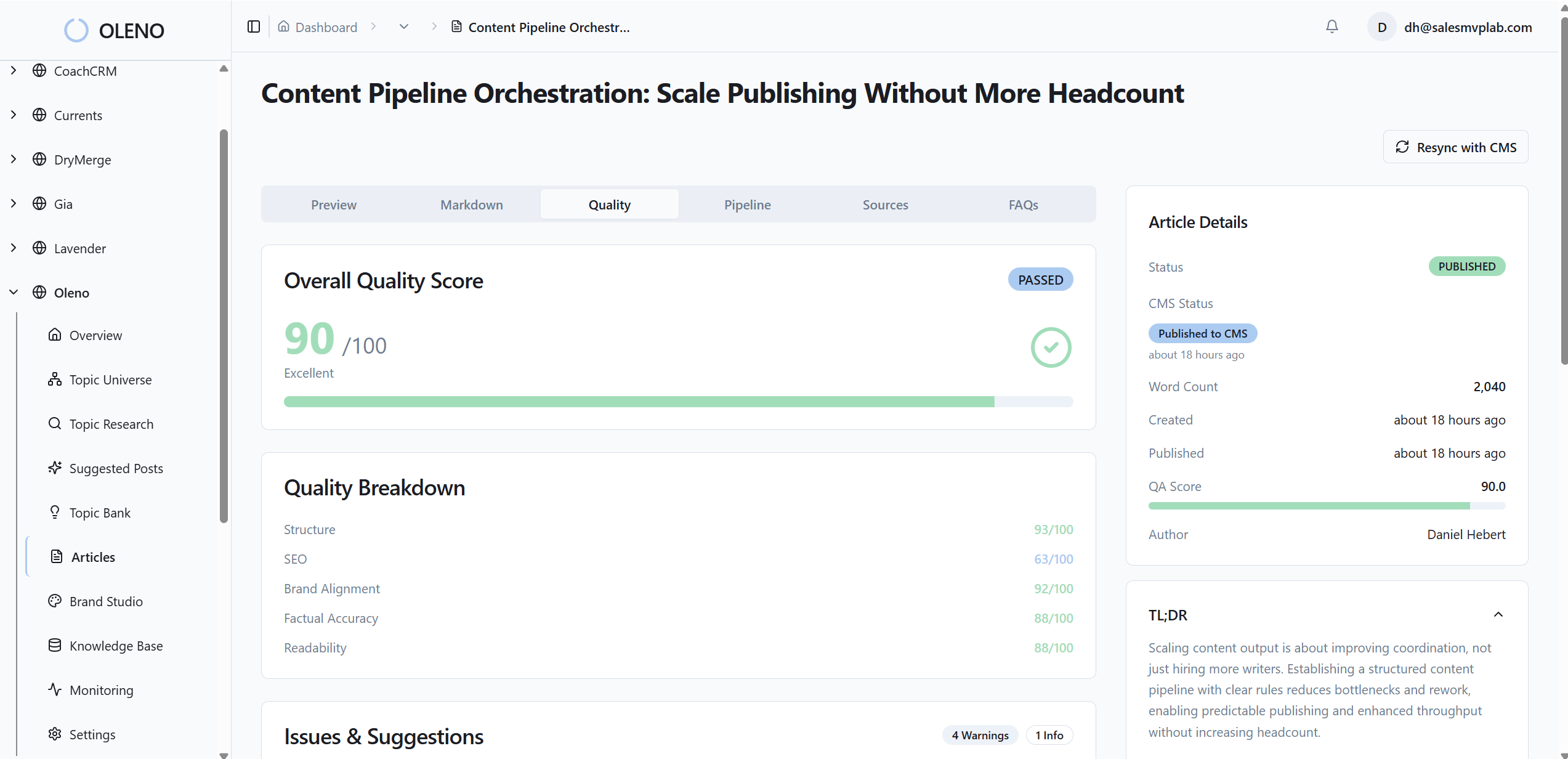
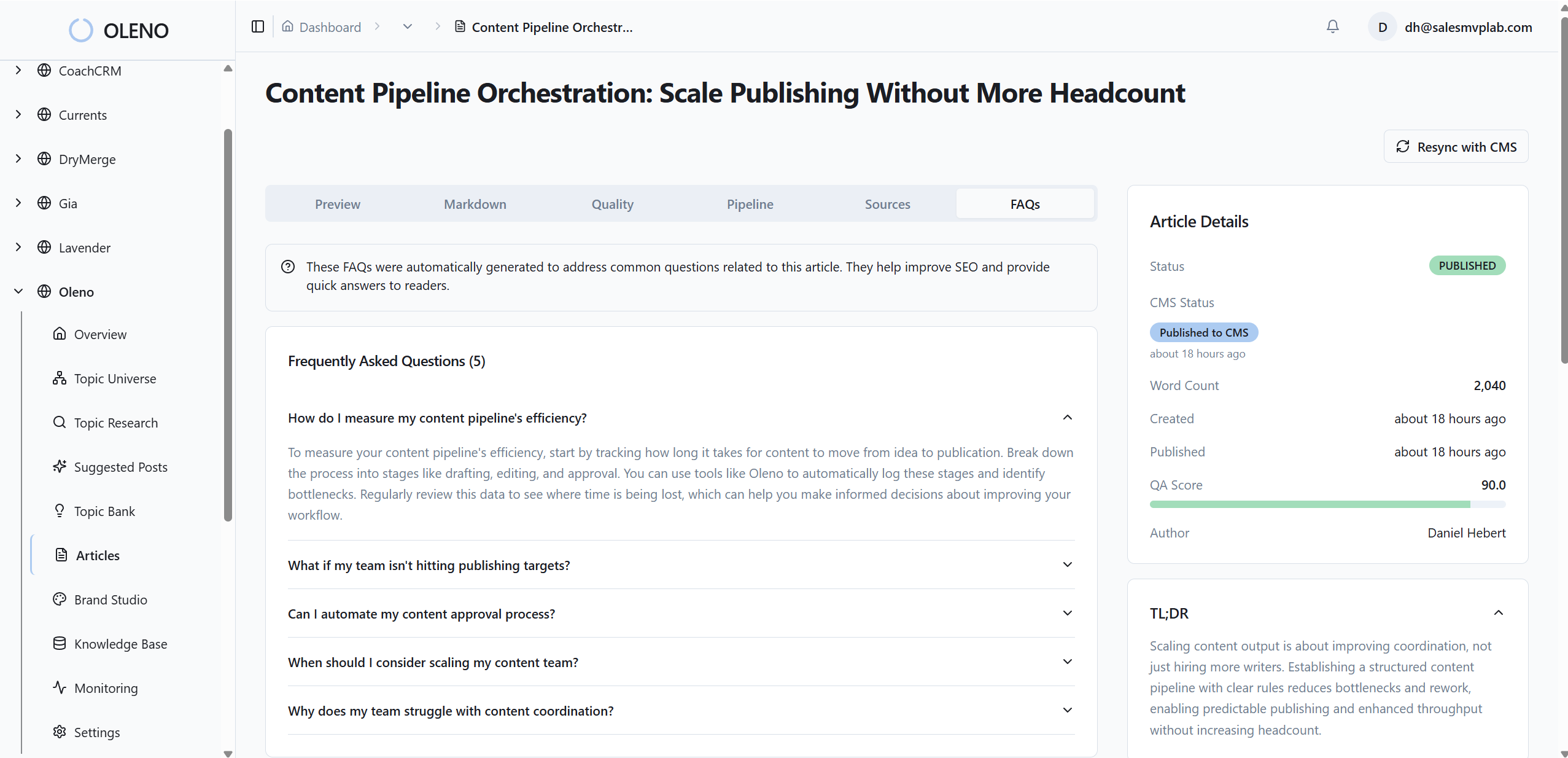
This alignment reduces drift points you’d normally see when templates evolve or authors change. It also pairs naturally with snippet-ready section openers, so the meaning you state up top is the same meaning encoded in your schema. No scraping. No guessing. Just consistent outputs from consistent inputs.
Deterministic Injection, QA Gates, And What You Still Control
Oleno ships schema through publishing connectors for WordPress, Webflow, HubSpot, and more, so the JSON-LD lands with the article in one atomic release. QA gates check for schema presence, snippet-ready openers, and structural health before publish. If required properties are missing or mismatched, Oleno refines the draft or blocks delivery until it’s corrected.
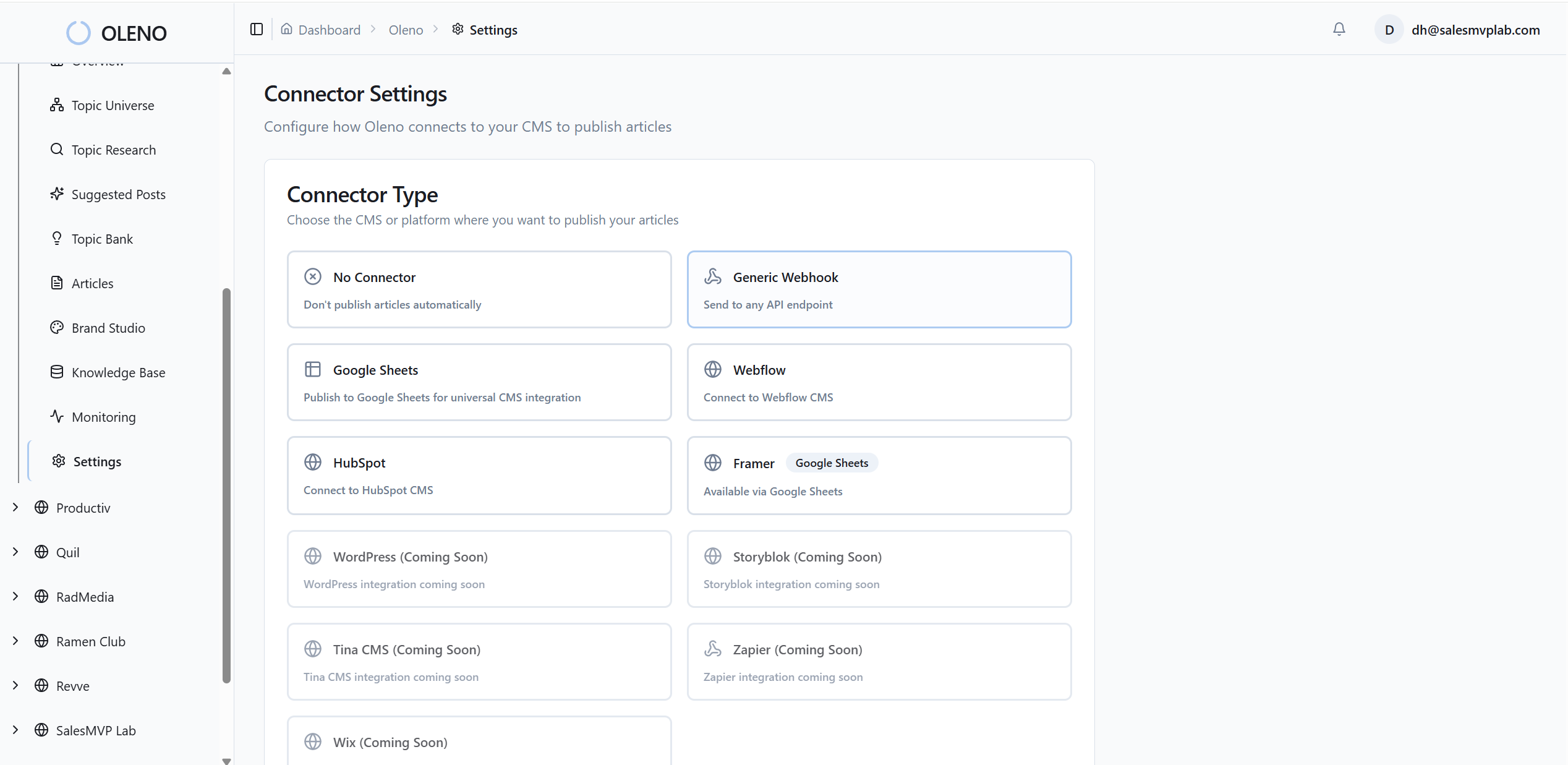
You still decide editorial choices: which sections become FAQs, what gets promoted to the description, how breadcrumbs reflect your IA. Oleno handles generation, injection, and validation; your team owns the strategy and the words. That split keeps your schema precise without adding busywork—or late-night fixes—to your workflow.
If you want the system to handle the structure while your team focuses on the story, Try Oleno for Free.
Conclusion
Schema isn’t a bonus layer. It’s how machines confirm the meaning you’ve already put on the page. When you design content and markup together, map fields once, and validate before publish, drift drops and eligibility rises. You spend less time debugging structure and more time shipping work that earns citations and trust over time.
About Daniel Hebert
I'm the founder of Oleno, SalesMVP Lab, and yourLumira. Been working in B2B SaaS in both sales and marketing leadership for 13+ years. I specialize in building revenue engines from the ground up. Over the years, I've codified writing frameworks, which are now powering Oleno.
Frequently Asked Questions