Request Triage Playbook: Keep Content Cadence for Teams Up to 5

Most small teams don’t miss cadence because they’re lazy or uninspired. They miss because their day gets shredded by pings, side quests, and “quick asks” that aren’t quick. When I ran content as a team of one, I could publish 3–4 solid posts a week because the work flowed through a simple, strict system. The minute I added more humans and more channels, we slid.
Here’s the thing. Ad‑hoc looks helpful in the moment. It erodes reliability over the week. I’ve felt that pain at multiple companies—great ideas, strong writers, then priorities shifted and our calendar slipped. The way out isn’t heroic effort. It’s triage, rules, and a single queue you actually enforce.
Key Takeaways:
- Centralize requests into a single queue with a one‑page form and daily triage
- Score every request in under three minutes using revenue proximity, urgency, and reusability (1–3 each)
- Protect two publish slots per writer and cap WIP so ad‑hoc doesn’t derail the week
- Use a do‑not‑do list to block low‑impact requests before they enter the queue
- Define a short list of exceptions that can pause cadence, with named approvers
- Convert accepted requests into a brief with owner, SLA, and publish date before work starts
The Real Reason Small Teams Miss Their Publishing Cadence
Small teams miss cadence because context switching destroys deep work time, not because writers are slow. Every ping forces reload time, re‑prioritization, then recovery. For a five‑person team, that’s 20–40 minutes per switch. A single intake, strict queue, and WIP caps cut the churn and stabilize output.
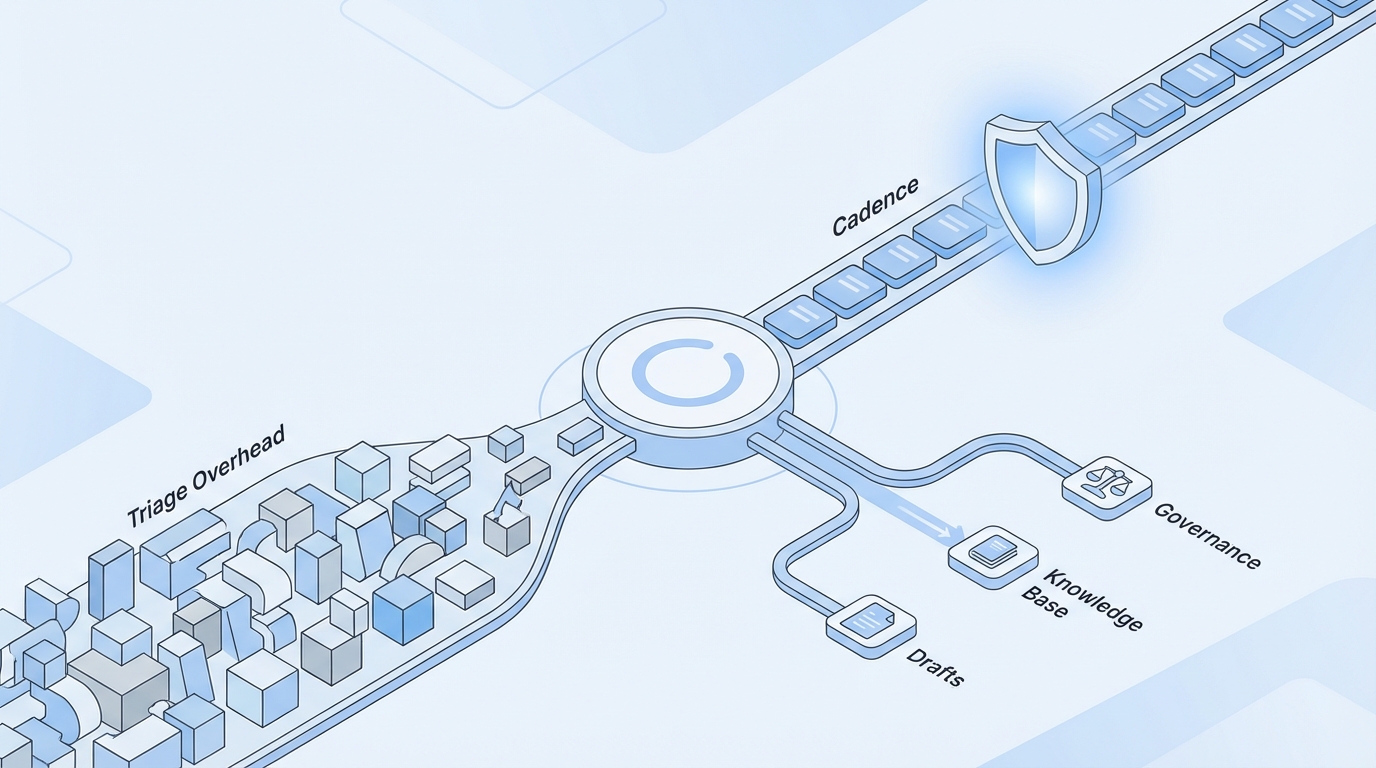
The real throttle is context switching
Context switching is the tax you pay for being “responsive.” It looks like service, but the hidden cost is massive. Reloading a doc, re‑grabbing a thread, deciding whether this new ask should bump your planned piece—all of that steals minutes you don’t get back. Multiply that by ten pings, and half your day is dust.
A single intake form and a once‑daily triage block change the math. You don’t ignore people; you create a predictable moment for decisions. Fewer tool swaps. Less “just checking in?” noise. If you cap work‑in‑progress per person, you also prevent the quiet pileup that sneaks past until Thursday, when everything is suddenly urgent.
In practice, this feels oddly calm. Requests still arrive, but they land in one place. Your team keeps writing. Stakeholders see status without DMing anyone. And you recover time, not by working later, but by switching less.
What ad‑hoc actually does to your weekly plan
Ad‑hoc doesn’t only add work. It reorders the work already in motion. That’s the real damage. You push Tuesday’s post to Thursday, then to next week, then it quietly dies behind a sequence of “this won’t take long” asks.
Protect two publish slots per week per writer and set WIP caps. If something urgent appears, it takes a slot or it waits. No in‑between. This mirrors the weekly rhythm used by teams that care about predictable output. If you want a sanity check on cadence as an operating principle, read the short section on weekly tempo in the GitLab cadence handbook. Different domain, same point: rhythm protects performance.
Over time, your calendar stops slipping. Not because fewer requests show up, but because your rules stop allowing them to derail what’s already scheduled. That’s the line that separates activity from a system.
Why you need explicit do‑not‑do rules
A do‑not‑do list sounds harsh. It’s a guardrail and a time saver. If a request lacks a clear owner, channel, CTA, or timeline, it doesn’t enter the queue. If it won’t move revenue or teach the market, it’s a no or a deferral. You can revisit with better inputs.
Clear rules don’t create conflict; they reduce debate. Most “urgent” requests are just unclear ones. Once people see the rubric, they self‑filter. And when something truly matters, it will meet the bar without a long back‑and‑forth. That’s the point—less drama, more publishing.
Ready to skip theory and watch a system hold the line? Try Generating 3 Free Test Articles Now.
The Operational Root Cause You Can Fix In One Week
The root cause isn’t writer efficiency—it’s intake design. Traditional forms collect description, not decision signals. Require fields like audience, lifecycle stage, reuse potential, linked opportunity, and due‑by rationale. That lets you route, schedule, or decline in minutes instead of meetings.
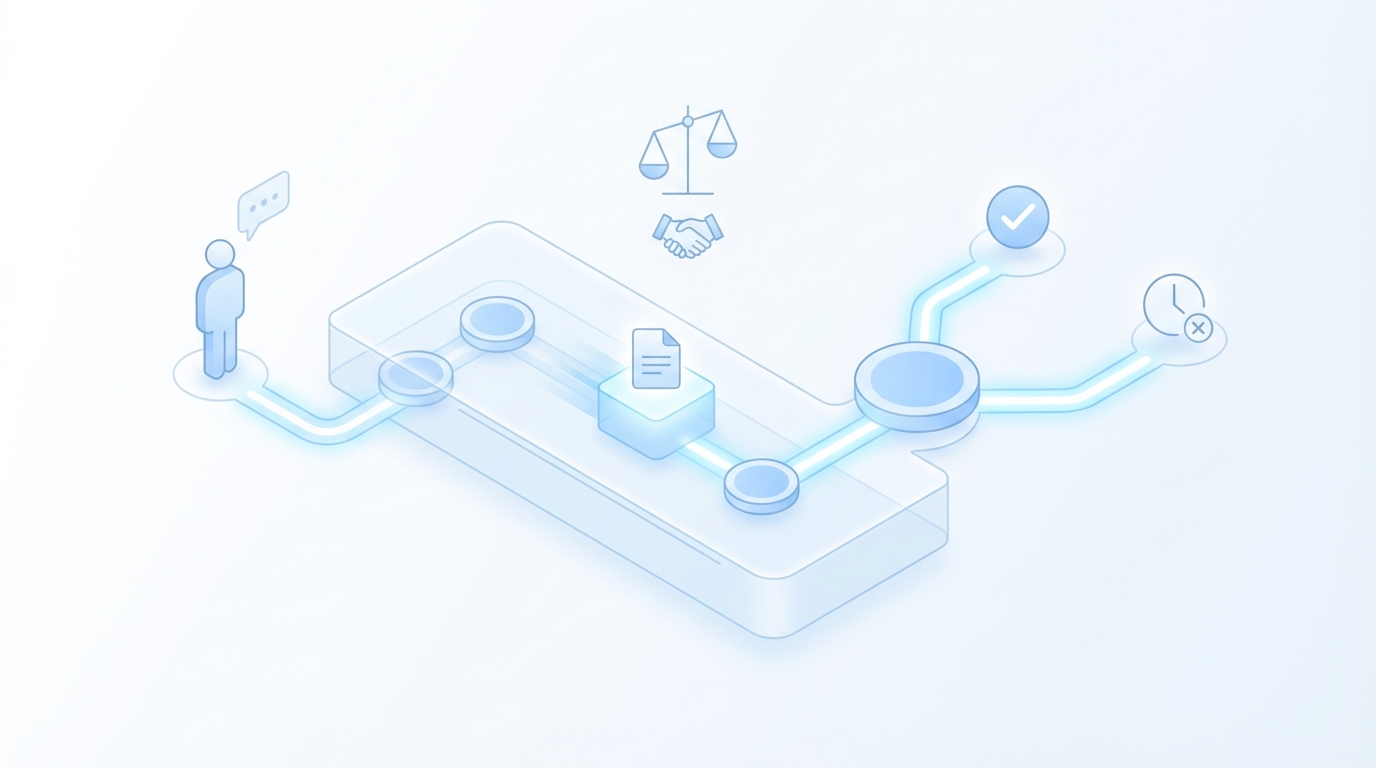
What traditional intake gets wrong
Most request forms gather backstory. They rarely capture the signals that drive yes/no decisions. “What is this?” is less helpful than “Who is this for?” and “How close is it to revenue?” Without those, you’re guessing impact and inventing priority on the fly.
Fixing this is simple. Require objective fields: audience, lifecycle stage, channel, reuse potential, linked opportunity or KPI, and a due‑by rationale you can verify. If the rationale is “ASAP,” it gets a default score of low urgency. If there’s no audience, it’s incomplete. Unclear requests don’t enter the queue; they return for edits.
You’ll notice two things quickly. First, better requests show up. Second, you spend far less time clarifying. That’s not just efficiency; it’s fewer opportunities for misalignment and rework later.
How do you score impact without overthinking?
Use three factors, each scored 1 to 3: revenue proximity, urgency, reusability. Score in under three minutes—no committee. If the total is 7 or more, schedule this week (if capacity exists). If it’s 4 to 6, slot next sprint. If it’s 3 or less, decline or ask for missing inputs. Keep the rubric visible on the form.
You’re not trying to nail perfect precision. You’re trying to reduce subjective debates to a common language. Borrow from incident response and triage thinking: fast, consistent, and reversible if new data appears. You can even document exception handling and approvals the way security teams do in the MITRE preparedness playbook. Clear criteria, named approvers, short paths.
Do this for one week and you’ll feel the lift. Same volume. Less churn. And a shared understanding of why something made the cut or didn’t.
When should you pause cadence, and who decides?
Define the exceptions up front. Security incident. Executive announcement. Product recall‑level events. These can pause scheduled posts, not every “priority shift” someone feels passionate about. Require a named approver and a written reason to stop the line.
Create a three‑step flow: screen, approve, reschedule. If the request meets criteria, you pause what’s planned, slot the exception into the nearest publish slot, and rebook displaced work with a new due date the requester sees. No gray area. No multi‑day blackout period because “things are busy.”
You won’t use this often. That’s the point. When you do, it’s justified, fast, and reversible. Cadence is preserved, not abandoned.
The Cost Of Reactive Triage For Teams Of Five Or Less
Reactive triage converts writing time into coordination debt. Each unplanned request triggers messages, back‑and‑forth, and status updates. Twelve requests a week can translate into hours of admin, not counting the actual work. That time comes from your publish slots.
Hours lost to ping ponging between asks
Let’s pretend each unplanned request triggers three messages, one clarification thread, and a status update. That’s 10–15 minutes per touch. Twelve requests a week equals two to three hours of pure coordination. And you still haven’t written a word. The anti‑pattern mirrors bugs pouring in across multiple channels—no single triage, no consistent severity, everything feels critical until a real incident lands. Software teams solved this years ago with a single queue and severity rubric, as outlined in Atlassian’s bug triage approach.
Now run the same week with a simple 3‑factor scoring rubric. You score 12 requests in under an hour. Four score 7+, they get scheduled. Five land in next sprint. Three get declined with a rationale and what would move them up. Net: you gain ~2 hours back and keep Tuesday’s post on the calendar. That compounding benefit is what you’re after.
It’s not that the work disappeared. You just stopped treating every ping as a meeting and every idea as a fire.
Why editing time quietly doubles
Reactive work rarely matches your voice or POV. It often arrives half‑baked. So you end up rewriting on the fly, which is expensive. If your average edit is 45 minutes, two surprise pieces turn into 90 minutes of rework—on top of the coordination time.
This is where a one‑page brief and reusable templates pay off. You capture audience, angle, and CTA upfront. You standardize structure. Edits shrink because the draft walks in aligned. When we ran a high‑volume contributor program years ago, structure alone cut our edit time in half. Speed came from rules, not heroics.
The same applies here. If a request can’t answer the brief, it shouldn’t be on your desk.
Still managing triage in DMs and spreadsheets? There’s a cleaner way to run this. Try Using An Autonomous Content Engine For Always-On Publishing.
The Human Side Of Saying No Without Burning Trust
Trust erodes in silence, not in clear declines. Same‑day triage with a visible queue reduces anxiety and escalation. People calm down when they see movement, even if the answer is “not this week.”
The anxiety of the unassigned ticket
Unassigned tickets trigger “just following up” messages and quiet escalation in Slack. The requester feels ignored. You feel crowded. The fix isn’t more friendliness; it’s faster feedback. Move requests from “submitted” to “triaged” within 24–72 hours with a decision: confirm, defer, or decline.
Send the confirmation automatically. Include owner, SLA, and delivery format. If you defer, add the date and what would move it up. If you decline, explain why and what you’d prioritize instead. This mirrors the stakeholder communication tone you’ll see in incident response guides like Microsoft’s—clear, direct, and role‑aware (Microsoft incident response playbook).
Do that a few times and the dynamic flips. You’re not the blocker. You’re the system owner.
When a sales leader Slacks you at 4 pm Friday
Don’t say yes in Slack. Share the intake link, explain the queue, and offer the next available slot. If it truly meets exception criteria, use the pause path. You can be helpful and firm at the same time.
Keep scripts short. “We prioritize revenue‑adjacent work with reusable outcomes. Your request scores a 4; we’ll revisit on the 15th. If X happens, reply here and we’ll re‑score.” No apology, no defensiveness. Clarity beats speed in moments like this. You reduce repeated follow‑ups because the path is visible.
A small note: if you bend the rules once, you’ll be asked to bend them again. Write that sentence down for Monday.
A Production‑Ready Triage System You Can Implement In One Week
A one‑week rollout looks like this: build a one‑page form, route to a single board, add a 3‑factor scoring rubric, and cap WIP. Convert accepted requests into briefs with owners and SLAs. Publish dates are set before work starts. You’ll feel lighter by Friday.
Step 1: Screen every request through a one‑page form
Build a form with hard‑required fields: audience, lifecycle stage, due‑by reason, linked deal or KPI, channel, owner, reuse potential, and assets. Include a do‑not‑do checklist—if any box is checked (no owner, no CTA, no audience), the request can’t submit. That’s not gatekeeping. It’s responsible intake.
Route submissions to a single Trello or Asana board with auto‑labels and requester visibility. Default status is “triaged by 72 hours.” Your team reviews once daily and scores in under three minutes. Anything missing gets an automatic “needs inputs” response with a link back to the form.
Now the world knows where requests live. And you know you won’t lose Tuesday’s slot to a hallway ask.
Step 2: Schedule work with a simple prioritization rubric
Score every request 1–3 on revenue proximity, urgency, and reusability. If total ≥7 and capacity exists, add to the current sprint; otherwise it lands in next sprint. Protect a 70/20/10 split across must‑have, growth, and experiments so you don’t starve the long game.
Assign publish dates before work starts. Cap WIP per person to prevent hidden queues. When the week inevitably throws you a curveball, the rules decide what moves—people don’t. That alone reduces friction and saves hours.
You can review the rubric monthly and tune thresholds. Keep the form visible. Keep the rules stable.
Step 3: Convert accepted requests into jobs with SLA and owner
Create a lightweight brief from the form inputs. Add owner, delivery format, and SLA (for example: same‑day triage, 72‑hour response, 1–2 weeks for full articles). Auto‑generate a checklist for draft, QA, visuals, and publish. Mirror status back to the requester with due dates.
Wire Forms to Sheets, then to Trello/Asana. Use Zapier or native automations to create tickets, attach the brief, set labels by score, and assign owners by request type. Pre‑write three templates: confirm, defer, decline. The goal is simple: form → ticket → brief with minimal manual steps.
Do this once, and your team is no longer “managing requests.” You’re running a predictable line.
How Oleno Protects Your Cadence And Reduces Triage Overhead
Oleno helps small teams translate these rules into a working system. You define governance, upload knowledge, and enable the jobs you need. Oleno enforces quality, generates briefs and drafts in your voice, and publishes to your CMS on schedule—so interruptions don’t derail your calendar.
Governance and knowledge that constrain inbound to what moves revenue
Start with governance. In Oleno, you define voice, POV, product truth, and allowed claims once. Those rules apply everywhere—briefs, drafts, and final output. Ad‑hoc requests that drift from strategy don’t travel far because the system keeps pulling them back to the standard. You reduce rewrites and have a clear rationale for declines rooted in your own rules.
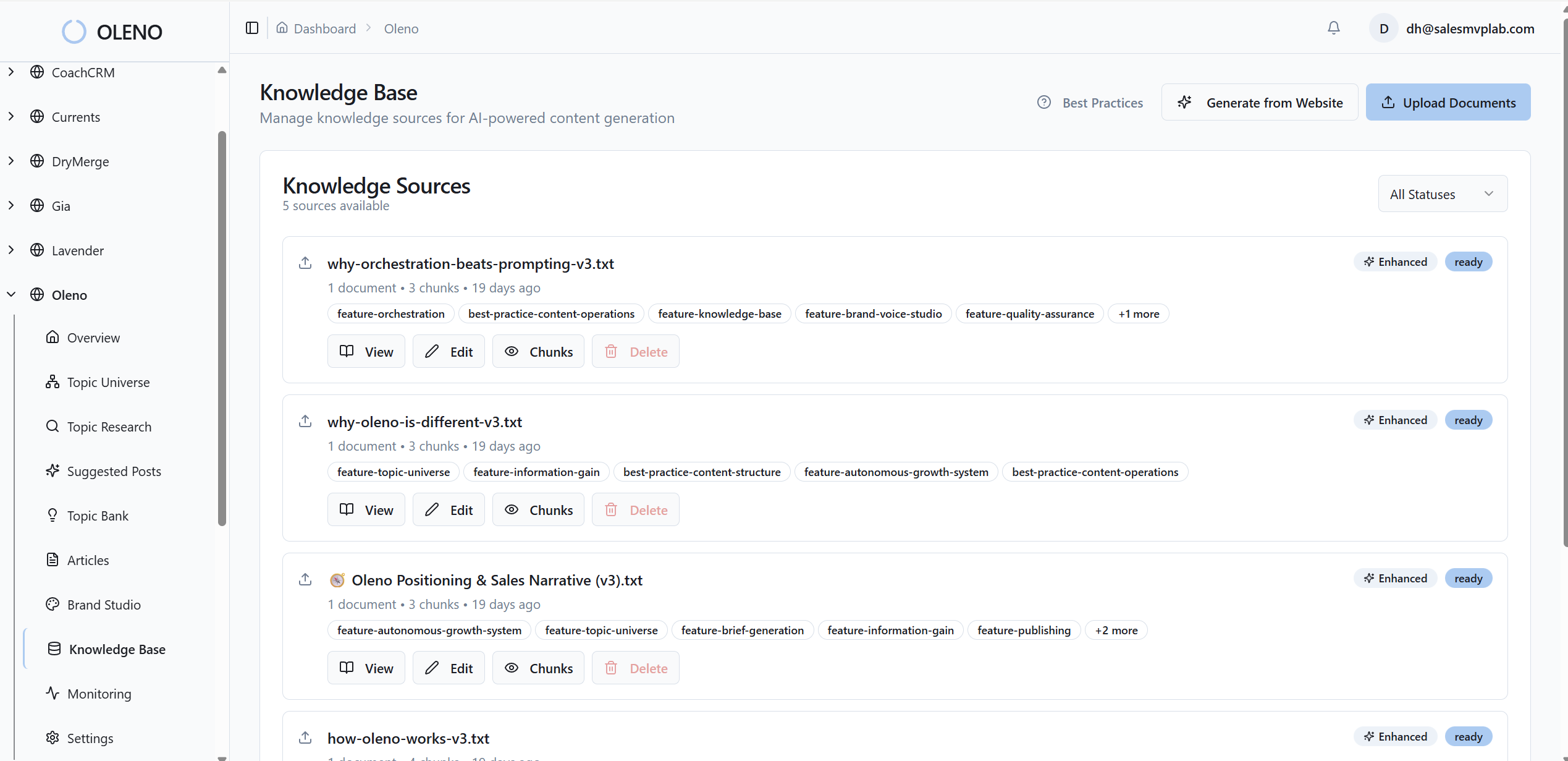
Grounding matters too. Upload internal docs, product knowledge, and examples. Oleno uses that knowledge base to generate structured briefs and on‑brand draft sections that reflect your narrative and constraints. Accepted requests hit the page faster and closer to done. In practice, that cuts edit time and shortens the distance between intake and publish. It’s leverage without adding a new editor to the team.
This isn’t about perfection. It’s about reduce‑the‑variance. Less drift. Fewer “can you make it sound like us?” edits. More predictable throughput.
Cadence enforcement, QA gates, and publishing control that absorb interrupts
Cadence is the heartbeat. Oleno runs content like a system: job pipelines, QA gates that block low‑quality drafts, and direct publishing to WordPress, Webflow, Storyblok, and others. Weekly output keeps moving even when Slack gets noisy. Capacity and WIP rules help absorb interrupts—surprises get routed to the next available slot, not through your afternoon.
You also see signals without adding a meeting. Oleno surfaces throughput and quality trends, common failure patterns, and where QA catches issues. Use that to tighten your intake rubric, tweak SLAs, and defend publish slots. And because distribution can reuse approved content with your rules, your best pieces earn more mileage without creating new work.
If the earlier math stung—hours lost to pings, edits that doubled—this is the antidote. Governance controls, deterministic execution, and publishing control that protect the cadence you worked to set. Want to see it run on your inputs? Try Oleno For Free.
Conclusion
Most teams don’t need more ideas or more drafts. They need fewer places for work to hide, a scoring rubric that takes three minutes, and the discipline to protect publish slots. Build a single queue, define exceptions, and make the rules public. Then let a system enforce them.
You’ll still say no sometimes. That’s healthy. But you’ll spend fewer hours in DMs, less time rewriting, and more time shipping the pieces that actually move the market. That’s the job. And now you’ve got a playbook you can run next week.
About Daniel Hebert
I'm the founder of Oleno, SalesMVP Lab, and yourLumira. Been working in B2B SaaS in both sales and marketing leadership for 13+ years. I specialize in building revenue engines from the ground up. Over the years, I've codified writing frameworks, which are now powering Oleno.
Frequently Asked Questions