Scale Content Marketing with AI Orchestration: A Practical How‑To for SaaS CMOs

I’ve sat on both sides of the table. The person wrangling keywords and outlines. And the person on the hook for pipeline, looking at content as a lever for revenue, not just traffic. When I was running content as a solo marketer, I could crank out drafts quickly. As the team grew, quality didn’t scale with speed. We had more words. Not more authority.
At Proposify, we ranked for gorgeous terms that didn’t map to the product. Great writers. Beautiful posts. But sales couldn’t use half of it. That’s when it clicked for me. The problem isn’t writing speed. It’s disconnected systems. Strategy, research, structure, visuals, publishing. If those live in separate tools and heads, you multiply rework. AI makes that gap feel smaller at first. Then the edit tax shows up.
If you want content to compound, you need a system that produces outcomes you can trust every day. Not a faster way to ask for a draft. That is the promise of AI orchestration. And it’s why teams choose to operationalize, not micro‑prompt.
Key Takeaways:
- Replace prompt chains with a governed pipeline so content ships the same quality every day
- Quantify the edit tax now to make the business case for orchestration and QA gates
- Build a small, authoritative knowledge base and a codified brand studio before scaling
- Automate the deterministic parts: internal links, schema, visuals, and field mapping
- Enforce pass/fail rules upstream so editors stop catching the same issues downstream
- Pilot one cluster for 5–10 posts, then scale once exceptions drop and time-to-publish stabilizes
You’re Scaling Drafts, Not Authority
Most teams speed up drafting and wonder why outcomes feel generic. Authority grows when topic selection, structure, differentiation, visuals, and publishing move as one system. If you only accelerate writing, you scale sameness. That shows up as more edits, slower publishing, and content sales cannot use.

Audit your pipeline for the “noise ratio”
Start with a simple map of the last 30 days, from idea to publish. Label each piece as net new, consensus repeat, or off‑narrative. Then score “information gain” on a 0–100 scale. Keep it blunt. Did you add new data, an original process, or a distinct point of view? If most posts land under 60, you are producing noise.
Track the edit tax while you are at it. Hours from first draft to publish. Number of review cycles. Where comments cluster. If editing keeps fixing voice, facts, and structure, the problem isn’t lazy writing. Upstream rules are missing. For a quick primer on where an autonomous model should carry the weight, see AI content writing.
Trace where prompts start, and systems stop
List every step in your stack. Which actions rely on one‑off prompts versus rules, templates, or connectors? Anywhere you rely on a prompt for accuracy or brand memory, drift is guaranteed. Internal links, schema, visuals, and product mentions should be deterministic, not creative during editing.
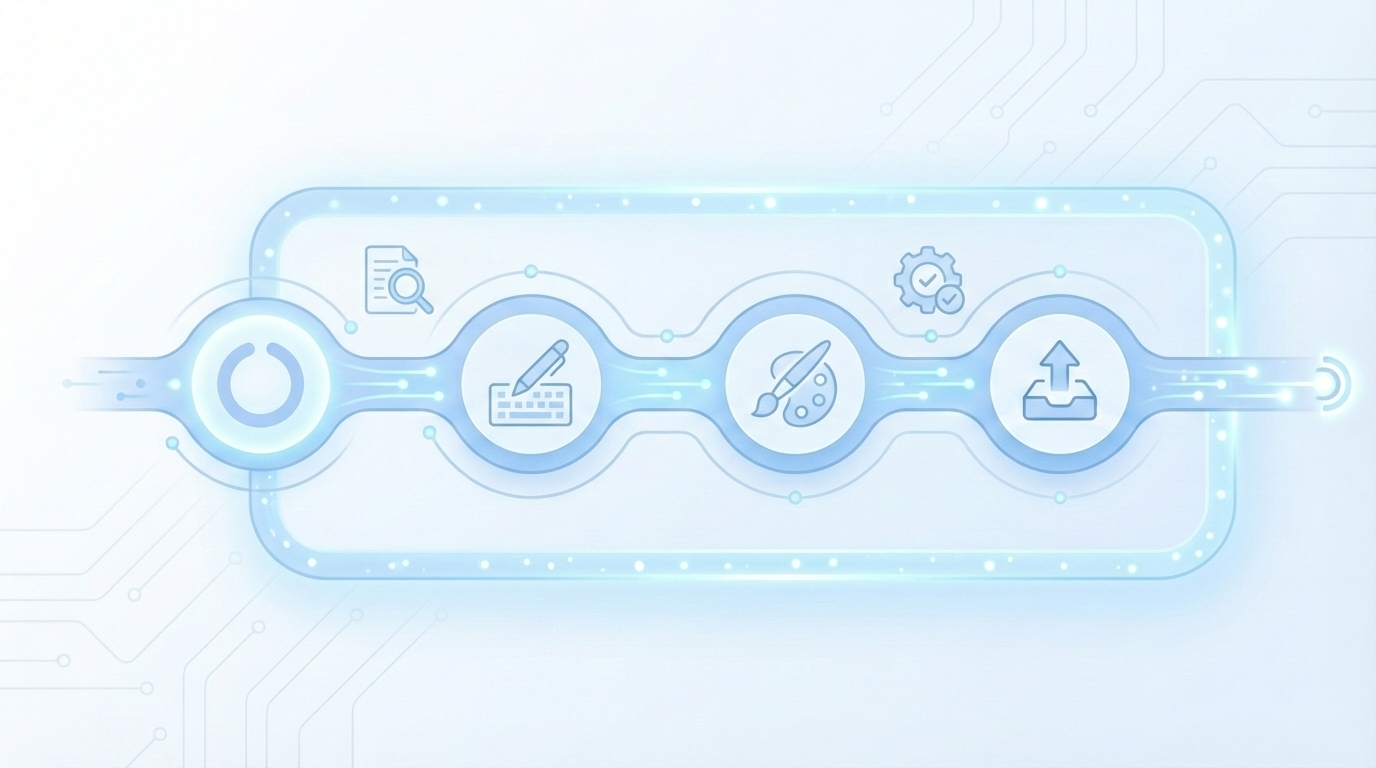
Give your team a shared definition of orchestration. It is not “better prompting.” It is a governed pipeline: Topic to Brief to Draft to QA to Enhancements to Visuals to Publish. Each stage has inputs, acceptance criteria, and a pass/fail gate. This is the core of the orchestration shift that separates compounding systems from faster drafting. Research from MarketingProfs on AI content orchestration aligns with this shift, especially for B2B product teams.
Curious what this looks like in practice? Try generating 3 free test articles now.
The Real Bottleneck Is Disconnected Systems
Content stalls when your knowledge, voice, and visuals live in separate places. A small, versioned knowledge base, a codified brand studio, and deterministic publishing rules eliminate the most common errors. You ship faster because fewer decisions are negotiated at the end.
Centralize a living knowledge base
Create one source that includes product facts, approved claims, pricing notes, and compliance caveats. Keep it tight. Stale or sprawling KBs cause drift, so version it and keep changes small. Chunk content for retrieval with section summaries and canonical definitions so models pull precise facts, not guesses.
Wire that KB into briefing, drafting, and QA. If the KB isn’t referenced at each stage, you are back to luck and memory. This is why the best teams treat content as a system, not a task. If you need a deeper rationale for a single source of truth, read how autonomous systems reduce rework by moving decisions upstream.
Build a brand studio your writers and models can follow
Codify tone, phrasing, banned terms, and microcopy patterns. Examples beat adjectives every time, so show side‑by‑side lines you would approve. Then make visuals first‑class. Include color palettes, logos, style references, and tagged product screenshots so visuals reinforce the narrative, not decorate it.
What belongs in your brand studio?
- Tone and phrasing examples with do/don’t lines
- CTA patterns and intro structures your team uses
- Visual guidance, screenshot rules, alt‑text and filename conventions
- A narrative spine: the three to five ideas you will repeat consistently
- Interjection. If you corrected it twice, write a rule so it never repeats.
For context on the difference between orchestration and operations, see the Content Marketing Institute’s orchestration vs. operations explainer.
The Hidden Costs Of Manual AI Workflows
Manual glue work looks harmless on a per‑article basis. At scale, the edit tax compounds. You lose time to rework and drag publishing cycles, which erodes confidence in content as a lever for pipeline. That is the real cost, not the AI license.
Quantify rework, lead time, and error rates
Let’s pretend you ship 12 posts per month. If each requires two editorial passes at two hours each, plus a design sweep and CMS cleanup, you can spend 40 to 60 hours on fix‑ups. Multiply by blended hourly rates. That is a noticeable budget line for “frustrating rework.”
Track factual corrections per post. Anything above one KB‑correctable fix per article signals grounding gaps. Then measure time‑to‑publish from “approved brief,” not from “first draft.” Draft speed feels good. Lead time tells the truth. Teams that adopt orchestration often reallocate that editing time to better briefs and clearer rules, not more drafts. A global view from StraitsResearch on AI use cases in content suggests the majority still use AI for drafting. That is where the hidden cost starts.
Define failure modes and guardrails
Write down your top failure modes. Give each a check that can be automated. Then define the human exception path. Do not conflate them.
Common failure modes to guard against:
- Hallucinated product claims or out‑of‑date pricing
- Off‑brand phrasing and banned terms
- Wrong internal links or invented URLs
- Missing or malformed schema
- Random visuals that do not match the section
When do prompts actually break?
Prompts break when they must remember brand rules, maintain structure across long drafts, or ground claims in product facts. They also break at handoff moments, like linking to pages in your sitemap, placing screenshots, or generating schema. Use prompts for ideation or phrasing variants. Let systems carry the weight. If you need a crisp comparison, this piece on prompting vs orchestration for demand‑gen content draws the line clearly. The market analysis from MarketingProfs on content orchestration points the same direction.
Make It Feel Safe With Measurable Guardrails
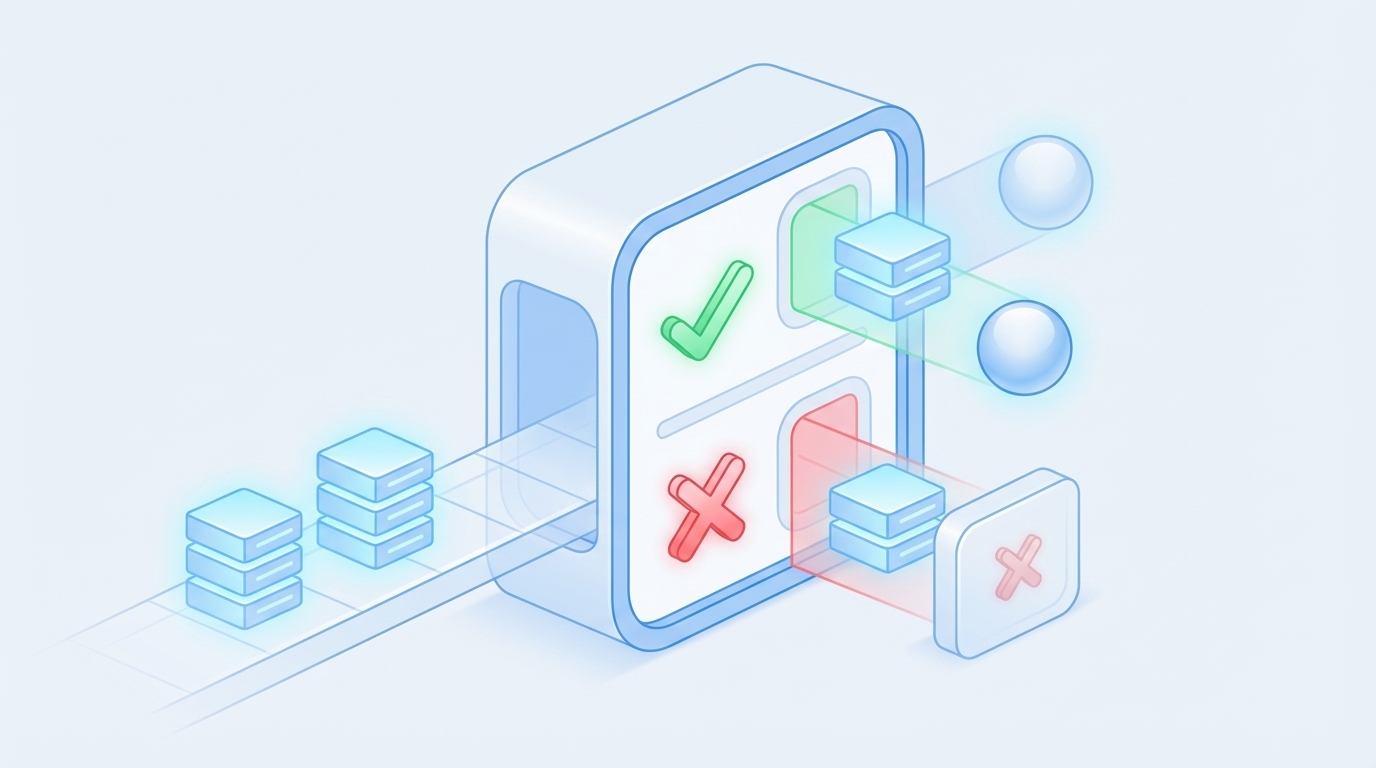
Trust grows when quality stops being a debate and becomes a standard. A visible QA gate with pass/fail rules sets the floor. Exceptions exist, but they are documented and shrinking. You move the human effort upstream, where it pays off.
Establish a QA gate with pass/fail thresholds
Define the rules before writing begins. Minimum information gain. Snippet‑ready openings on every H2. Brand voice alignment. KB‑grounded claims. Deterministic visuals, links, and schema present.
Suggested QA criteria:
- Information gain score meets your floor
- H2s open with 40–60 word snippet paragraphs
- Voice and banned‑terms checks pass
- Internal links use verified sitemap URLs
- Article, FAQ, and BreadcrumbList schema validate
Pick a composite threshold, for example 85 or higher, that blocks publishing until all criteria pass. Keep QA internal. It is not analytics, it is ship‑readiness. If you want a deeper dive on implementing this, read our walk‑through on an automated QA gate.
Set review cadence and exception paths
Define when humans review by default. New product narratives, high‑stakes releases, and compliance‑sensitive pages. Everything else should clear automated QA. Create a single exception workflow. If a piece fails, it auto‑refines or enters a brief, documented fix path, not an ad‑hoc chat thread.
Review QA outcomes weekly. Convert recurring manual edits into new rules so exceptions shrink over time. Teams that do this stop debating taste and start improving the system. This aligns with research that shows AI is most effective when paired with governance, not ad‑hoc usage, noted in StraitsResearch’s global AI usage findings and the Content Marketing Institute’s perspective on orchestration.
Who owns quality in an automated pipeline?
You do, by defining the rules. The pipeline simply enforces them. Editorial still matters. It shifts upstream to better briefs, a tighter KB, stronger voice rules, and sharper QA checks. Make the process boring on purpose. When everyone knows the rules, quality becomes a non‑event.
Adopt The New Way: Orchestrate, Don’t Micro‑Prompt
The practical shift is simple. Automate what should be predictable, and run a daily Topic to Publish loop with clear gates. Pilot in a narrow scope, fix the rules, then scale the loop. Confidence rises as exceptions fall.
Implement deterministic placements for links, schema, visuals
Set the deterministic parts in code, not prompts.
- Internal links: inject 5–8 links using only verified sitemap URLs. Place them at natural sentence boundaries and match anchor text to page titles.
- Schema: programmatically generate JSON‑LD for Article, FAQ, and BreadcrumbList. Validate before publishing.
- Visuals: generate brand‑consistent hero and inline images. Match tagged product screenshots to relevant sections. Auto‑generate alt text and filenames.
This structure also improves eligibility for featured snippets and AI citations. The idea behind dual‑discovery visibility is to make sections easy for both search and assistants to reference.
Design the daily Topic → Publish loop
Start with strategy. Map clusters, coverage, and a 90‑day cooldown so you do not over‑publish the same idea. Generate briefs with competitive research and an information gain score. Reject low‑gain outlines before they waste cycles. Then draft with snippet‑ready sections, run QA, inject links, add schema, place visuals, and publish via connectors. If you want to see how teams wire this end to end, read about orchestrated content pipelines.
How do you pilot without risking the brand?
Pick one cluster and 5–10 posts. Keep the blast radius small while you tune the KB, voice rules, and QA thresholds. Run a weekly retro. What passed, what failed, which rule change prevents this next time. Convert edits into system updates. Expand once exceptions drop and time‑to‑publish stabilizes. A practical example of similar orchestration in action is outlined in this SuperAGI case study on AI orchestration.
Ready to eliminate 40 to 60 hours of monthly fix‑ups? Try using an autonomous content engine for always‑on publishing.
How Oleno Automates The Entire Workflow
Oleno replaces fragmented tools with one system that handles strategy, research, writing, visuals, QA, and publishing. It runs the same governed pipeline every time so outcomes are predictable. You get publish‑ready articles, not drafts that need hand stitching.
Configure Oleno’s KB, Brand Studio, Topic Universe, and Visual Studio
It starts by processing your Knowledge Base, importing your sitemap, extracting brand voice, and configuring focus areas. That seeds Topic Universe, which maps your topic landscape, clusters related themes, tracks coverage, and enforces a cooldown to prevent over‑publishing. Briefs include competitive research and an Information Gain Score so low‑gain outlines are flagged before writing.
Visual Studio then generates brand‑consistent hero and inline images. It pulls from a brand asset library with your colors, logos, style references, and tagged product screenshots. Screenshots are matched to relevant sections using semantic similarity, with solution sections prioritized. The net effect is simple. Visuals reinforce understanding, not decoration.
Run closed‑loop QA and publishing without dashboards
Oleno writes long‑form drafts aligned to your brand voice and KB facts. Every H2 opens with a 40–60 word snippet‑ready paragraph so sections stand alone cleanly. Then the system enforces quality using Quality Assurance & Enhancement Loops, evaluating drafts against 80+ criteria that include structure, information gain, voice alignment, snippet readiness, and visual placement.
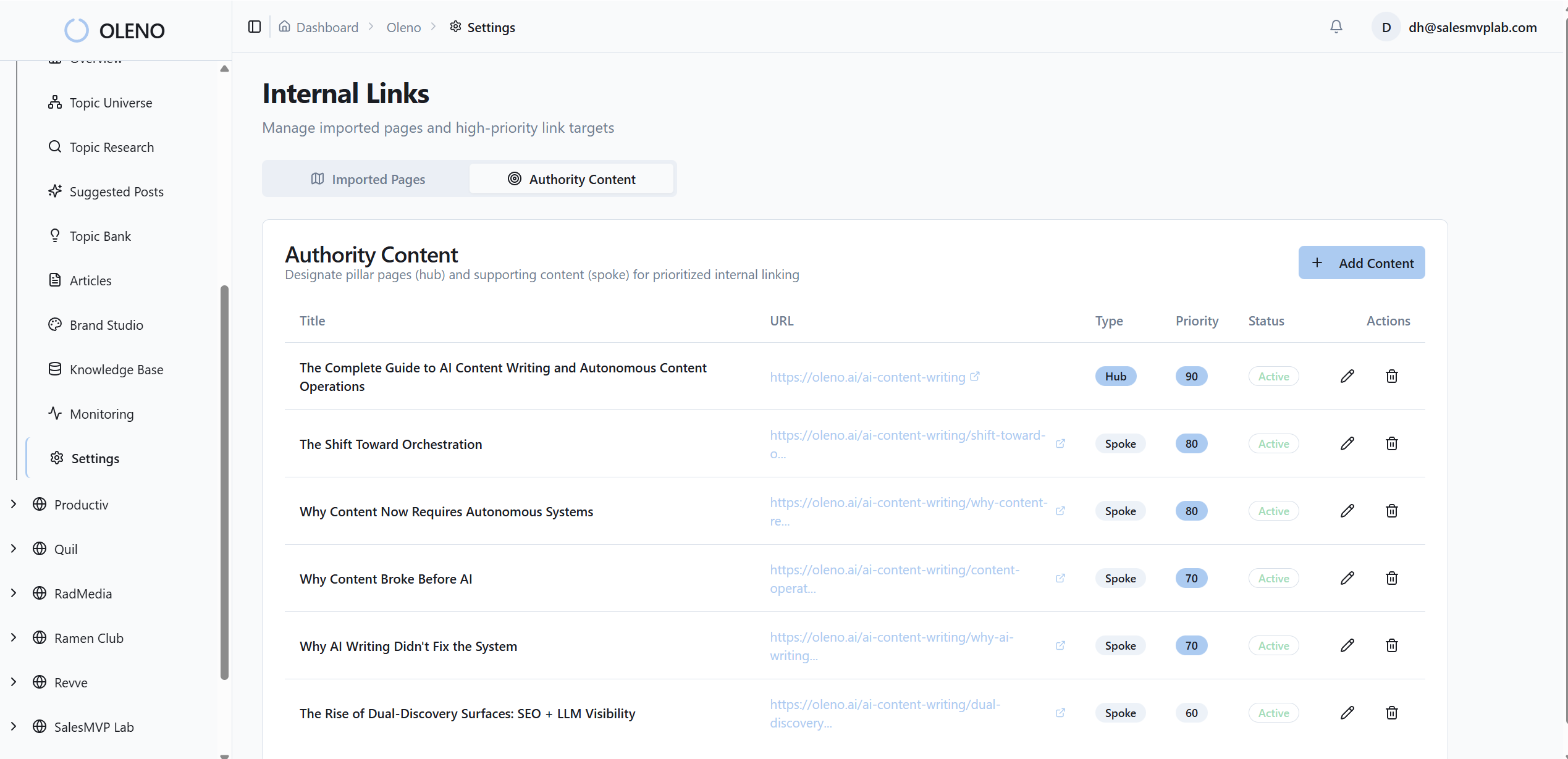
Deterministic internal links are injected using only verified sitemap URLs. JSON‑LD schema for Article, FAQ, and BreadcrumbList is generated and validated. Publishing connectors deliver CMS‑ready HTML to WordPress, Webflow, or HubSpot, with fields mapped automatically and duplicates prevented. For a closer look at code‑based accuracy, see how a deterministic content pipeline locks text, visuals, links, and schema together.
How does Oleno keep it explainable?
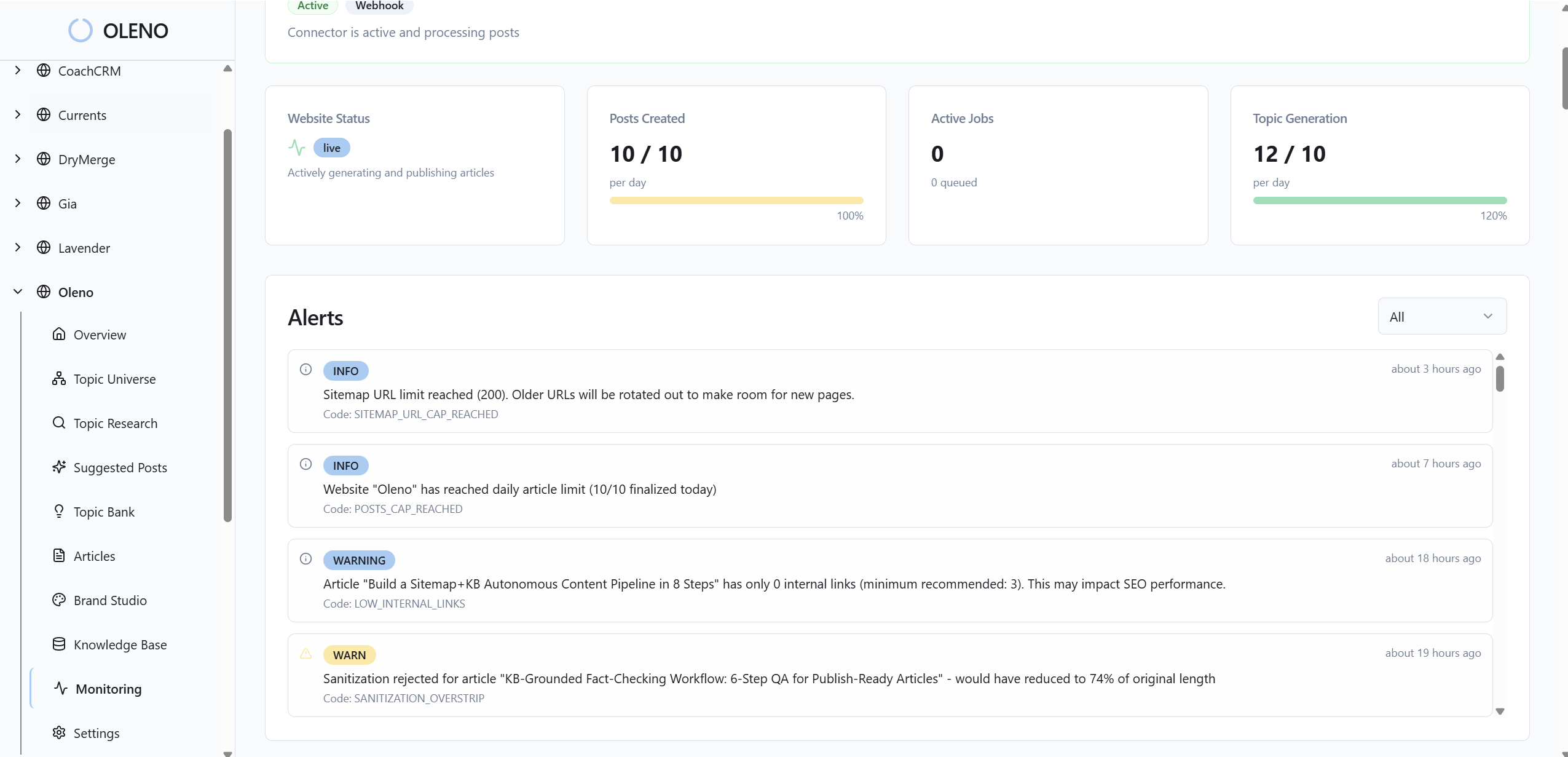
Oleno uses orchestration, not prompts, to keep operations predictable. The pipeline is auditable. System‑level logs record inputs and outputs, knowledge retrieval events, QA scoring, publish attempts, retries, and version history. You can retrace decisions and improve rules without adding analytics dashboards.

Remember that 40–60 hours a month in fix‑ups, the link errors, the schema misses, the off‑brand phrasing? Oleno eliminates that manual stitching by moving the work into rules and gates. Topic Universe keeps you focused on what to write next. Information Gain Scoring pushes originality before writing begins. Visual Studio ensures the article looks like it came from your brand. Deterministic links and schema attach the right structure. QA blocks weak drafts before they reach your CMS.
Want to see this loop end to end on your site? Try Oleno for free.
Conclusion
If your team feels stuck in edit loops, you are not alone. Faster drafting created a short‑term boost, then a long‑term headache. The fix is not more prompts. It is a governed pipeline that moves decisions upstream and makes publishing boring in the best way.
Centralize facts in a small, living KB. Codify voice and visuals in a brand studio. Automate the deterministic steps and enforce a visible QA gate. Pilot a narrow cluster, measure the edit tax you remove, then scale the daily loop. When you do, drafts stop being the goal. Authority starts to compound.
And if you want that system to run itself, Oleno is built to generate, enhance, and publish complete, on‑brand articles with the rules you define. The outcome is not just speed. It is reliability you can trust.
About Daniel Hebert
I'm the founder of Oleno, SalesMVP Lab, and yourLumira. Been working in B2B SaaS in both sales and marketing leadership for 13+ years. I specialize in building revenue engines from the ground up. Over the years, I've codified writing frameworks, which are now powering Oleno.
Frequently Asked Questions